Cannot display HUD/import hand history on Mac
Hi everyone,
I've downloaded the Mac version of the app, but cannot seem to import my hand history/display HUD on pokerstars on Mac. I have followed the troubleshoot guid and I have ensured that my path to hand history is the same on pokerstars and Hand2note, to no avail. I'm hoping that someone can help me out.
Thanks!
12 Replies
Update: I have successfully linked my hand history, but still do not have any HUD display.
Hello,
Currently, the HUD on PS works in the macOS version only at regular tables. Zoom is not supported. Also make sure PS is running in English, other languages are not supported.
Could you please check the Auto Import settings.
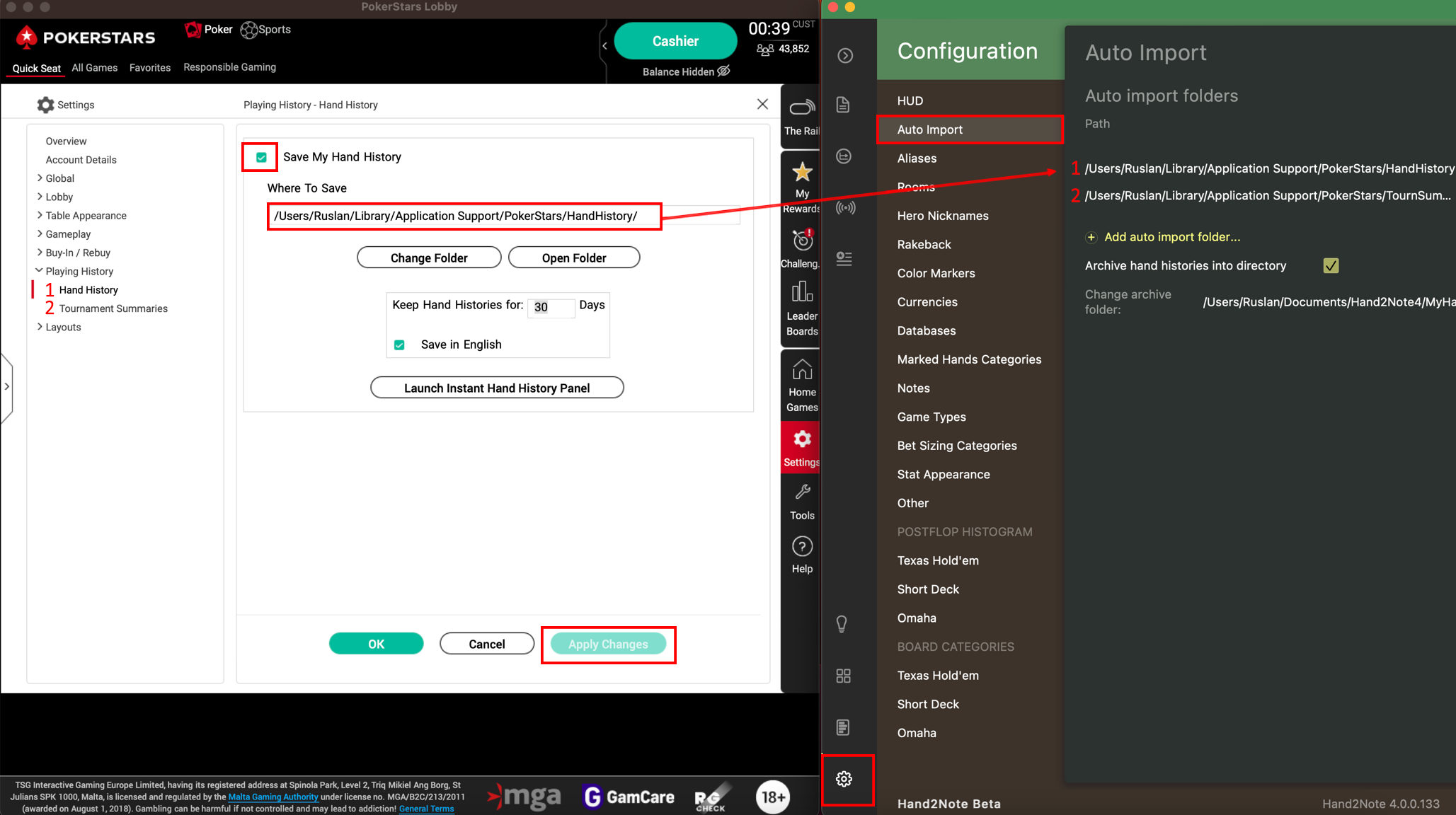
Example of correct configuration:
1. PS client is required to be installed in English.
2. Save My Hand History should be checked (After checking the box, you should click on Apply Changes)
3. Save in English should also be checked (After checking the box, you should click on Apply Changes)
4. You should copy the save path to the Hand2Note settings for the two tabs Hand History and Tournament Summaries.
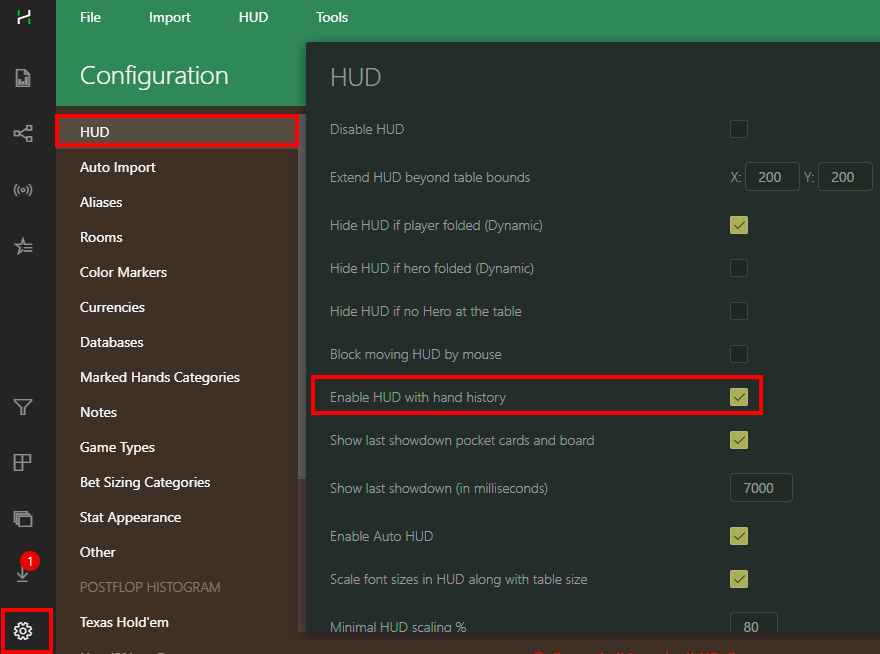
This option should be enabled in Configuration -> HUD:
Not OP but I have the same problem. I can manually import hand histories but the automatic import and the HUD dont work. I have checked all the settings as above multiple times. Running on Big Sur if that makes any difference.
Could you try deleting the Documents/Hand2Note4 folder?
And then download and install it again: https://h2n.blob.core.windows.net/hand2n...
After that, configure auto import again and check.
You can also check in the macOS top menu if autoimport ( Import -> Auto Import) is enabled:

Thanks for the response, the link fails to download. Gets most of the way and then fails.
I did delete the mentioned file and tried using the dmg I originally used to install again and it still doesn't work.
There is no ( Import -> Auto Import) option there is a (HUD > Auto Import) though and that is checked.
Still having the same issues.
Ok, I got the link to download and followed the instructions but still no auto import or HUD.
Could you please take a screenshot where we can see your table and Hand2Note window while playing on PS?
Make sure to screenshot full windows with all borders in the frame.
Example:
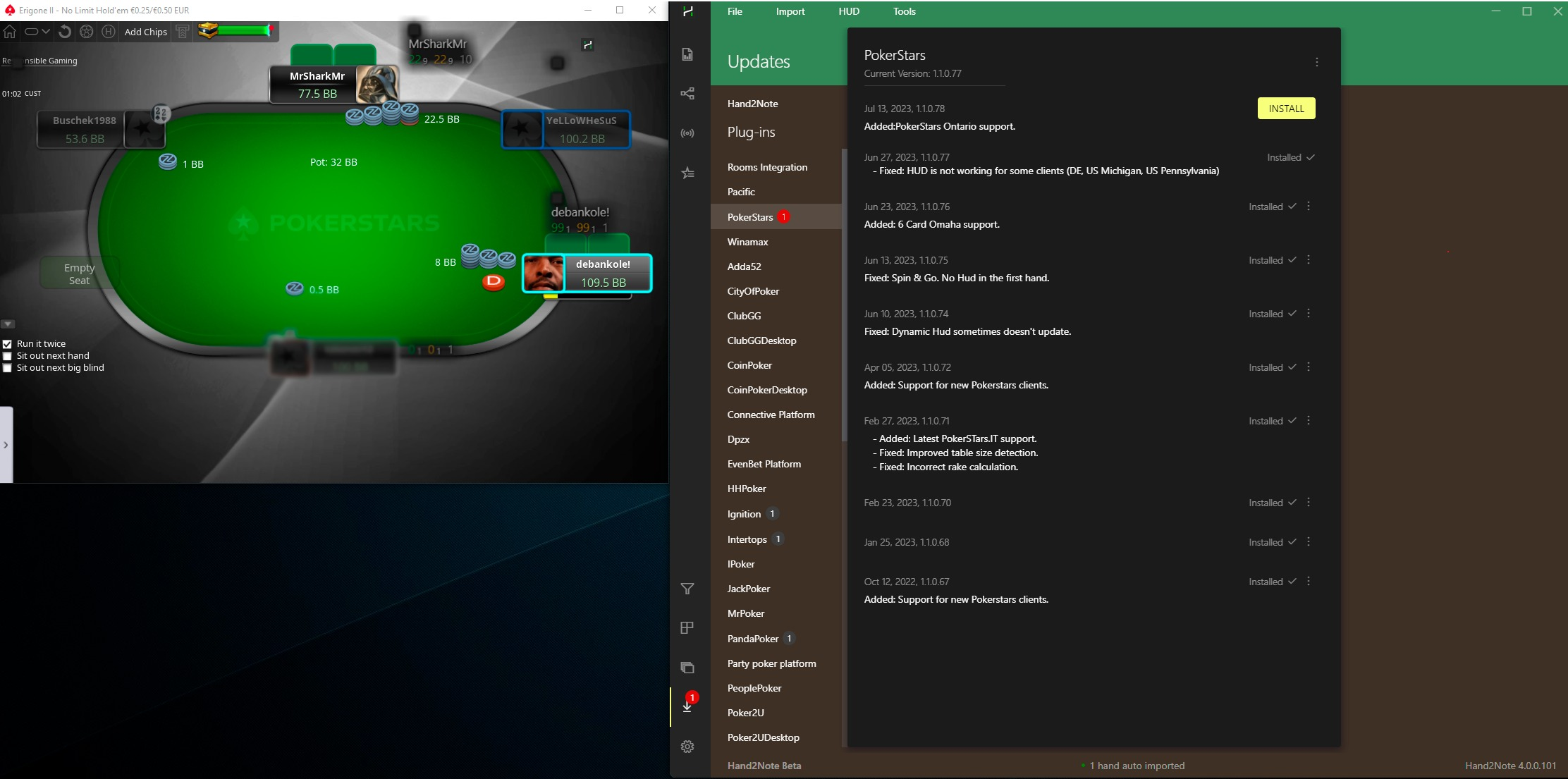
I dont seam to have the plug in section that is shown in your image.
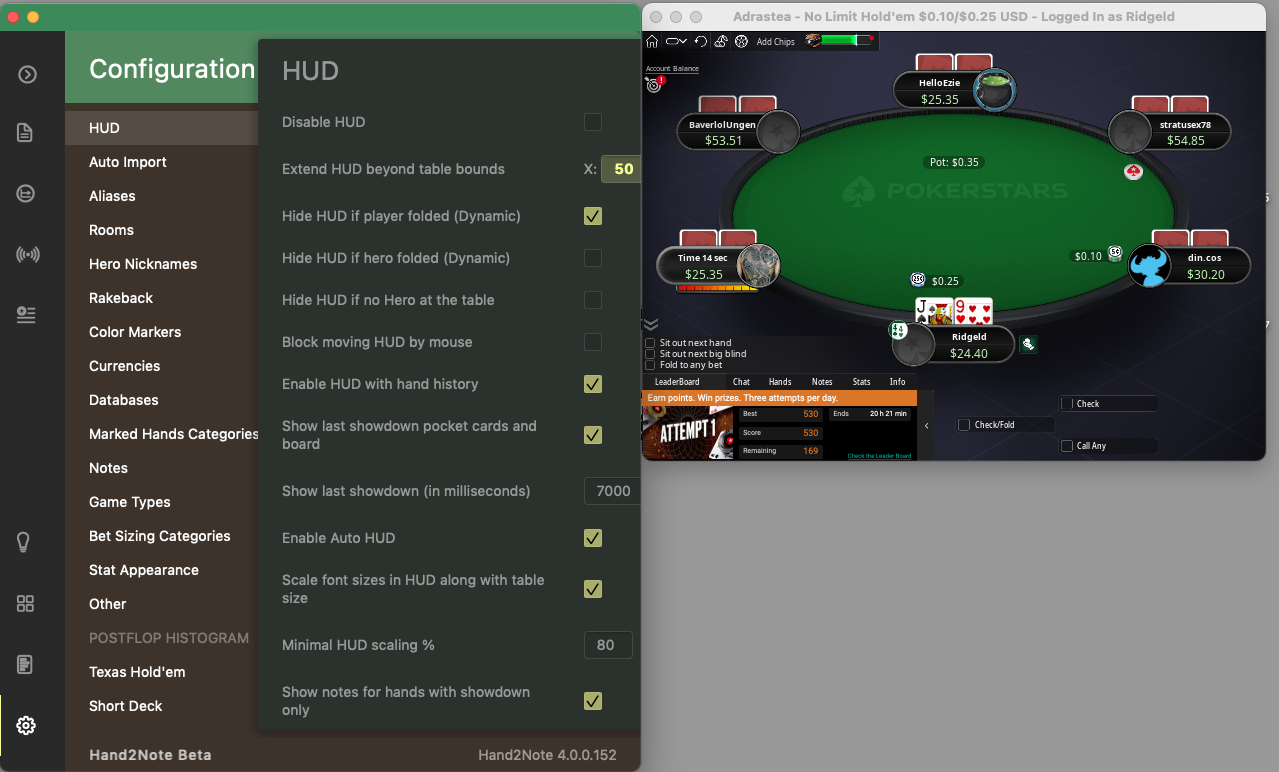
In your screenshot, the auto-import is not working.
Most likely the Save My Hand History or Save in English boxes are unchecked
Could you please take screenshots of Hand2Note settings in the auto-import tab and PokerStars settings in the Hand history section.
Also maybe instead of adding auto-import folders, you changed the archive folder.
Thats sorted it thanks.
For anyone else who has the problem that finds this make sure you click the plus icon in the auto import section and add the location. Do not change the folder that’s already linked to be the archive!
The HUD on PokerStars works on macOS at regular tables, but not on Zoom tables. As far as I know, Zoom is still not supported on macOS — is that correct? I’m not sure if I’m doing something wrong or if this limitation still applies. Could you please confirm?
The HUD on PokerStars works on macOS at regular tables, but not on Zoom tables. As far as I know, Zoom is still not supported on macOS — is that correct? I’m not sure if I’m doing something wrong or if this limitation still applies. Could you please confirm?
Hello!
That's correct; the macOS version doesn't support fast tables in any room yet. We're working to implement such a feature, yet I can't give you ETA for that, sorry.


