Problem with Hand2Note Virus WIN32 Gamehack
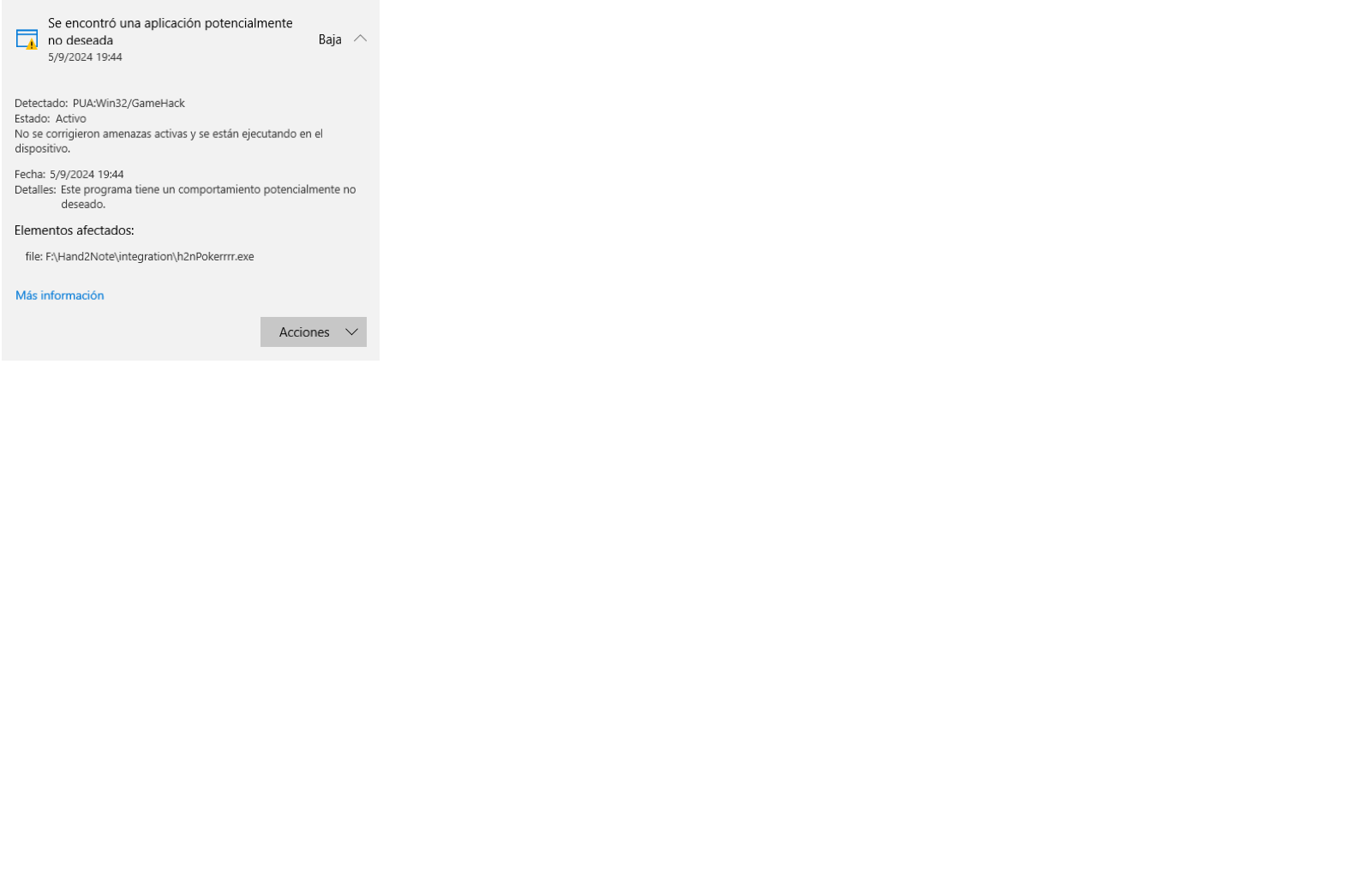
A few days ago i had this problem, which appears to be a virus named PUA:Win32/Gamehack
4 Replies
I had this message poping up at first, but after a few days i was able to open HAND2NOTE properly, but my windows defender was sending me nonstop notifications about the Win32/gamehack problem
System.ComponentModel.Win32Exception (0x80004005): Acceso denegado
en System.Diagnostics.Process.StartWithShellExecuteEx(ProcessStartInfo startInfo)
en System.Diagnostics.Process.Start(ProcessStartInfo startInfo)
en Hand2NoteCore.Integration.IntegrationHost.Start()
en System.Threading.Tasks.Task.Execute()
--- Fin del seguimiento de la pila de la ubicación anterior donde se produjo la excepción ---
en System.Runtime.ExceptionServices.ExceptionDispatchInfo.Throw()
en System.Runtime.CompilerServices.TaskAwaiter.HandleNonSuccessAndDebuggerNotification(Task task)
en Hand2NoteCore.Loader.B.MoveNext()
--- Fin del seguimiento de la pila de la ubicación anterior donde se produjo la excepción ---
en System.Runtime.ExceptionServices.ExceptionDispatchInfo.Throw()
en System.Runtime.CompilerServices.TaskAwaiter.HandleNonSuccessAndDebuggerNotification(Task task)
en Hand2Note.App.
--- Fin del seguimiento de la pila de la ubicación anterior donde se produjo la excepción ---
en System.Runtime.ExceptionServices.ExceptionDispatchInfo.Throw()
en System.Windows.Threading.ExceptionWrapper.InternalRealCall(Delegate callback, Object args, Int32 numArgs)
en System.Windows.Threading.ExceptionWrapper.TryCatchWhen(Object source, Delegate callback, Object args, Int32 numArgs, Delegate catchHandler)
Hello, the issue is related to your antivirus or Windows Defender. Could you please try the following steps:
1. Add the Hand2Note folder to your antivirus exclusions.
2. Delete this file: h2nHost.exe from the folder C:\Program Files\Hand2Note\integration
The file may be missing if it was already removed by the antivirus.
3. Launch Hand2Note and check if the program works correctly.
Hello, the issue is related to your antivirus or Windows Defender. Could you please try the following steps:
1. Add the Hand2Note folder to your antivirus exclusions.
2. Delete this file: h2nHost.exe from the folder C:\Program Files\Hand2Note\integration
The file may be missing if it was already removed by the antivirus.
3. Launch Hand2Note and check if the program works correctly.
thank you so much! this fixed everything, my only concern now is that this is not a virus/malware right? its just the interaction between H2N and my windows defender?
Antiviruses often falsely react to Hand2Note because displaying the HUD on "external processes" can raise suspicion. For this reason, adding it to the exceptions is a necessary step to ensure the HUD works correctly.
If you downloaded Hand2Note from our official website, you can be sure that there are no viruses.


