HUD not working on PokerStars cash games/Zoom

1) HUD does not show up on PokerStars cash games including Zoom
2) Hands are being imported correctly
3) Tournament hud works well
Any fix?
Thank you very much!
3 Replies
Hello,
If the problem is with Hand2Note 3, could you please try these steps:
1. In the Configuration -> Game Types, click Reset to default and then click on Save settings.
2. Select your custom HUD and Popup profiles in your game type and then click the Save settings.
3. Rebuild your statistics (click "Clear stats", then "Build stats" in the main window):
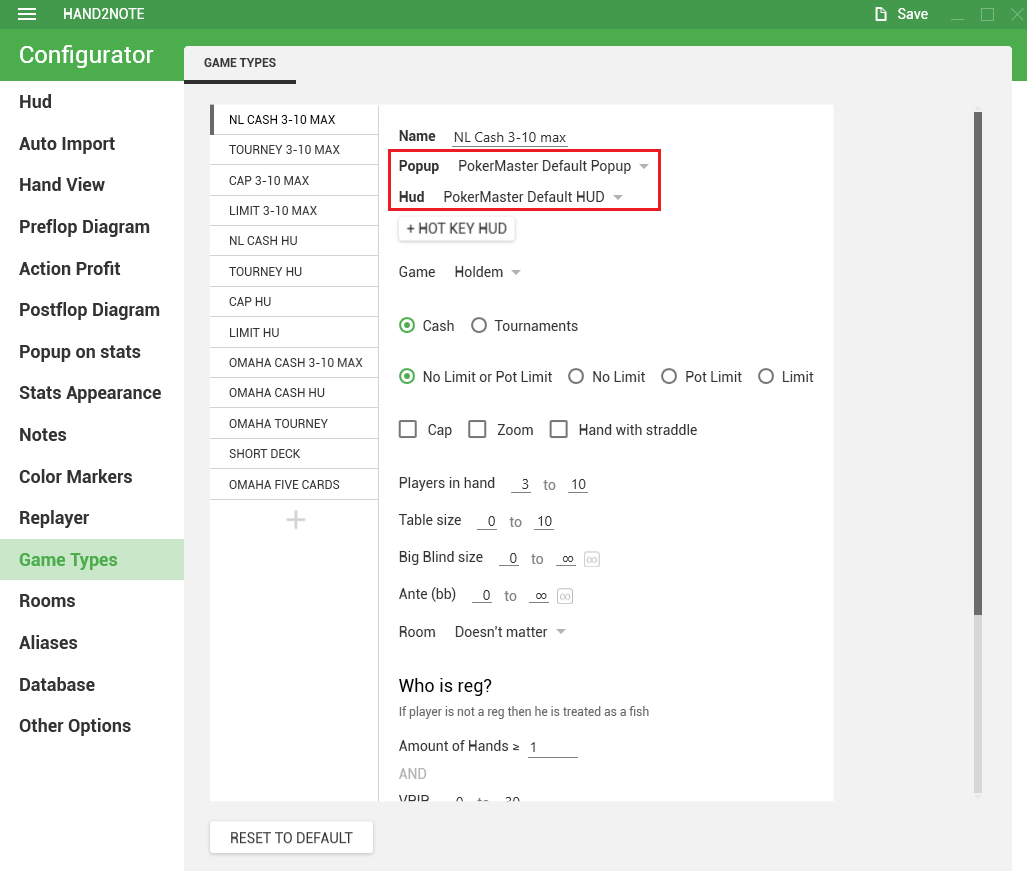
If the problem is with Hand2Note 3, then try to follow the next steps:
1. Close all the tables.
2. In Configuration -> Game Types, click on Reset to default (If you don't see the Reset button, just scroll down)
3. Select your custom HUD and Popup profiles for your preferred game type.
4. Now it is necessary to rebuild the statistics (click on "Clean & Rebuild Statistics")
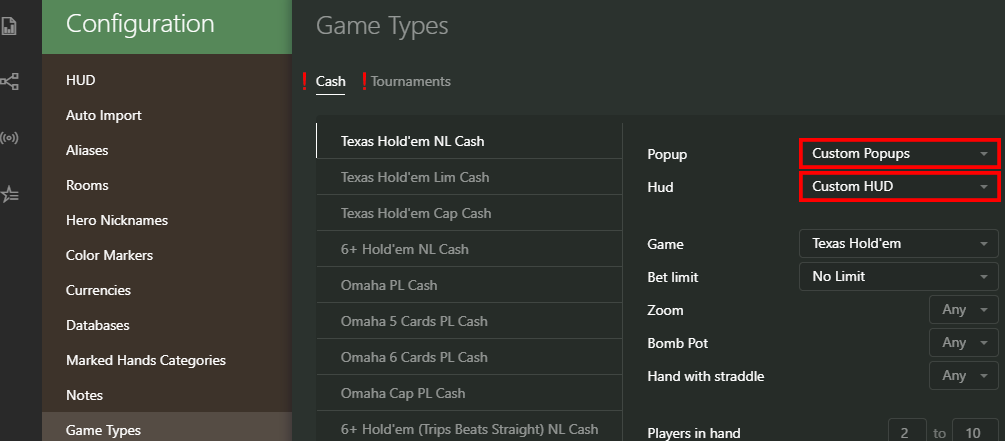
MY apologies, this is concerning Hand2Note4
Could you try to add Hand2Note folder to antivirus exclusions? If that doesn't help, you should try reinstalling the PokerStars client.
After reinstalling the client, make sure to check the auto-import settings. Sometimes the settings can change or get lost.
Example of correct configuration:
1. PS client is required to be installed in English.
2. Save My Hand History should be checked.
3. Save in English should also be checked.
4. You should copy the save path to the Hand2Note settings for the two tabs Hand History and Tournament Summaries.
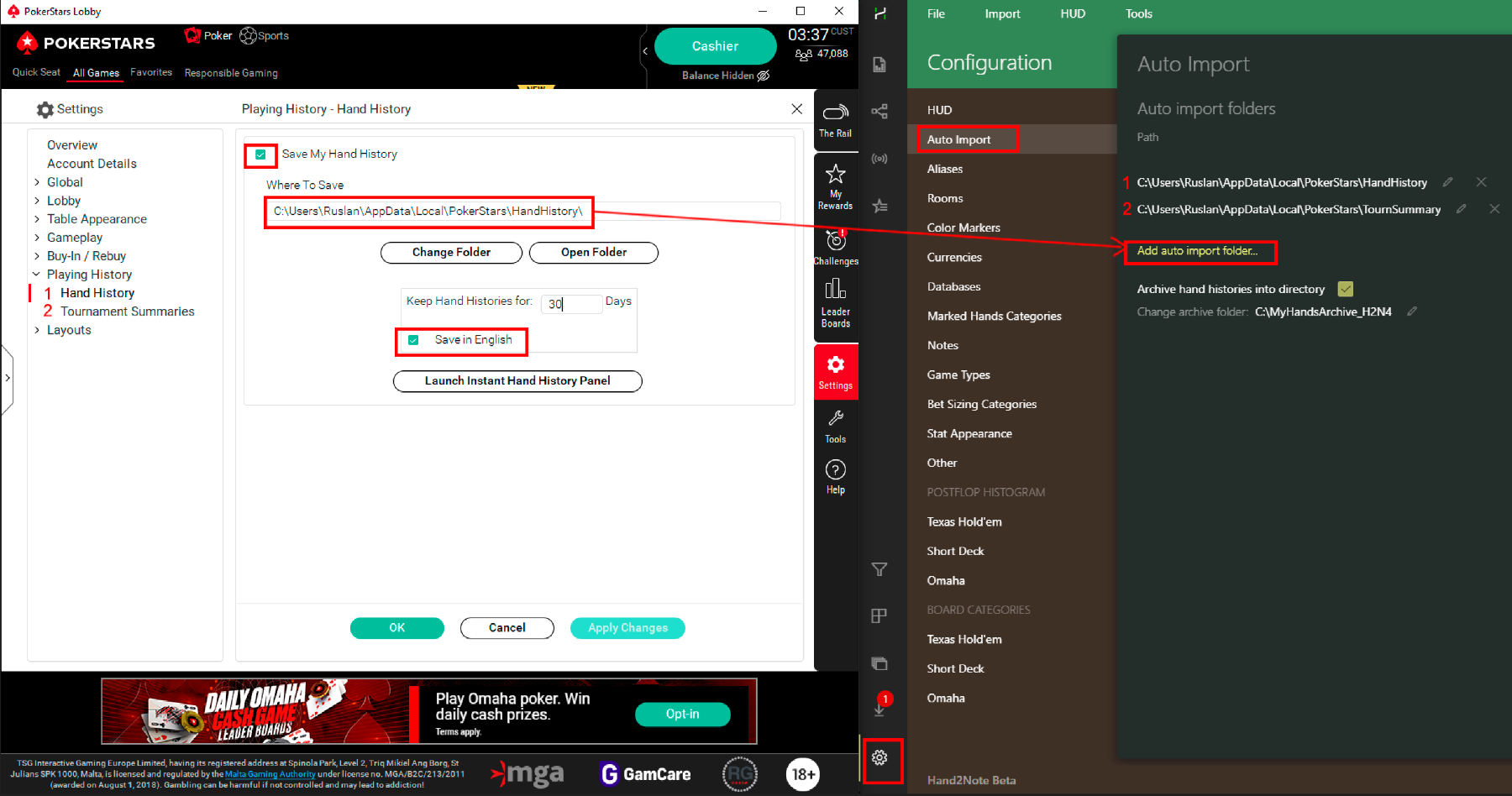
5. Always run PS as administrator and in English.


