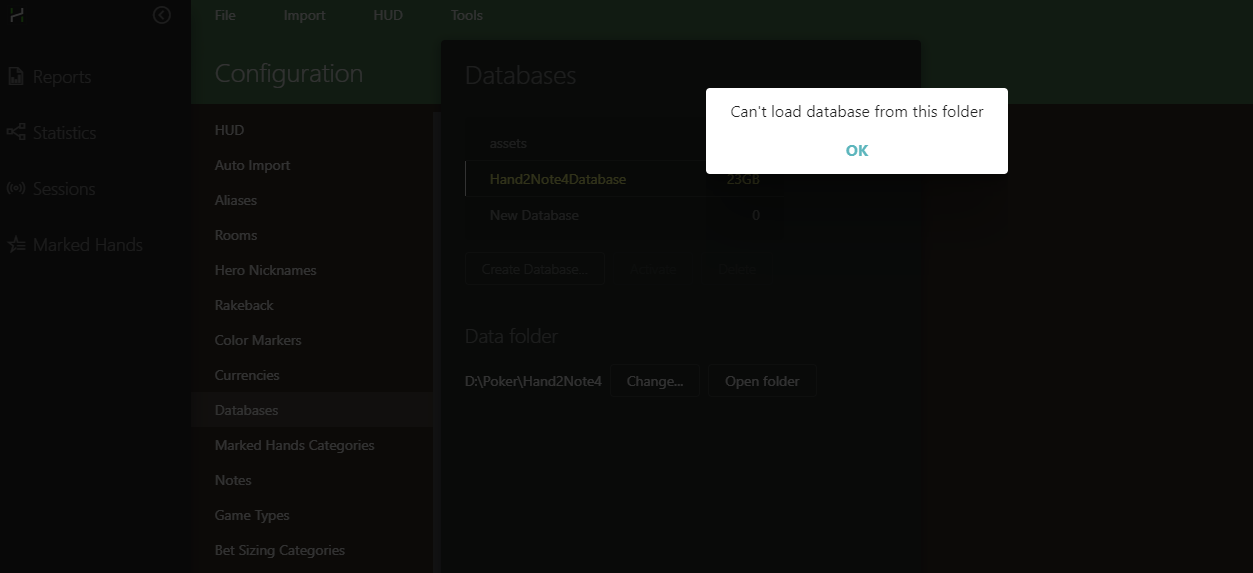
The base broke down after the power outage
when try activate databse
3 Replies
Hello,
Could you please close Hand2Note and delete the 'reports' and 'stats' folders from the directory where your database is stored? By default, it's located here: C:\Users\AppData\Roaming\Hand2Note\Databases\Name of your database:
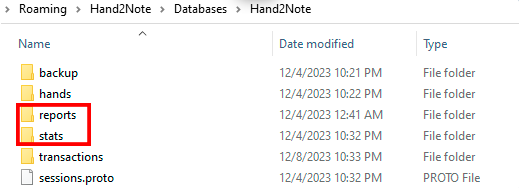
Then launch Hand2Note and try switching to the database that was unable to load. After that, click on 'Build Statistics.'
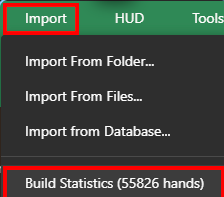
If it doesn't help, you'll have to delete the entire database, unfortunately. But you can restore your hands by importing the following folders C:\Hand2NoteHh\ and C:\MyHandsArchive_H2N\ to the new database.
It didn't help, I had to create a new database.
By the way, is there any way to transfer notes from H2N to H2N4?
Thanks for the answer.
Hello, it is possible to convert your Hand2Note 3 Config (HUDs, Popups, Betsizings, Note etc.) to Hand2Note 4.
Could you please follow these steps to do it properly:
1. Click on Tools -> and select Convert Hand2Note 3 Config
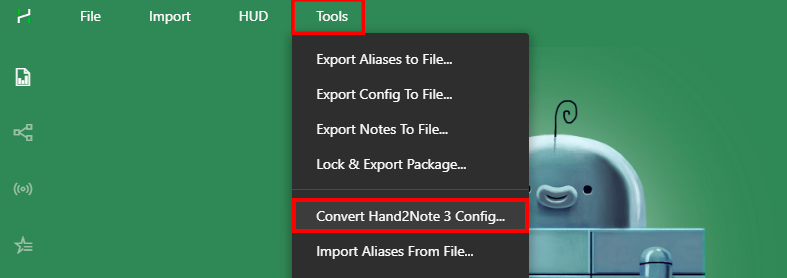
2. Select the folder where your Hand2Note 3 is installed, by default it is here: C:/Program Files/Hand2Note
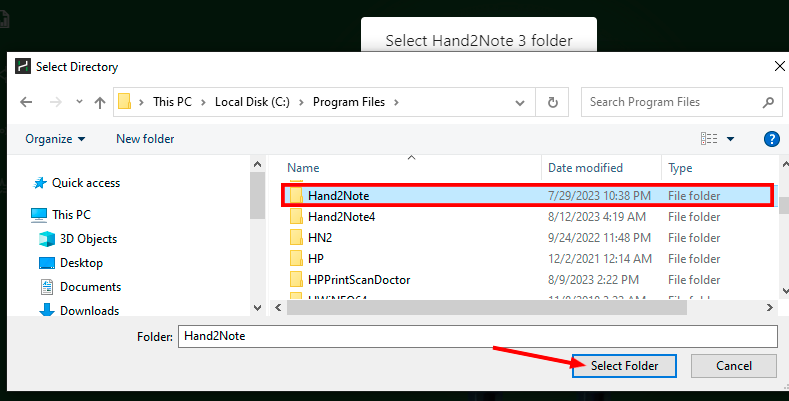
3. Now have to wait until converting is finished, usually it's less than a minute, depends on the number of stats in your Hand2Note 3 profiles.
4. When finished, it is necessary to restart Hand2Note.


