Cannot import hands on new hand to note
Hi,
The new hand to note has imported some of my old hands but it isn't importing any new ones when I sit down at a table.
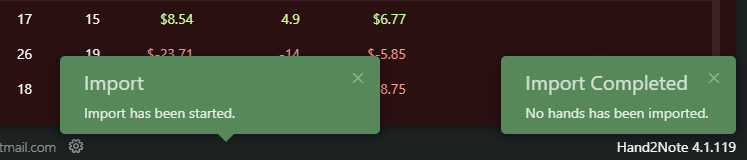
I changed the import database to Hand2Note4 and the second option to the folder I used to import my hands to but still no Hands are being imported for some reason.
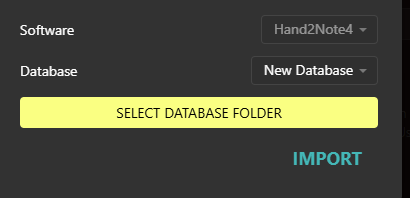
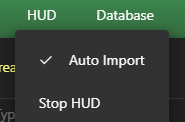
There was an option to import new hands on the old version of hand to note but doesn't seem to be on this version. Hopefully there is a way to fix it. It just says auto import but no hands being imported still. Thanks.
4 Replies
Hi,The new hand to note has imported some of my old hands but it isn't importing any new ones when I sit down at a table. I changed the import database to Hand2Note4 and the second option to the folder I used to import my hands to but still no Hands are being imported for some reason. There was an option to import new hands on the old version of hand to note but doesn't seem
Exactly ,same problem here, but only with 888 hand histories , another rooms are working normally.
HUD appears in tables during the grind but stats not appears because hands arent being import.
There is any solution ?
H2N Version 4.1.119
Hello!
Could you please specify your Hand2Note version and the room where you play? Some rooms require additional settings to start importing hands.
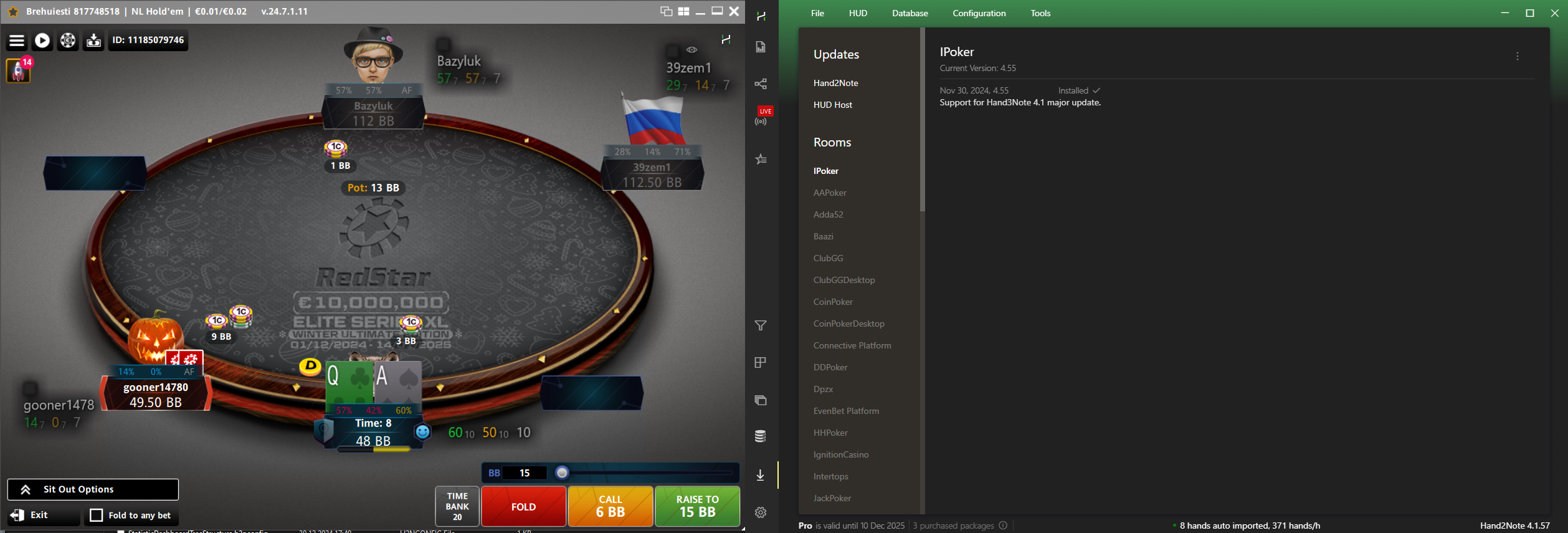
You can also take a screenshot where we can see your table and Hand2Note window while playing. That'd be a great help for us!
Make sure to screenshot full windows with all borders in the frame.
In Hand2Note 4, open the Updates section and select your Room.
Example:
Thanks in advance!
Hi, I have made a screenshot below. Basically looks like the hud is running but not importing hands. Playing on Pokerstars. Thanks
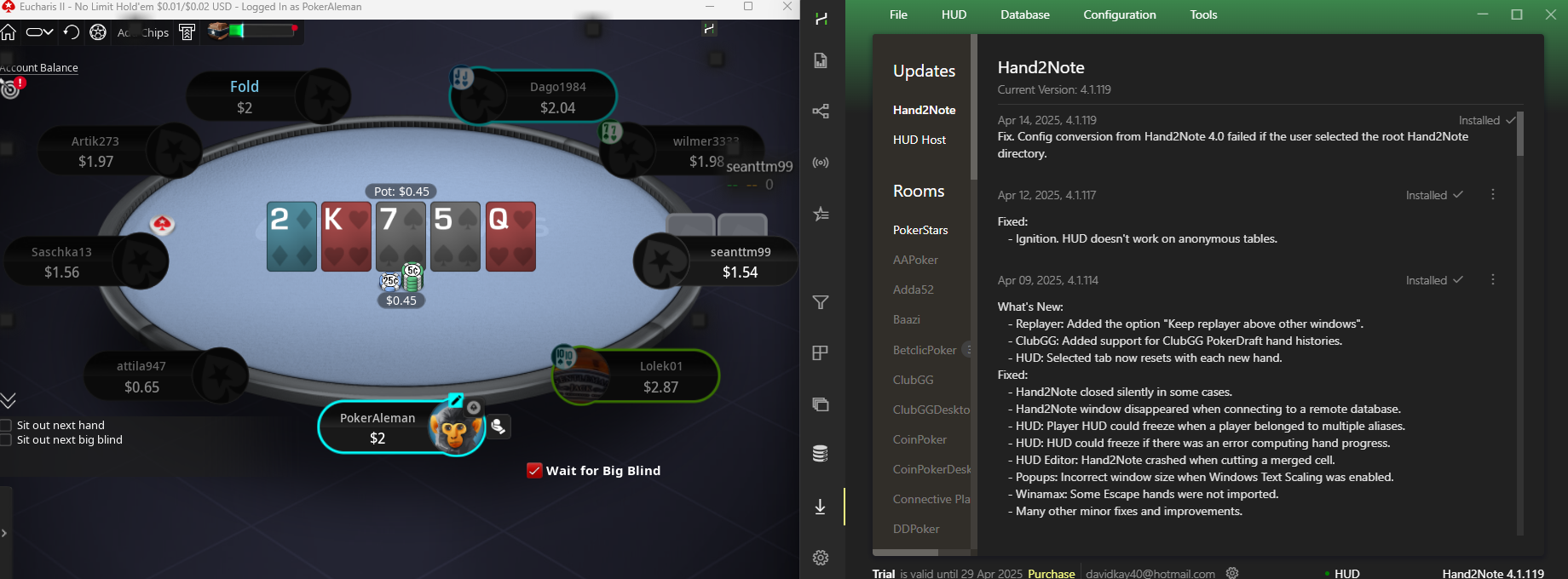
Thank you for the screenshot! Yes, HUD is active, but we can see hands aren't imported.
Please, note that Hand2Note imports hands from the PokerStars folder. PokerStars may not save hands if you're not in play. We recommend checking hands importing only while playing, that's important.
Could you please double-check the Auto Import settings. Sometimes the settings can change or get lost after updating.
Example of correct configuration:
1. PS client is required to be installed in English (that's good on your device!).
2. Save My Hand History should be checked.
3. Save in English should also be checked.
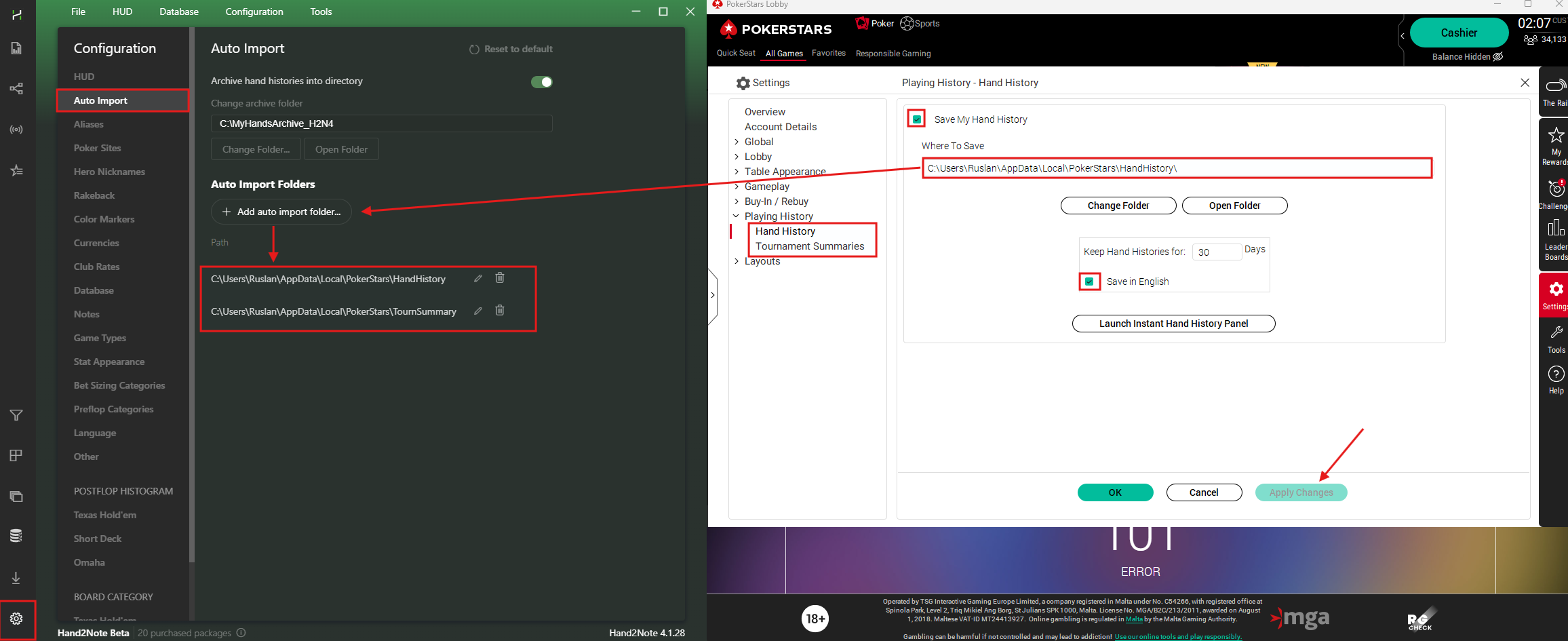
4. Copy the save path to the Hand2Note settings for the two tabs Hand History and Tournament Summaries.


