How to combine to H2N datababes into one?
Hello!
I have 2 different personal Hand2note databases on my PC.
How can i combine it into one database without losing any hands?
Thank you in advance.
3 Replies
Hello!
Thanks for contacting Hand2Note Support!
Unfortunately, there is no direct way to combine 2 databases. Yet, you can just export the hands from a database and import them to another one.
To export the hands, you can try the following:
1. Open Reports.
2. Select the necessary Nickname, or Alias.
3. Go to the Hands tab.
4. Right-click and select Export hands.
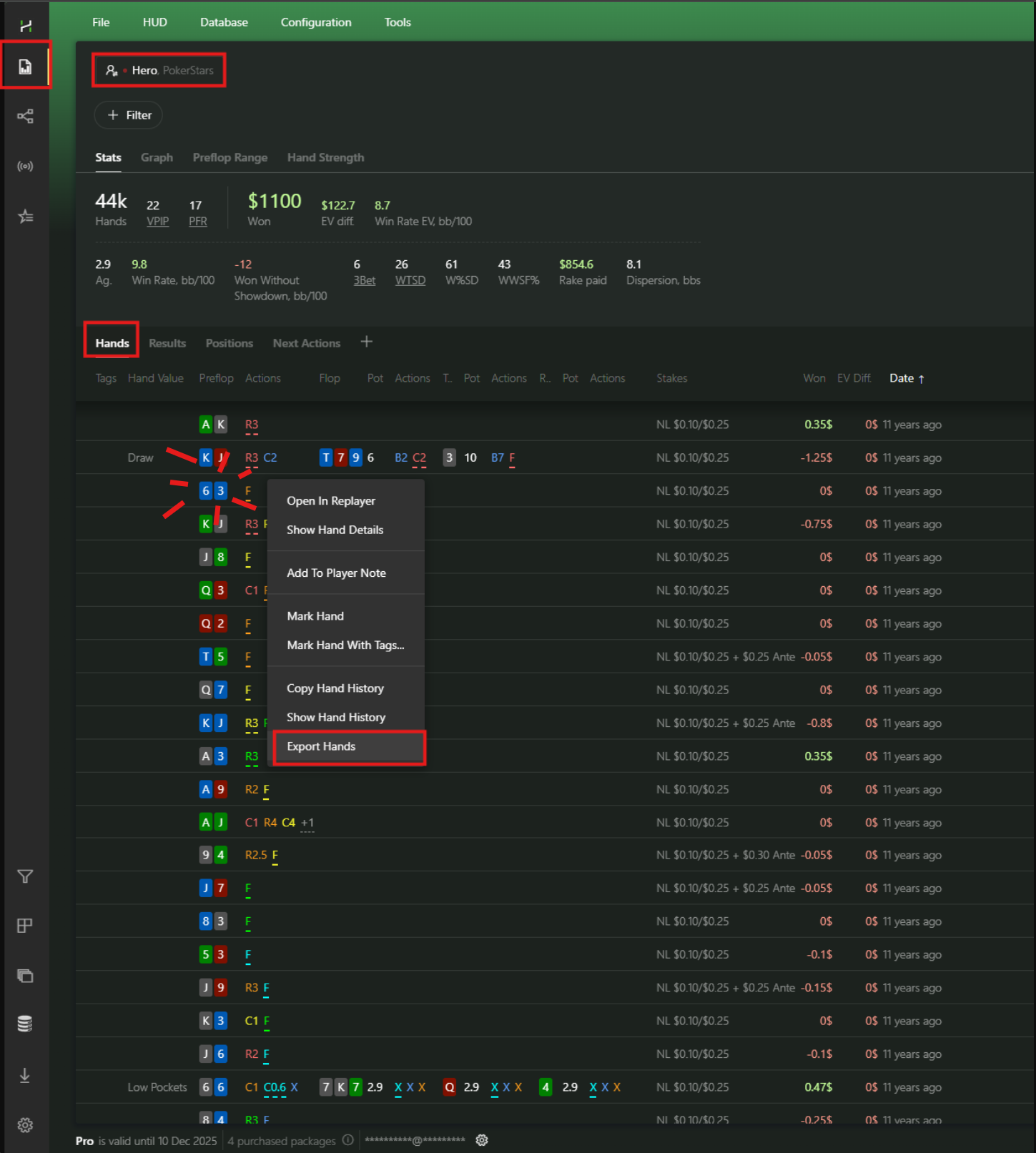
After that, change your database in Configuration -> Databases and import your exported hands.
Could you please specify:
1. After exporting hands from DB1 and and importing them to DB2, will same hands be overwritten? Both my DBs are similar with little difference
2. After exporting hands to DB2, can I save it and delete DB1? I need to be sure that no data will be lost
Thank you in advance!
Thanks for the reply!
1. After exporting hands from DB1 and and importing them to DB2, will same hands be overwritten? Both my DBs are similar with little difference
Hand2Note ignores duplicates and doesn't import them if you have some in your database and in the exported hands
2. After exporting hands to DB2, can I save it and delete DB1? I need to be sure that no data will be lost
Yes, sure. Just make sure you've exported all the hands from your Database 1 (for example, if you have several nicknames, you should export all of them)

