H2N Extreamly LAGGY After latest updates..
Since the latest updates like two weeks ago H2N 4.1.213 to 4.1.218, my H2N hand become almost supper laggy, takes 10+ seconds to load anytime I click anything in the platform... I use it for GGPoker and have 8000+ custom stats and have also manually mapped like 5000+ players to 200-300 Aliases and have multiple color codes applied to players bases on filers for player stats which I guess is saved as 10000+ notes. Not sure if my setup has anything to do with the lag...
Is a fix for this being worked on? Before the 4.1.213 update I had the same setup and it was fine.
3 Replies
Hello,
We are very sorry that you encountered this issue.
Let us go through the steps in order to help you resolve the problem.
Could you please try creating a new database and then importing your hands from the old database.
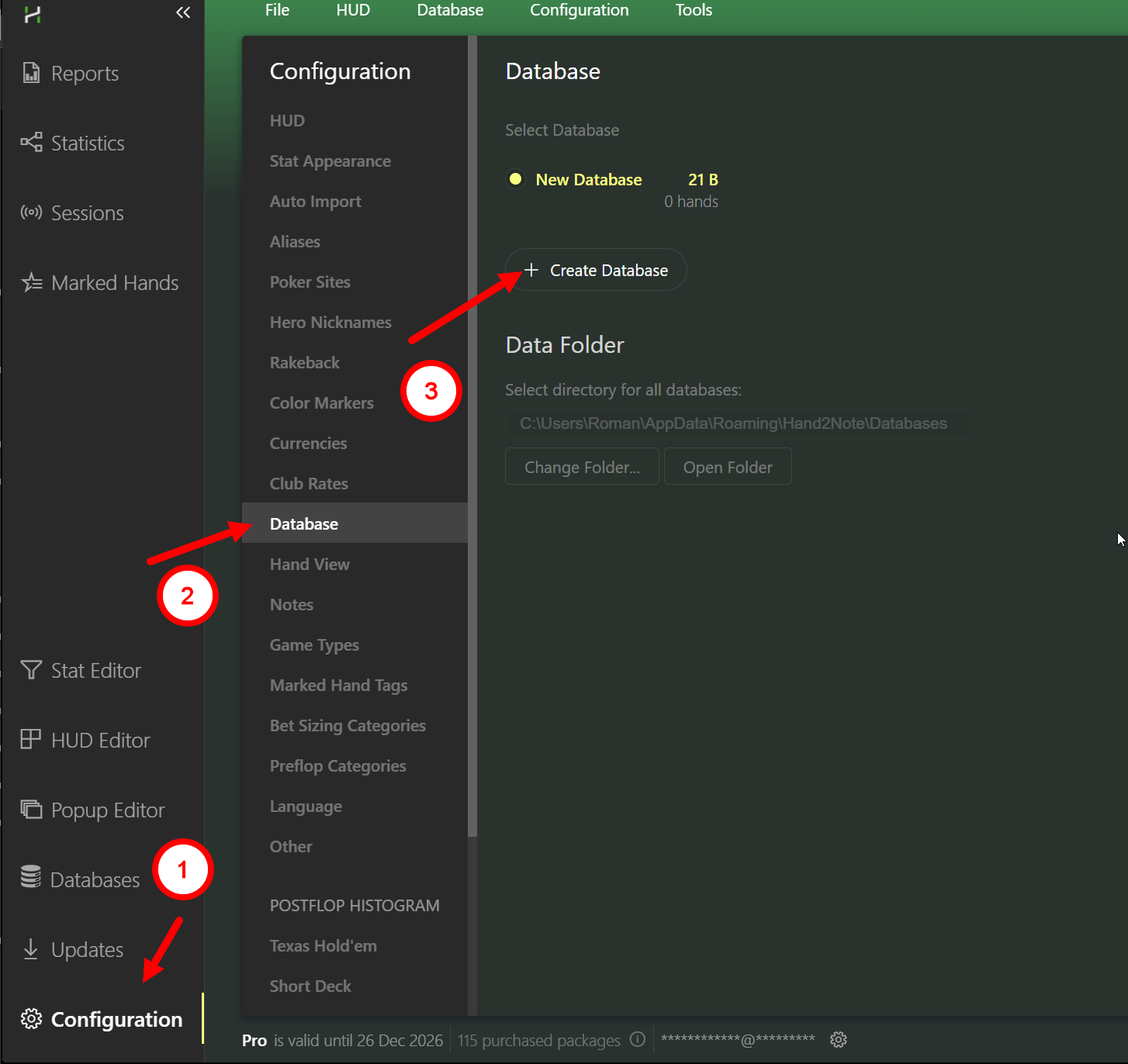
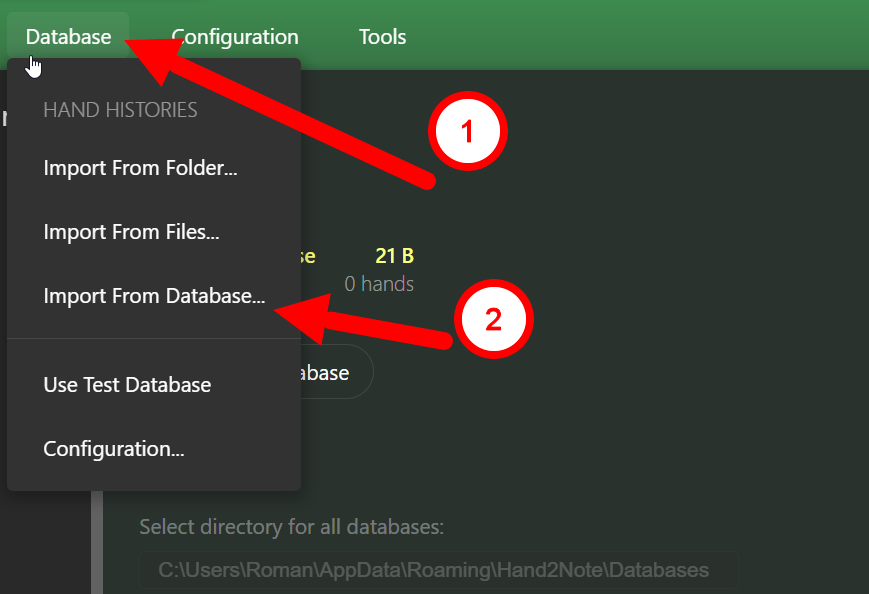
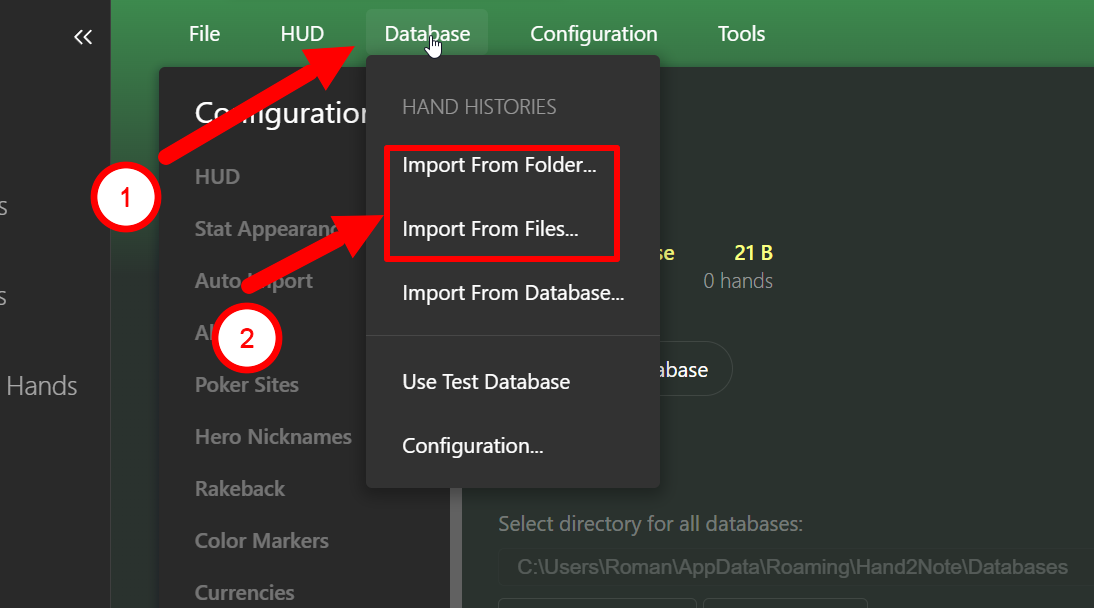
If you also have the original hand history files saved separately, you can import them into the new database as well (without Import from database).
Please note that rebuilding the database is not the same as creating a new one.
With the latest update, it is necessary to create a completely new database and re-import all hands from scratch.
Please try using a new database first.
If the issue persists, could you please record a screen video?
We need the video to include the Task Manager so we can see the load on your PC, and we also need you to show where exactly the lags occur.
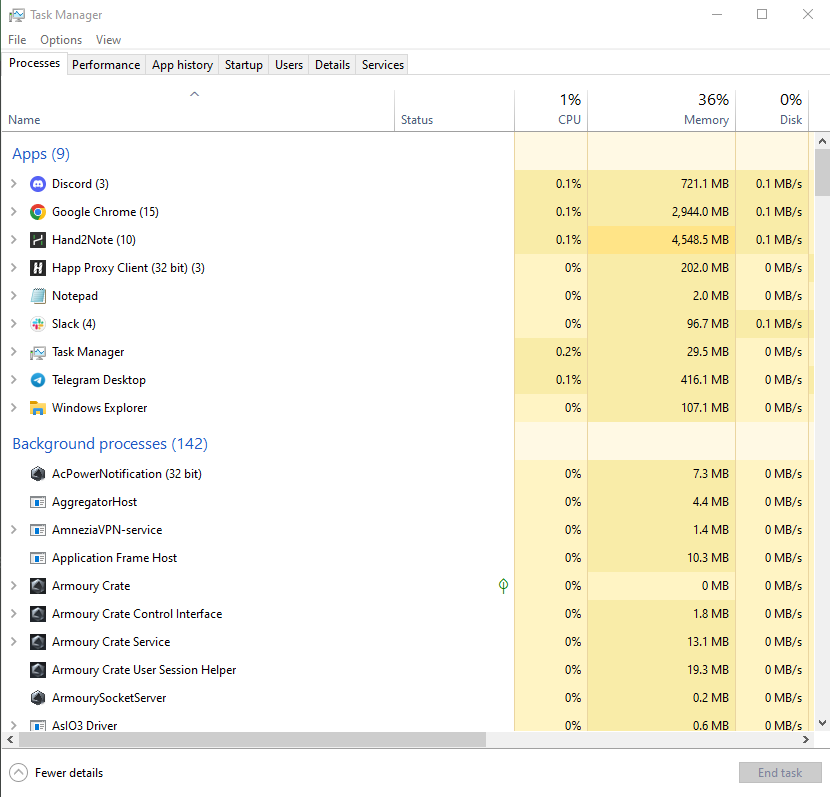
You can send the video to our email: [email][email protected][/email]
We will review it and reply either here or by email.
We may also request your “logs” folder to examine the problem more accurately and in detail.
Tried making a new database as you described but as soon as I imported the hands and rebuilt stats it became laggy again. Also uninstalled and reinstalled H2N and imported hands to new data base, still the same issue. I'll email a video. Thanks
Tried making a new database as you described but as soon as I imported the hands and rebuilt stats it became laggy again. Also uninstalled and reinstalled H2N and imported hands to new data base, still the same issue. I'll email a video. Thanks
Hello!
Could you please create zipped archives of your Config, Logs, and database folders and send them to us? This information will help us identify the exact cause of the issue.1. Config and Logs folders
Please follow the steps below:
1. Open the following directory on your computer:
C:\Program Files\Hand2Note 4.1\
2. Right-click the Config folder.
3. Select Send to → Compressed (zipped) folder.
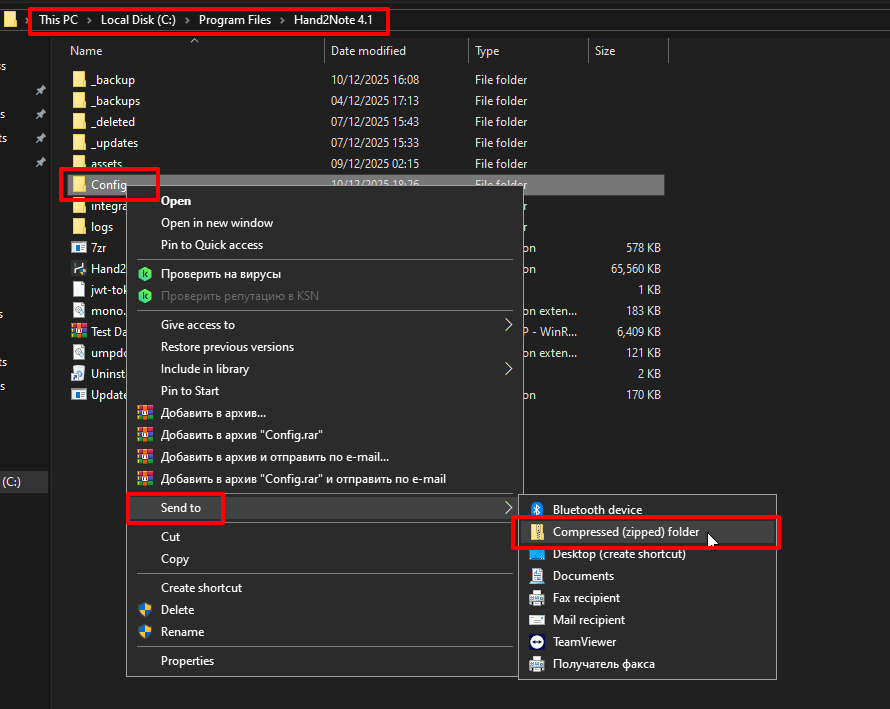
4. Repeat the same steps for the Logs folder.
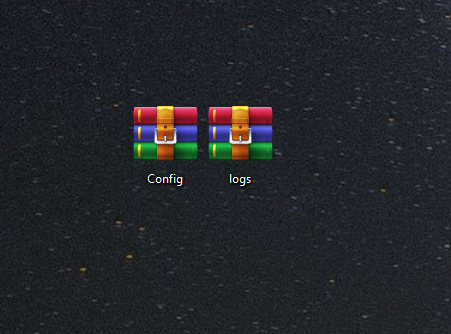
2. Database folder
We also kindly ask you to send us your database:
1. Go to Configuration → Databases → Data Folder → Open Folder—this will open the directory where your databases are stored.
1. Completely close Hand2Note (this step is important).
2. Create a ZIP archive of the database folder you are currently using—this will significantly reduce its size.
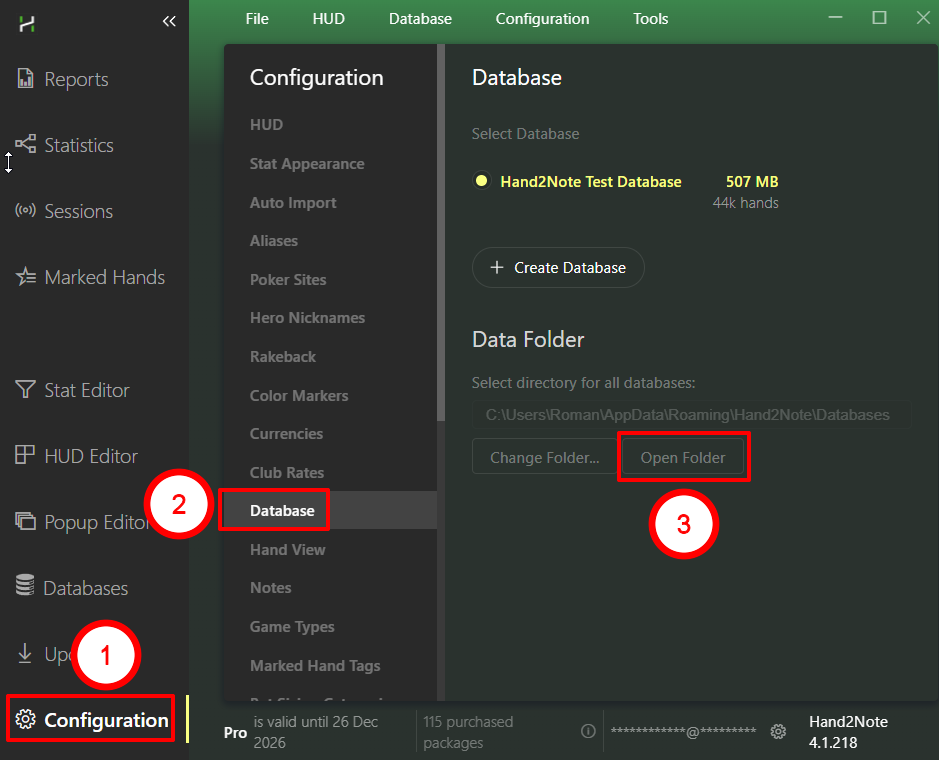
4. Close Hand2Note completely (this is important).
5. Zip the folder of the database you use - this will reduce its size by 7-8 times.
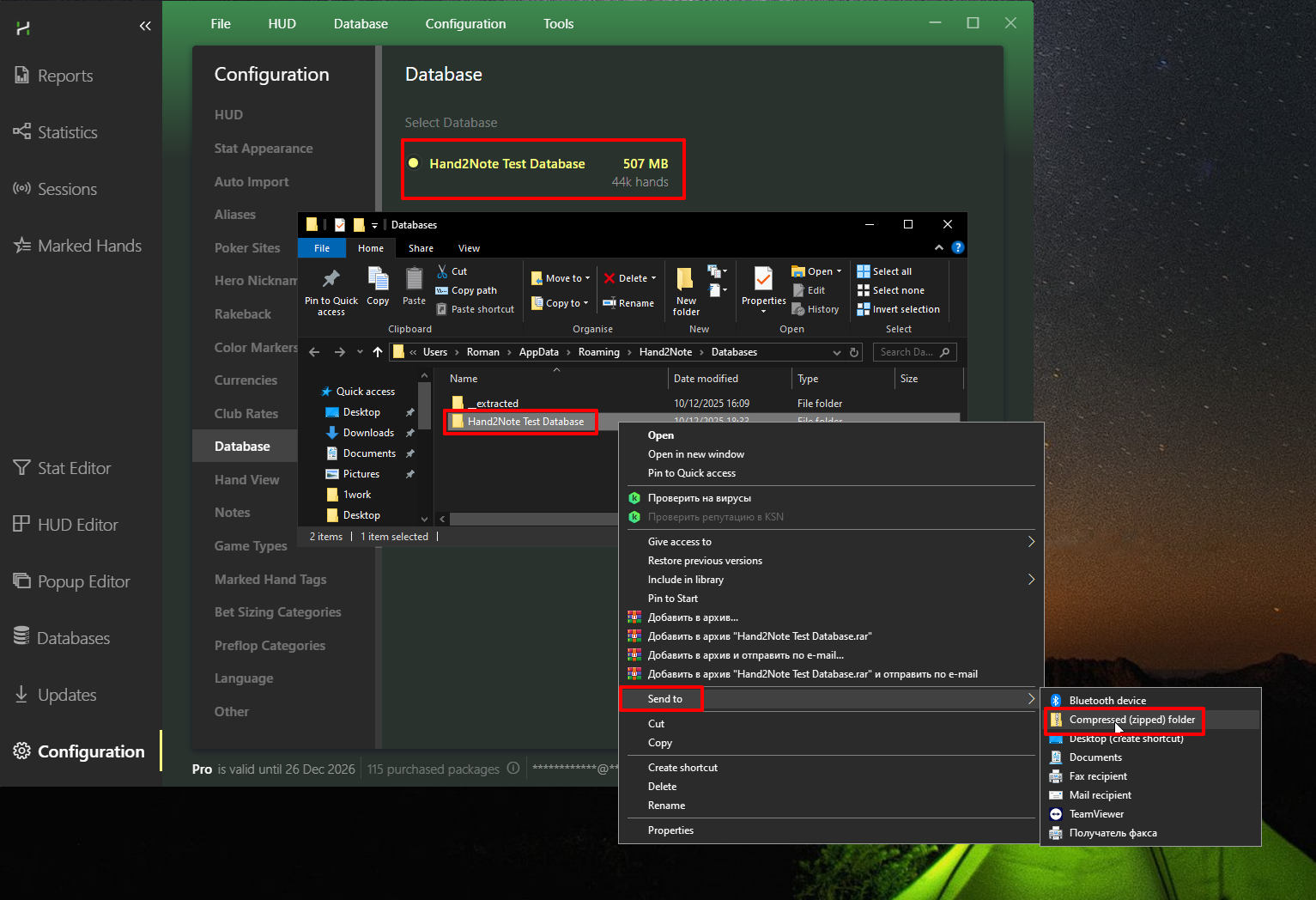
3. Upload the files
After creating the ZIP archives of Config, Logs, and your database, please upload them to any file-sharing service and send us the download link.
This will allow us to analyze the data and determine the cause of the issue as accurately as possible.


