General questions about H2N
Hi,
I'm an old online poker player who used a lot of PT4, but I'm curious about H2N. I downloaded the trial version and imported my DB, rebuilt my HUD, etc.
I'm watching videos on YouTube, asking Gemini and googling, but I can't find the answers to all my questions, so I'll write them here, hoping someone will answer them.
1) On Pt4, I liked to have my HUD updated to hands played in the last 4 months (rolling them, that is to say, if we have from t-120 to today, tomorrow the old t-120 will not be counted for the HUD).
Can I do this on H2N? Because I read about the "rebuilt stats" options, but it's not working the same way (or maybe it's just my impression)
2) Can I (and if so, how?) set the HUD's background to be blacker? I like to have the HUD super black so as not to see the tables under it.
3) I'm playing with the reports tool, it's very nice, but I can't understand if the reports are "plug and play" or if they are editable. I mean, can I set the order of the columns? Can I add a column that isn't in the original report?
I can't because of the trial, maybe?
4) About the nickname in the HUD and the number of hands stats. I think these are basic stats. If I would like to have them shorter or longer, can I edit them or their length? I mean, if I have more than 2k hands about another player, I don't care if they are 2010 or 2050, just show 2k or 2.0k. The same for the nickname.
5) Is there a way to look at a bigger graph? In the stats report, down to the graph tab, it's pretty small. Is there a way to have a bigger graph to look at?
These are the first questions I had.
I appreciate your attention and your help.
Thanks,
Glorfindel
2 Replies
1. To view players’ statistics during play for a specific time period, you need to rebuild the statistics using different time restrictions.
Unfortunately, there is currently no automatic option for this.
Such a feature may be added in the future.
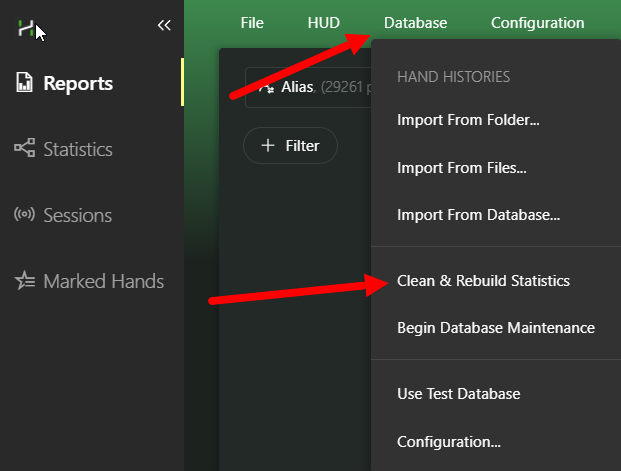
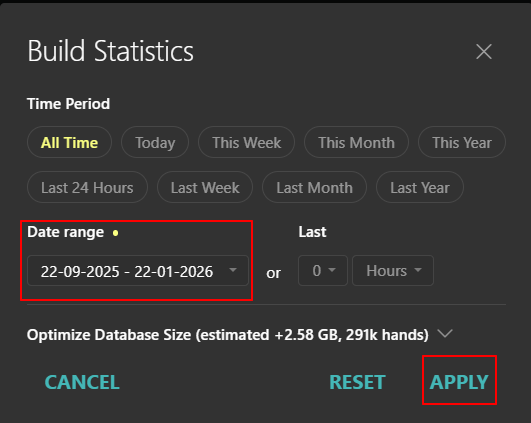
2. You can try setting the HUD background to black.
Also, please check whether HUD transparency is enabled when the mouse is not hovering over it.
1) Open the HUD editor.
2) Find your HUD profile.
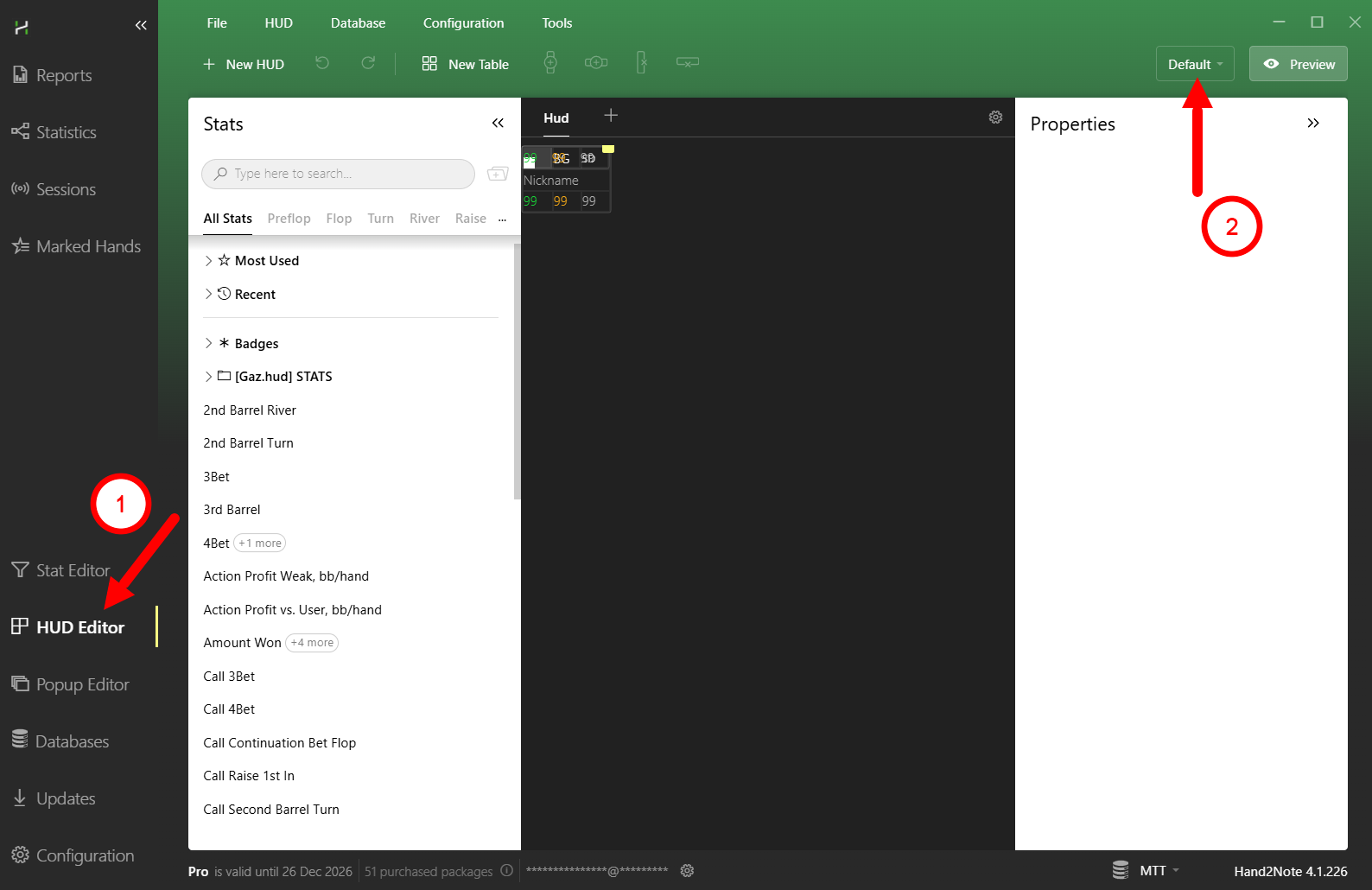
3) Left-click on a cell in one corner
4) Hold SHIFT and click on a cell in the opposite corner - this will select all cells in the HUD panel.
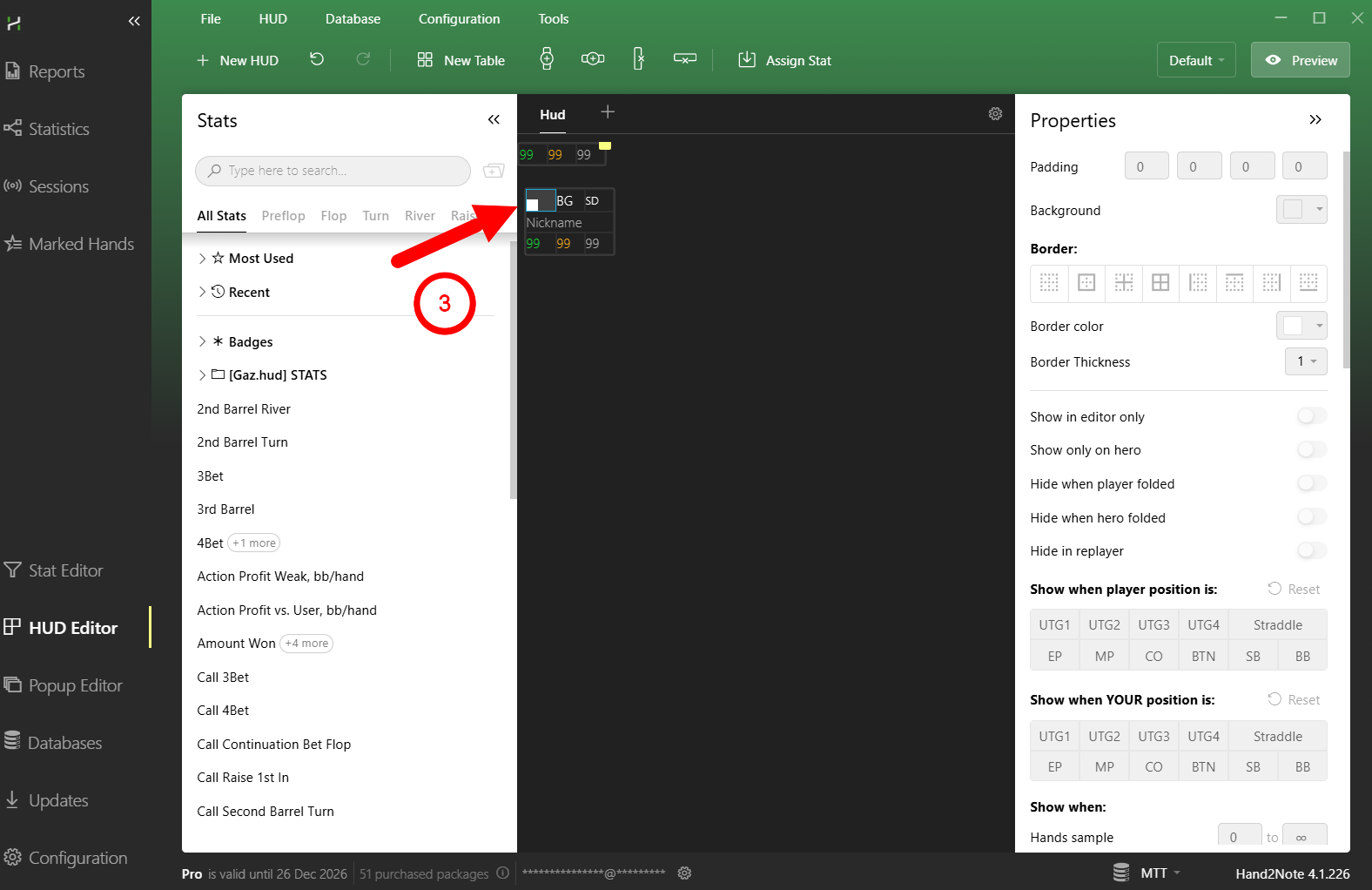
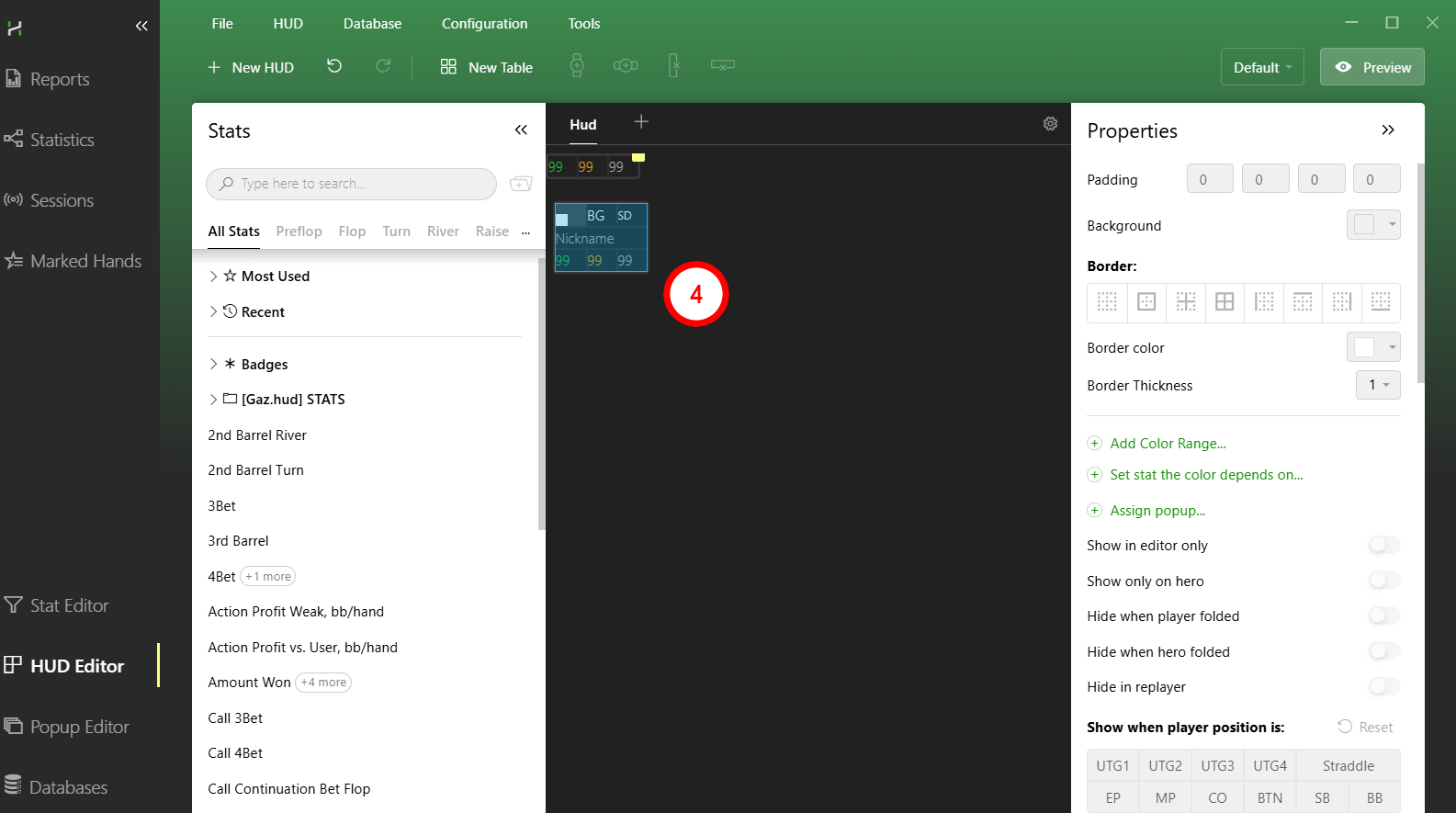
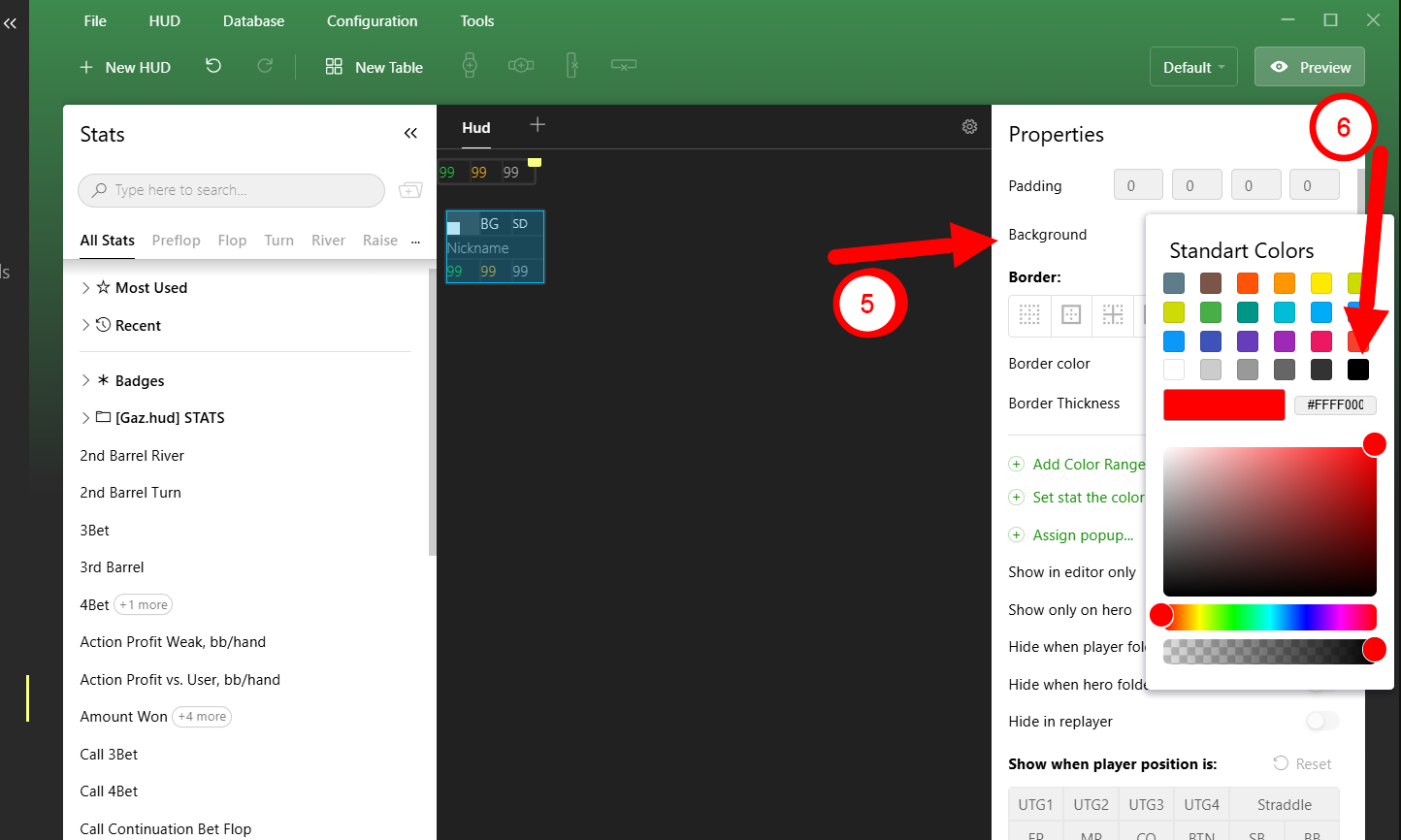
5) On the right side, find the Background option.
6) Set it to black.
7) Check the color
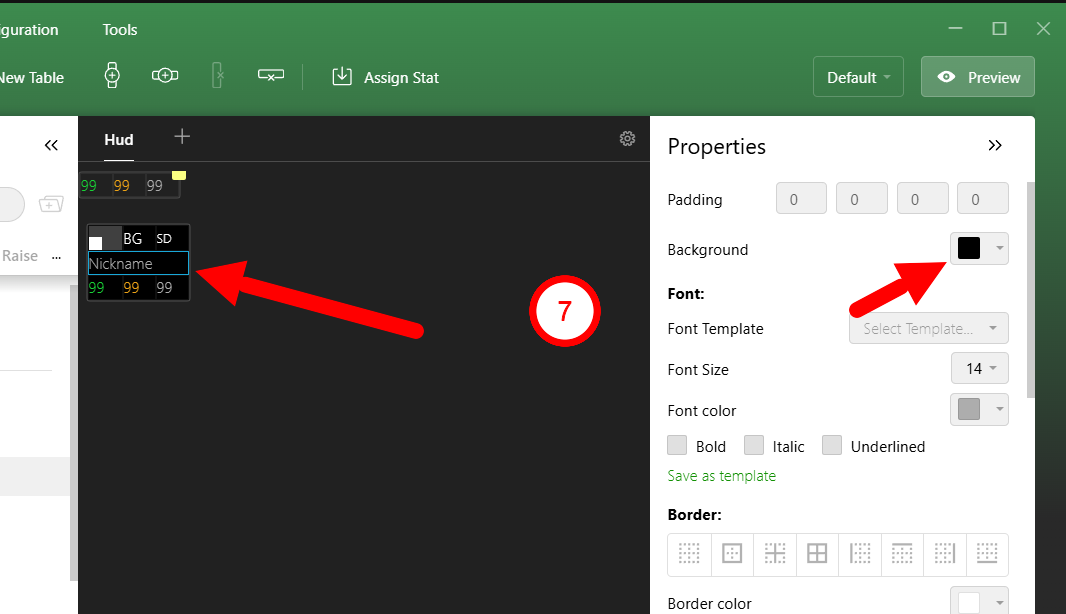
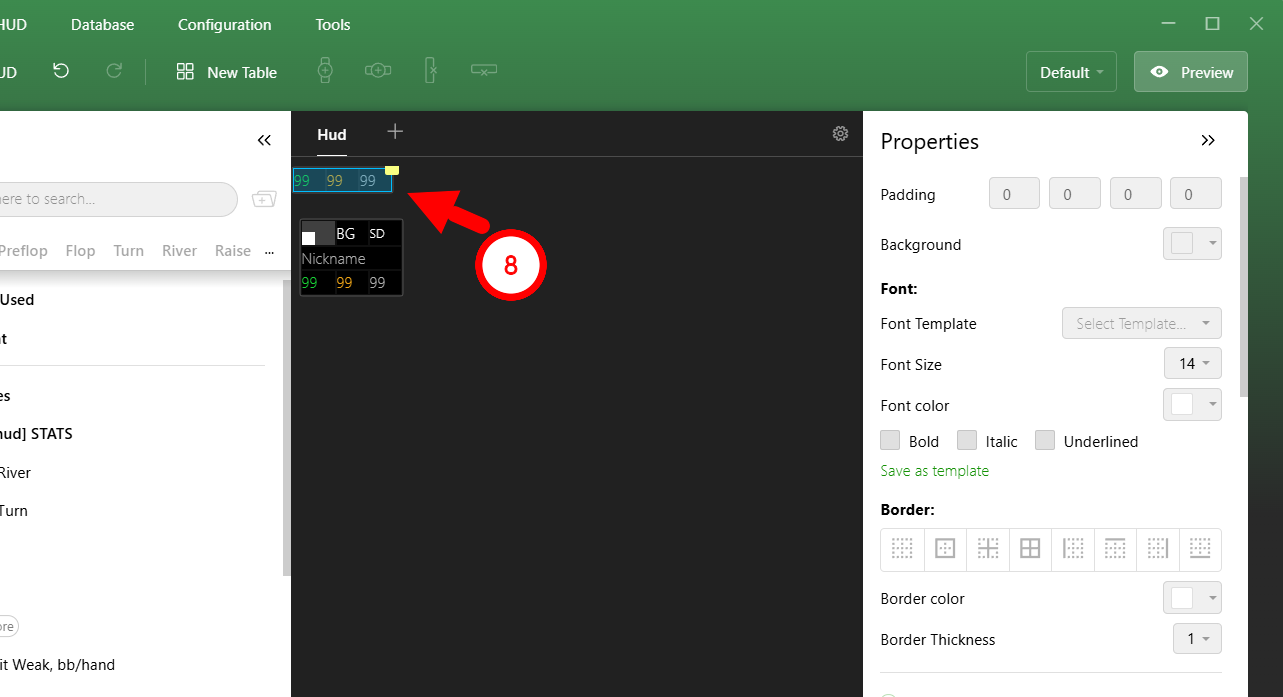
8) Repeat the same steps for other panels if necessary.
3. Unfortunately, the number of columns for each report is fixed.
You can only disable some of them, but there is currently no option to add new columns.
The order of the columns also cannot be changed at the moment.
We have already received feedback and requests to add these features, and they may appear in future updates.
4. To display shortened numbers, you need to enable the Shorten amounts option:
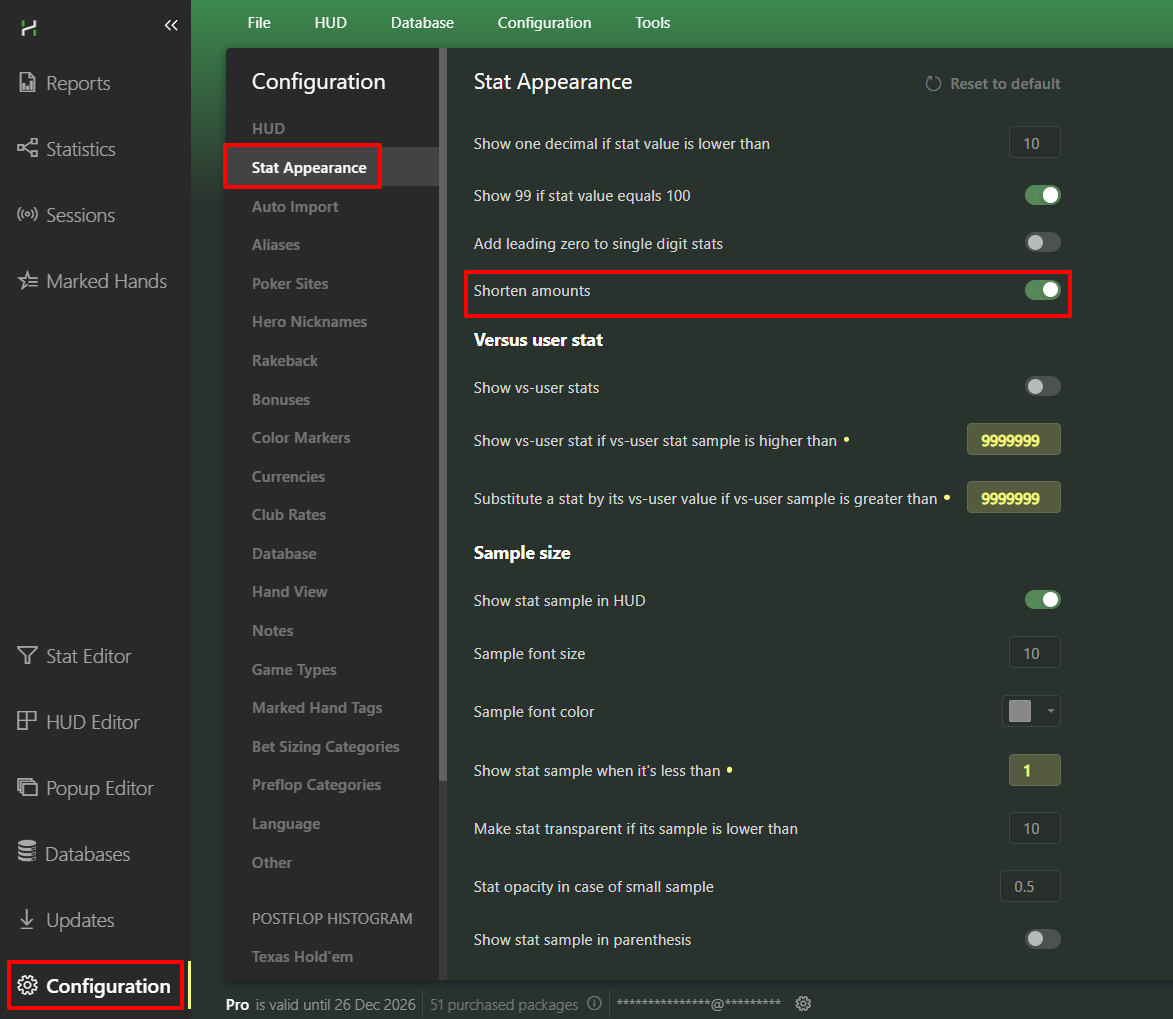
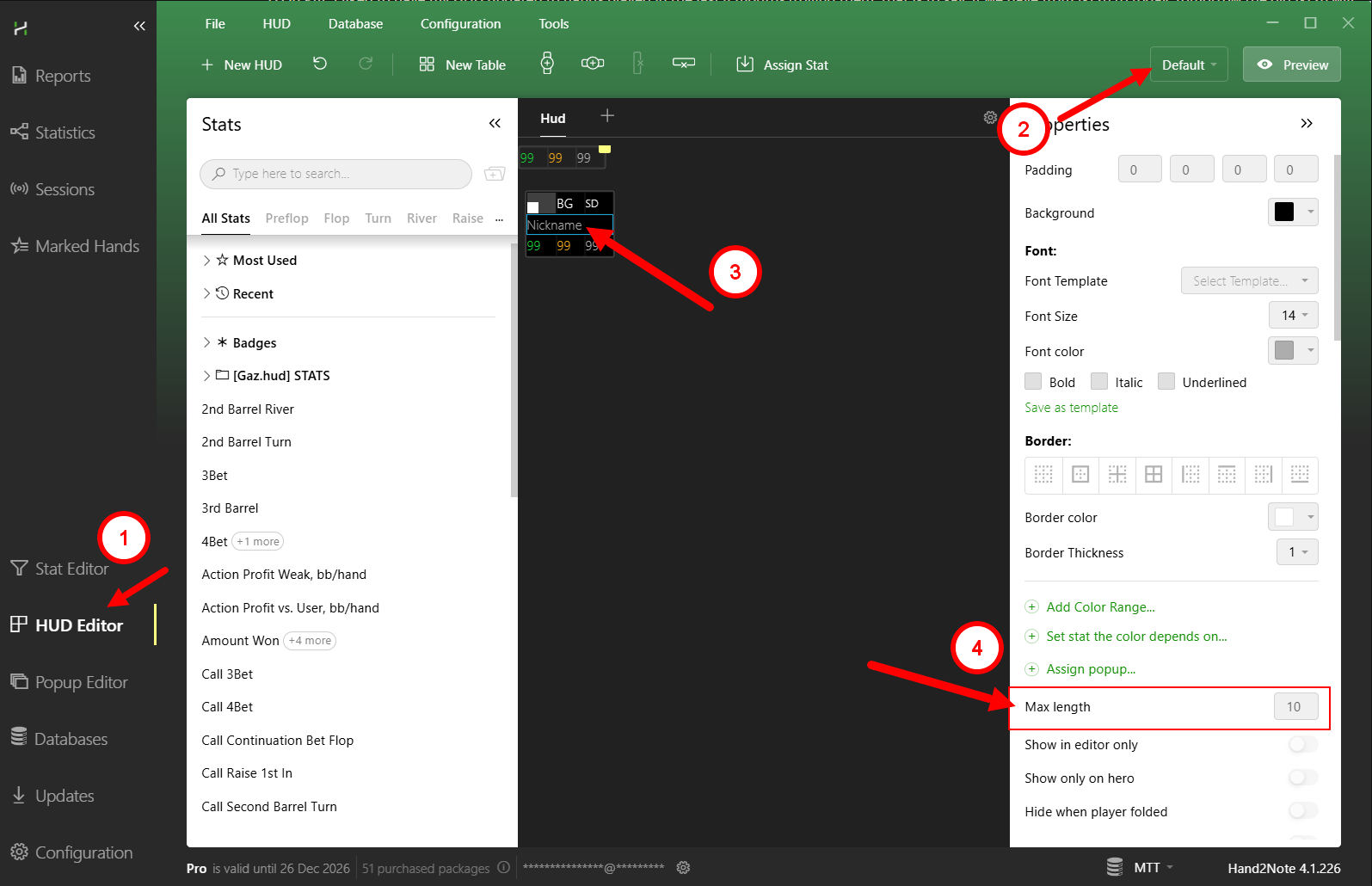
To change the nickname length, you need to left-click on it and find the "Max length" option.
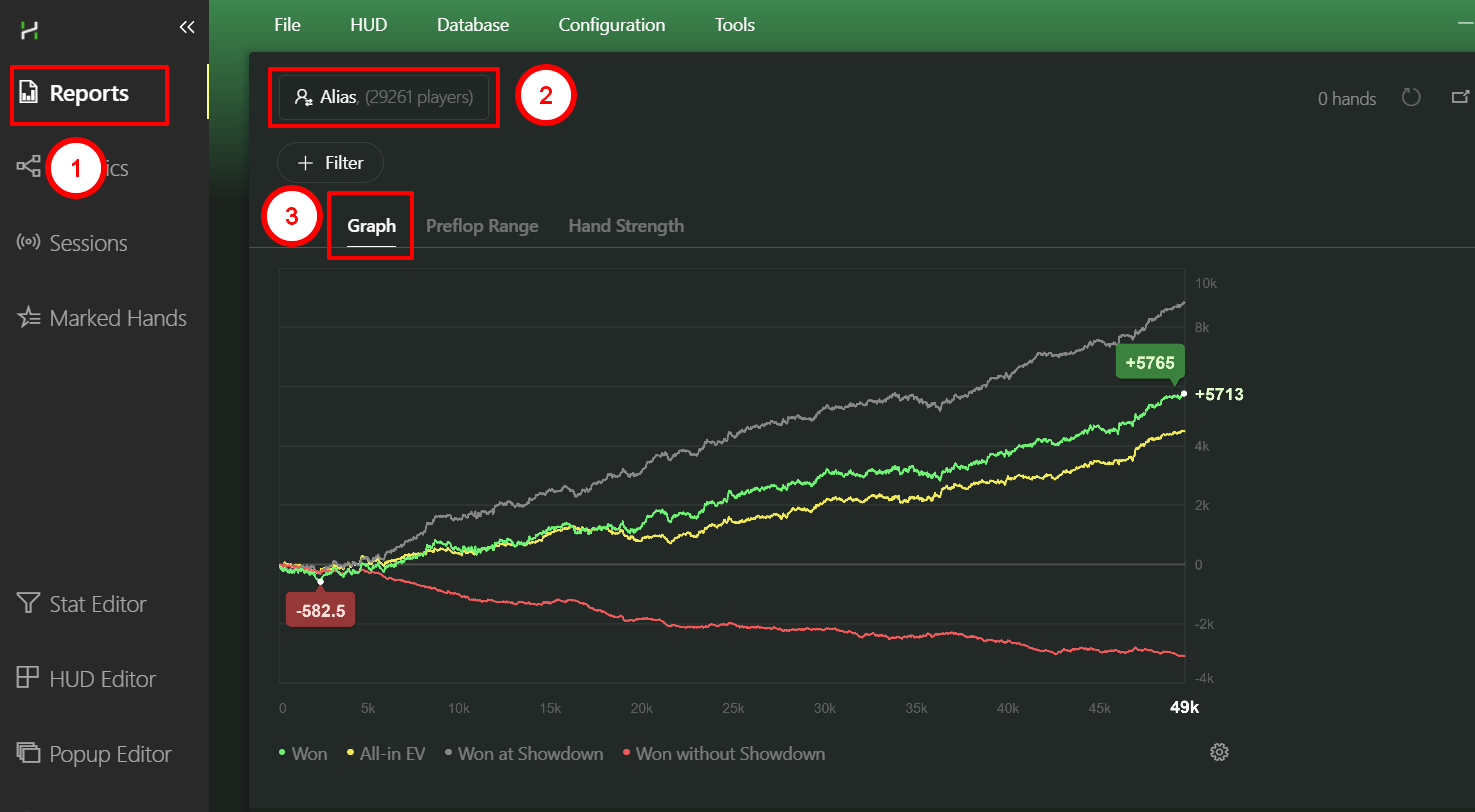
5. You can always view the graph for any filters in the Reports section.
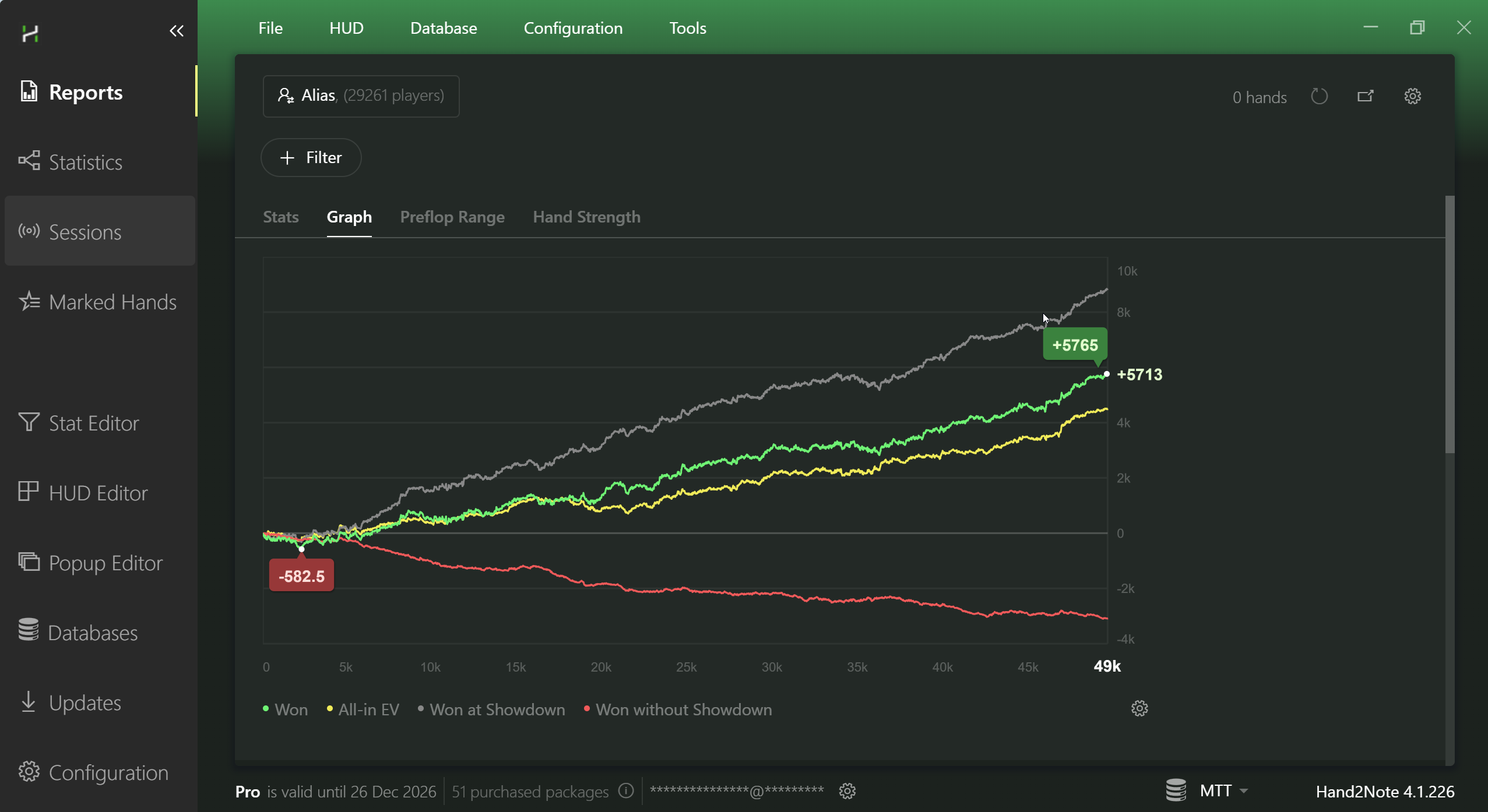
Additionally, all windows in Hand2Note support zooming.
To do this, hold CTRL and scroll the mouse wheel over the window you want to zoom.
In the example below, the graph is shown full screen at a resolution of 2560x1440.
Hi,
Thank you very much for your reply.
Have a nice weekend,
Glorfindel


