Help with Expression Stats for EV bb/100 by stack, position and action filters
Hello everyone,
I need some help with custom stats / Expression Stats in Hand2Note 4.
I am trying to create EV bb/100 stats for different filtered situations in my popup, such as:
1. EV bb/100 by stack size:
* 0–15bb
* 15–30bb
* 30–60bb
* 60–100bb
* 100bb+
2. EV bb/100 by position:
* EP
* MP
* CO
* BTN
* SB
* BB
3. EV bb/100 by action / filter type:
* VPIP spots
* Fold spots
* 3bet pots
* Overcalls
* Other custom filtered situations
The problem is that when I create these stats, the numbers are not working correctly.
Sometimes the results look strange, and sometimes all rows show exactly the same value, as if the popup is only using the default/global EV bb/100 instead of the filtered version.
For example, I created a base/plain stat using:
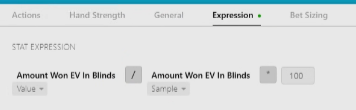
Amount Won EV In Blinds
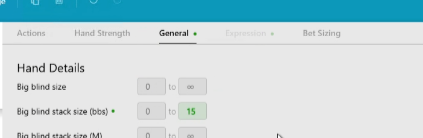
Then I applied a filter in the General tab, such as:
Big blind stack size from 0 to 15bb
When I check the hands/replay list, the filter seems to work correctly, because it only shows hands from that stack range.
But when I use this stat inside an Expression Stat and add it to my popup, the value is often the same as the other stack ranges.
I tried using expressions like:
Value(Amount Won EV In Blinds) / Sample(Amount Won EV In Blinds) * 100
I also tried adding the filter directly inside the expression, something like:
where stack 0 to 15
But Hand2Note gives the error:
Failed to parse the expression
In the Expression editor, when adding a stat, I can choose different result types, such as:
* Value, %
* Hits
* Sample
* Won Hands
* Went To Showdown Hands
* Amount Won (bbs)
* Action Profit (bbs)
* Amount Won EV (bbs)
My questions are:
1. What is the correct way to create EV bb/100 for a filtered spot?
2. Should I create one separate plain stat for each filter, for example one plain stat for 0–15bb, another for 15–30bb, another for EP, another for CO, etc., and then create one Expression Stat for each of them?
3. Does an Expression Stat inherit the filters from the plain stat used inside the expression?
4. For EV bb/100, which result type should I use in the expression builder: Value, Sample, or Amount Won EV (bbs)?
5. Is the correct formula something like:
Amount Won EV (bbs) / Sample * 100
using the same filtered plain stat?
6. Is it possible to apply filters directly inside an Expression Stat, or are filters only supported in the plain stat?
I attached screenshots of my setup and examples where different stack rows show the same number.
Any help or example structure would be greatly appreciated.
Thank you!
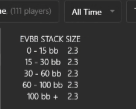
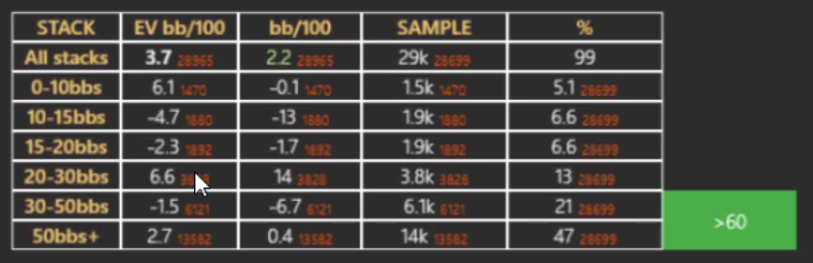
I Would like to create something like this:
1 Reply
Hello!
1. Winrate EV BB/100 is an expression stat, which means it is created using an expression and plain stats:
AmountWonEV(all hands) / Cases(all hands) * 100
This expression consists of two function: AmountWon() and Cases(). Within the parentheses, we use the name of a plain stats. In this case, it is all hands .
To create a winrate stat, you can use an expression like this:
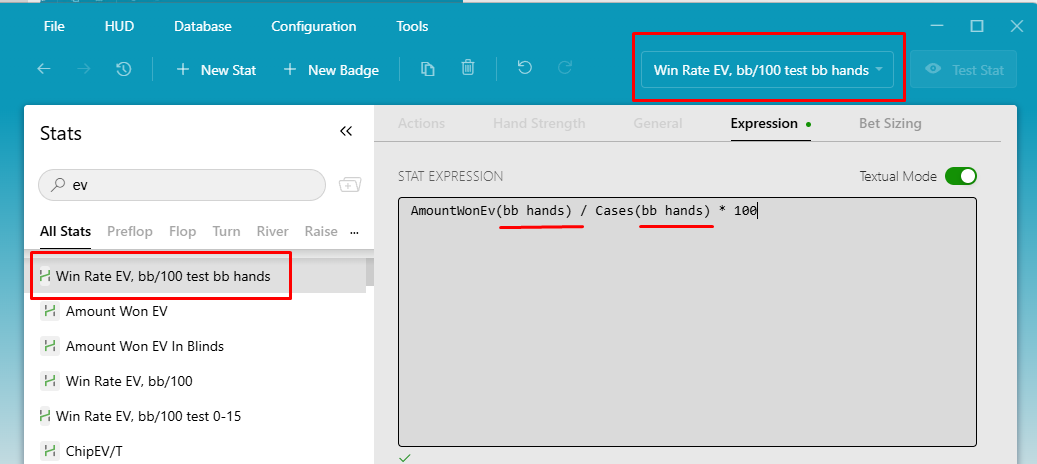
AmountWonEv(Stat_Name) / Cases(Stat_Name) * 100
Where Stat_Name is the name of the plain stat whose winrate you want to calculate.
This means that for each situation, you need two stats:
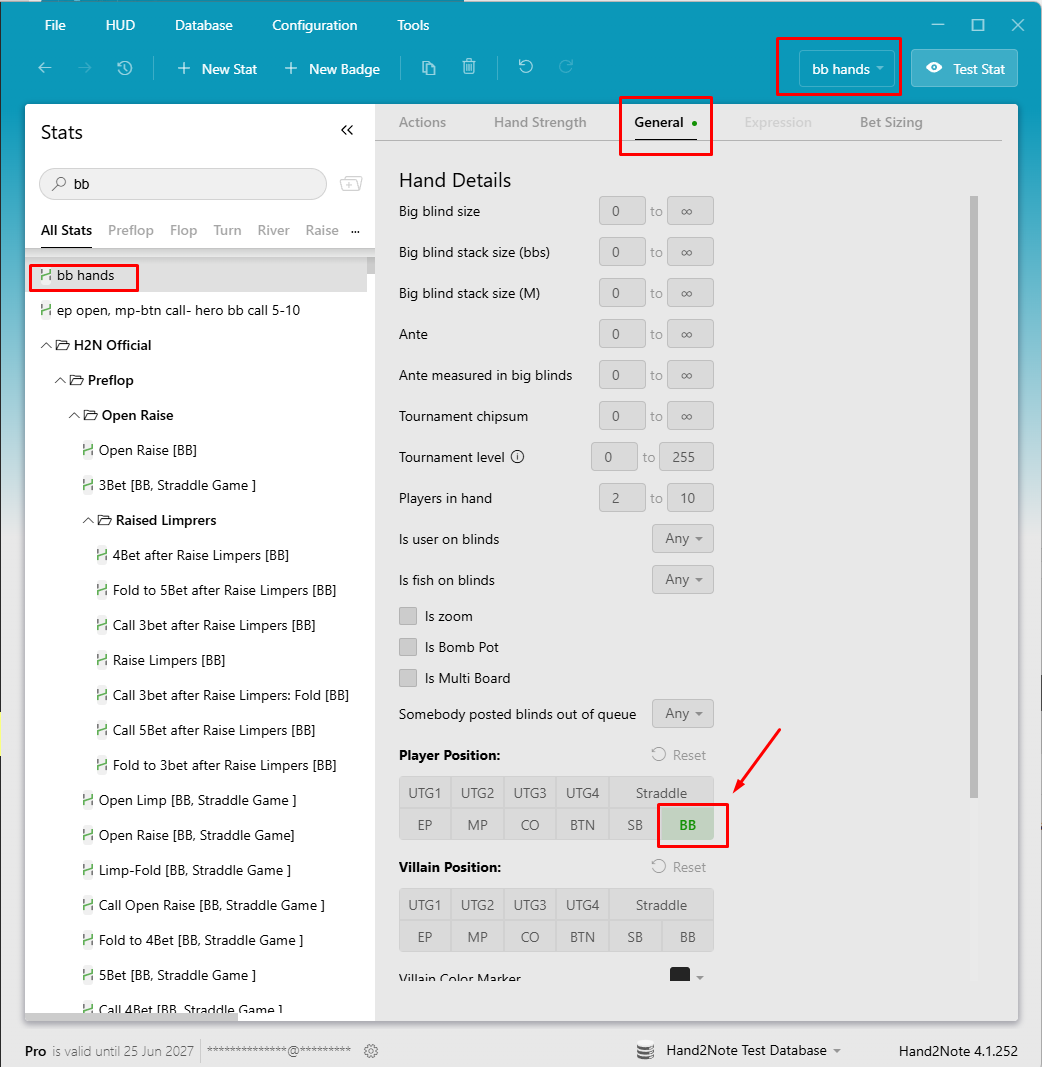
A plain stat - where you can set and adjust filters as needed.
An expression stat - which uses functions to calculate values based on the plain stat.
2. Yes.
3. Yes.
4-5 . AmountWonEv(Stat_Name) / Cases(Stat_Name) * 100
6. Filters need to be used in Plain stat.
Here is an example:
Plain Stat bb hands
Expression stat Winrate ev bb/100
Please do not forget to Rebuild the statistics after creating stats and adding them to Popup.


