Flopzilla

This is the support thread for Flopzilla, which is flop texture analysis software.
OK, so in as few words as possible:I want to: - give myself (hero) a specific starting hand, i.e. A♠5♠, - give 3 or 4 villains ranges, i.e. a tight limper, a loose limper, a coldcaller, and a UTG raiser - specify a flop of, for example, J♠6♠2♦ - obviously make the 3 cards on the flop "dead cards" that is, impossible for the villains to have, BUT ALSO MY STARTING HAND. In this exam
The equity calculations will apply card removal automatically, so for this you can just leave the setup as it currently is. If you want to remove As5s from the ranges when looking at the combos, then you would indeed need to use the "Dead cards" section. The combo/percentage tools simply shows the distributions for the range itself. We're not applying card removal for the combos, given that it would mean that we would apply it for a range like As5s, but not for As5s and 0.0000001 combos of 7c7h, which is basically the same range.
Hello
Is there an option to copy the filtered statistics range so I can paste this to GTO+

Hi Scylla
I think I purchased flopzilla about 10 years ago
Is it possible I had lifetime access?
(Can we discuss the issue? Is there some way of checking your records?)
Thanks
John
Hi Scylla
I think I purchased flopzilla about 10 years ago
Is it possible I had lifetime access?
(Can we discuss the issue? Is there some way of checking your records?)
Thanks
John
Flopzilla is indeed lifetime.
Can you contact support here? https://www.flopzilla.com/contact/
We'll see if we can find your e-mail address in the database.
Is there a way to import grouped ranges from folders with txt files (or any other way to generate these not manually)?
Is there a way to import grouped ranges from folders with txt files (or any other way to generate these not manually)?
We offer imports for several external formats.
It you want us to check whether we import a certain format, then please send a sample of the .txt files to our support, and we'll check for you whether we support it.
We offer imports for several external formats.
It you want us to check whether we import a certain format, then please send a sample of the .txt files to our support, and we'll check for you whether we support it.
I meant is there a human readable format i can import to get grouped range in floppzilla? For example I want to import a text file with content:
red: AA,[50]KK[/50]
blue: AKs,[50]KK[/50]
to get one grouped range AA-KK,AKs.
Or something like that.
I have ranges, I want to import them all into flopzilla. But so that two ranges "SB Limp" and "SB Raise 2" would be imported as one grouped "SB Open" with two colors. The format I store ranges in doesn't matter since I can convert them into any readable format. Unlike the newdefs format which i can't generate.
I meant is there a human readable format i can import to get grouped range in floppzilla? For example I want to import a text file with content:to get one grouped range AA-KK,AKs.Or something like that.I have ranges, I want to import them all into flopzilla. But so that two ranges "SB Limp" and "SB Raise 2" would be imported as one grouped "SB Open" with two colors. The format
The format in this file will allow for grouped ranges: www.crevfiles.com/tmp/BB.zip
It's not our format, but if you need help interpreting the data, then please contact our support.
I would need to check the code to see what each item/value means.
While, indeed, colored ranges are imported, result does not behave as a grouped range:
- summary node is placed along with its components on the same level in the regular range group
- it is not editable, summary node is loaded to the matrix as regular range
- changing component name color affects its color in the summary node (but black disables all colors), that is not possible with grouped range created manually.
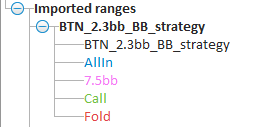
While, indeed, colored ranges are imported, result does not behave as a grouped range:- summary node is placed along with its components on the same level in the regular range group- it is not editable, summary node is loaded to the matrix as regular range- changing component name color affects its color in the summary node (but black disables all colors), that is not possible
Currently this is the only text based variant for groups that we support.
We can consider expanding it with an additional text based method for future releases, so I'll make a note of that.
Scylla,
When we use click the data box and see the equity, combos etc. why is the equity expressed as a whole number instead of a decimal as it is a percent. Is there a work around besides dividing by 100?
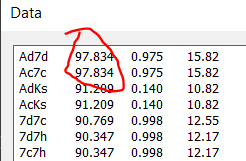
Scylla,When we use click the data box and see the equity, combos etc. why is the equity expressed as a whole number instead of a decimal as it is a percent. Is there a work around besides dividing by 100?
The choice whether or not to express the equity as a % or as a fraction is more of an esthetic choice than anything else.
I think that we decided on expressing it as a %, given that it would make it more clear to a user that this is the column for equity.

Hi,
I am trying to make combined statistics for:
- overcards + 2 card bdfd = works
- overcards + 1 card bdfd high = does not work
- overcards + 1 card bdfd low = does not work
Ideally I'd like to create a stat that covers all 3 like so:

Unfortunately the single filters (overcards+1 card bdfd) don't work, so there's no chance the combined one works.
The same happens when I try to create a combined stat for PP + 1 card bdfd, it won't seem to work at all.
Any idea?
Hi,I am trying to make combined statistics for:- overcards + 2 card bdfd = works- overcards + 1 card bdfd high = does not work- overcards + 1 card bdfd low = does not workIdeally I'd like to create a stat that covers all 3 like so: Unfortunately the single filters (overcards+1 card bdfd) don't work, so there's no chance the combined one works.The same happens when I try to cre
I have checked, and it works over here.
Can you please check:
- Are non-suited overcards possible on the range+flop that you're looking at?
- Is the flop that you're looking at 2flush?
If your issue persists, then please send a savefile to support.
To create a savefile, use "File->Save as ...".

Hi Scylla, I hope you don't mind me asking this basic question. Is there a way to include A High in the statistics for both the Flop and Turn?
I can see A high on the River:
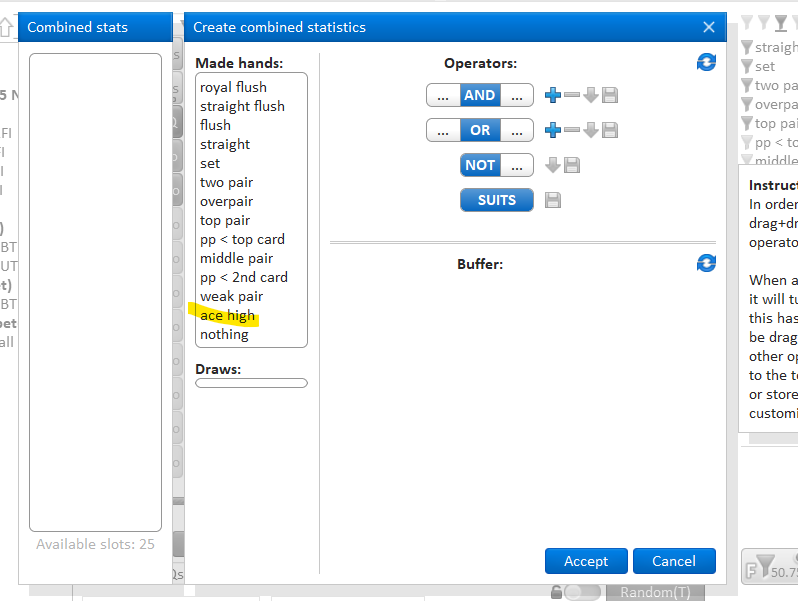
But there's no A high on the Flop and Turn.
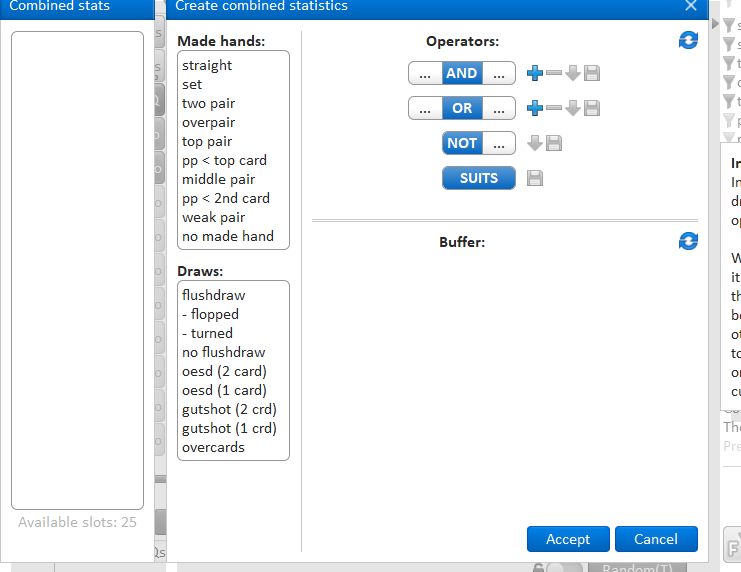
Hi Scylla, I hope you don't mind me asking this basic question. Is there a way to include A High in the statistics for both the Flop and Turn?I can see A high on the River: But there's no A high on the Flop and Turn.
Ok, I have made a note of your request, and we'll see if we can add A-high to the list.
Scylla,
I wish Flopzilla displayed ranges like GTO+. It is easier to visualize the range.
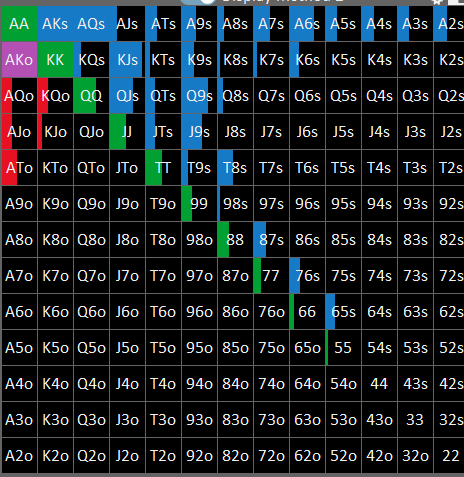
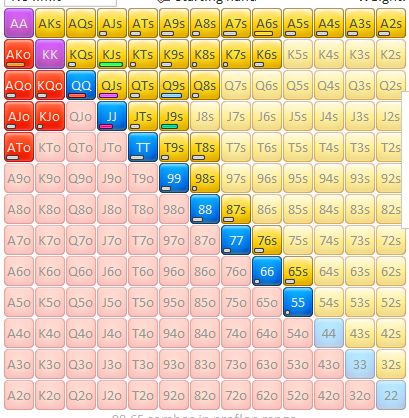
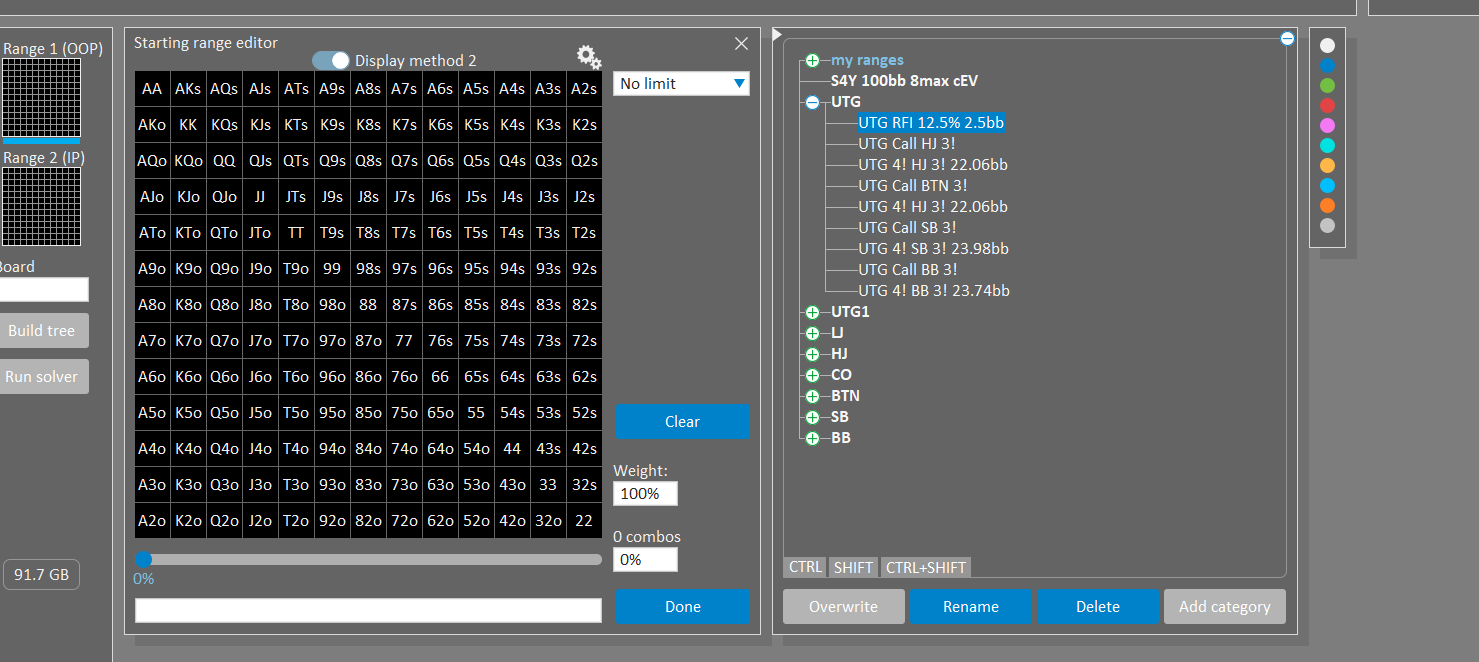
Ah Ha I can import newdef3.txt into GTO+ and view them there.
Hello, pretty sure this question was asked a 100 times but have to ask agian.
In Flozilla Pro is there a function to show equities for (next card) turn and (next two cards) river like in the old version with blue litte buttons?
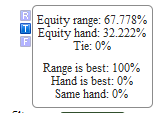
These 3 blue buttons is what i meant
Hello, pretty sure this question was asked a 100 times but have to ask agian.
In Flozilla Pro is there a function to show equities for (next card) turn and (next two cards) river like in the old version with blue litte buttons?
These 3 blue buttons is what i meant
For now, we have decided to leave this feature out. The reason is that if someone clicks one of the TR buttons—either without understanding its function or by accident—it will cause all equity output to become incorrect.
For instance, imagine you've done some work with equity data a few weeks ago and later notice that one of the values is off. If this feature were present in the software, there is no way to fully trust any data that was produced in the past, since it's unclear if a TR button may have been triggered at some point.
Or perhaps you spent several hours working on a project, and then notice that T is selected instead of R.
You will have no way of knowing at which point this output mode was selected, and how much of your data is actually correct.
We may consider reintroducing this feature in the future, but for the time being, it has been excluded to avoid this risk.
Thank you for your fast response! i can understand that but now i can`t do any flop calculations for the turn if it`s not a all in or do i miss something?
Thank you for your fast response! i can understand that but now i can`t do any flop calculations for the turn if it`s not a all in or do i miss something?
Using the default flop->river equities for this purpose would indeed not be entirely accurate, although the same can be said for flop->turn equities.
The former tends to overestimate a hand’s drawing potential, whereas the other underestimates it.
The core issue is that equity, at best, offers only a rough approximation of a hand's quality—regardless of which method is used.
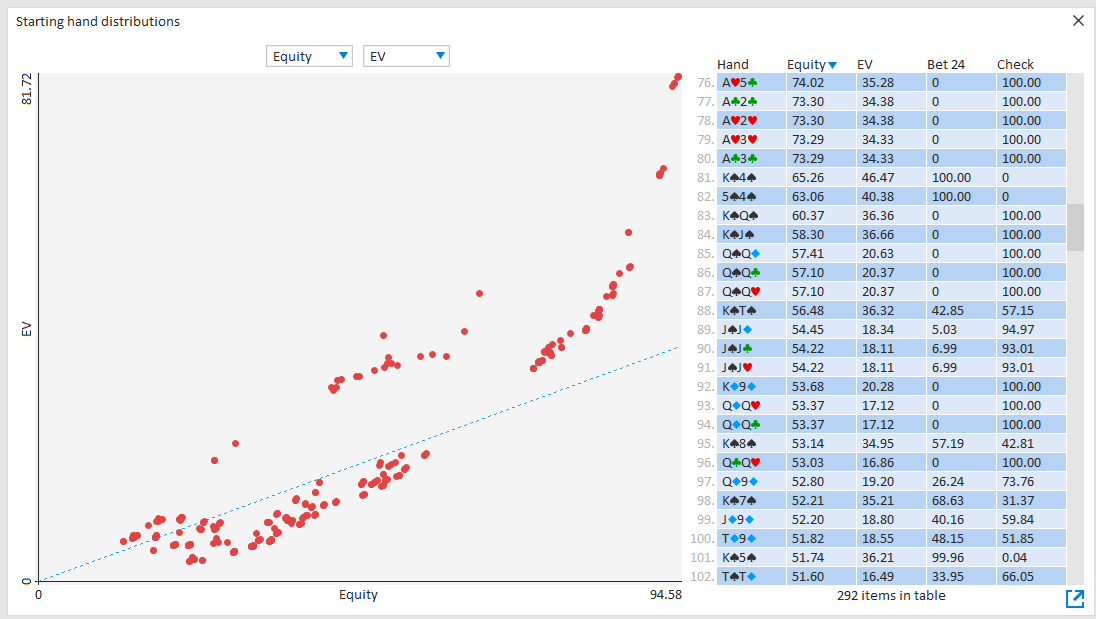
This is illustrated in the image below, where EV is plotted versus equity for several hands in a specific decision.
The blue line represents the expected value of the hand when viewed purely based on equity.
As shown, equity can serve as a decent ballpark estimate, but its usefulness for more detailed, quantitative analysis is limited.
Equity is helpful for quick mental calculations and for many users often serves as the first stepping stone into the mathematics behind poker.
However, once a user is comfortable with equity calculations, it’s generally more productive to move on to GTO-based analysis.
To that end, we offer GTO+, although there are several alternative products available.
It's tempting to increasingly add all sorts of specialized features to equity tools—such as FTR buttons—to help users explore the concept further.
However, there’s a practical limit to what can be accomplished through equity-based analysis.
Once the concept is well understood, continuing to delve deeper using increasingly complex features tends to yield diminishing returns.
If you're particularly interested in the FTR approach, then we still support this in Flopzilla v1, as well as HoldEq.
Also, in FlopzillaPro, on most boards you can just enter a dud card (for example 2s on a Td9d6h flop) to basically achieve the same result.
However, if you're aiming to go beyond standard equity analysis, you will probably find greater value in transitioning to a GTO solver.
Thank you very much for the comprehensive explanation!


