HUD doesn't work on Pokerstars.fr
after today pokerstars.fr update my HUD doesn't work, only at menu "live session" I can see hands and graph.
can u help me?
I use version H2N 4.1.188
1 Reply
Hello!
We've released an update for the recent PokerStars update fixing this situation. Yet, this fix is cricital so it requires a full reinstallation.
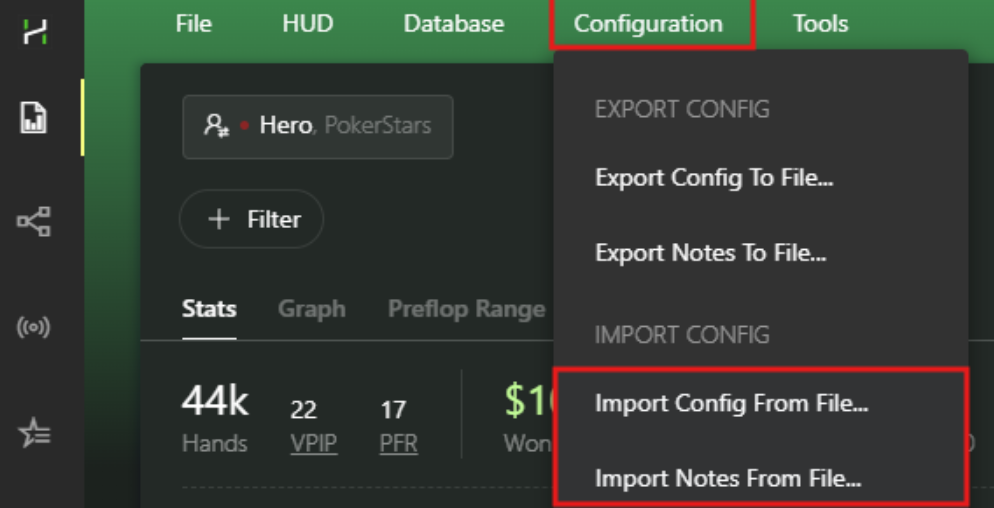
If you need to save all your settings, you should backup your Config and Notes using this feature:
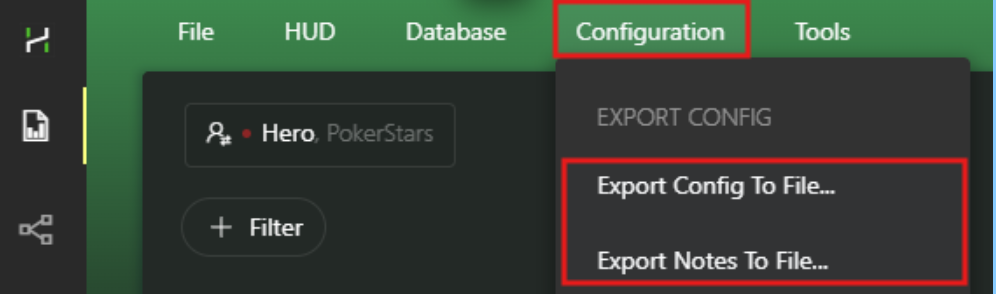
(Make sure to keep the backup files in a safe folder)
Now you can proceed to uninstall the program:
1. Uninstall Hand2Note 4 through the Windows Settings -> Apps & features (Control Panel).
2. After uninstalling there are still remaining files in Hand2Note folder, you have to delete them manually. By default it is C:/Program Files/Hand2Note4.1
3. Download the latest version of the installer and install https://hand2note4-1.azureedge.net/Hand2Note4Installer.exe
4. Try to launch Hand2Note 4 in the default configuration and check if it helped.
5. If the issue is solved, you can try to restore your settings: