Pop Up Not Displaying Within Player Reports
Hello --- My pop up is not displaying within player reports page
Im not sure if the pop up is not displaying at all, or if my window is hidden off screen...
Due to hand to notes pop up window styles, I dont believe I can use the typical windows 11 features to recover it.
It DOES show in the hand replayer/in game but I am trying to edit it and need it to show up from the player reports page
Thank You!
4 Replies
Hello!
Could you please clarify if pop-ups aren't displayed in the Reports tab in the program itself?
Please check if the popup is shown when Hand2Note isn't in the full-screen mode so we can ensure if it's displayed at all?
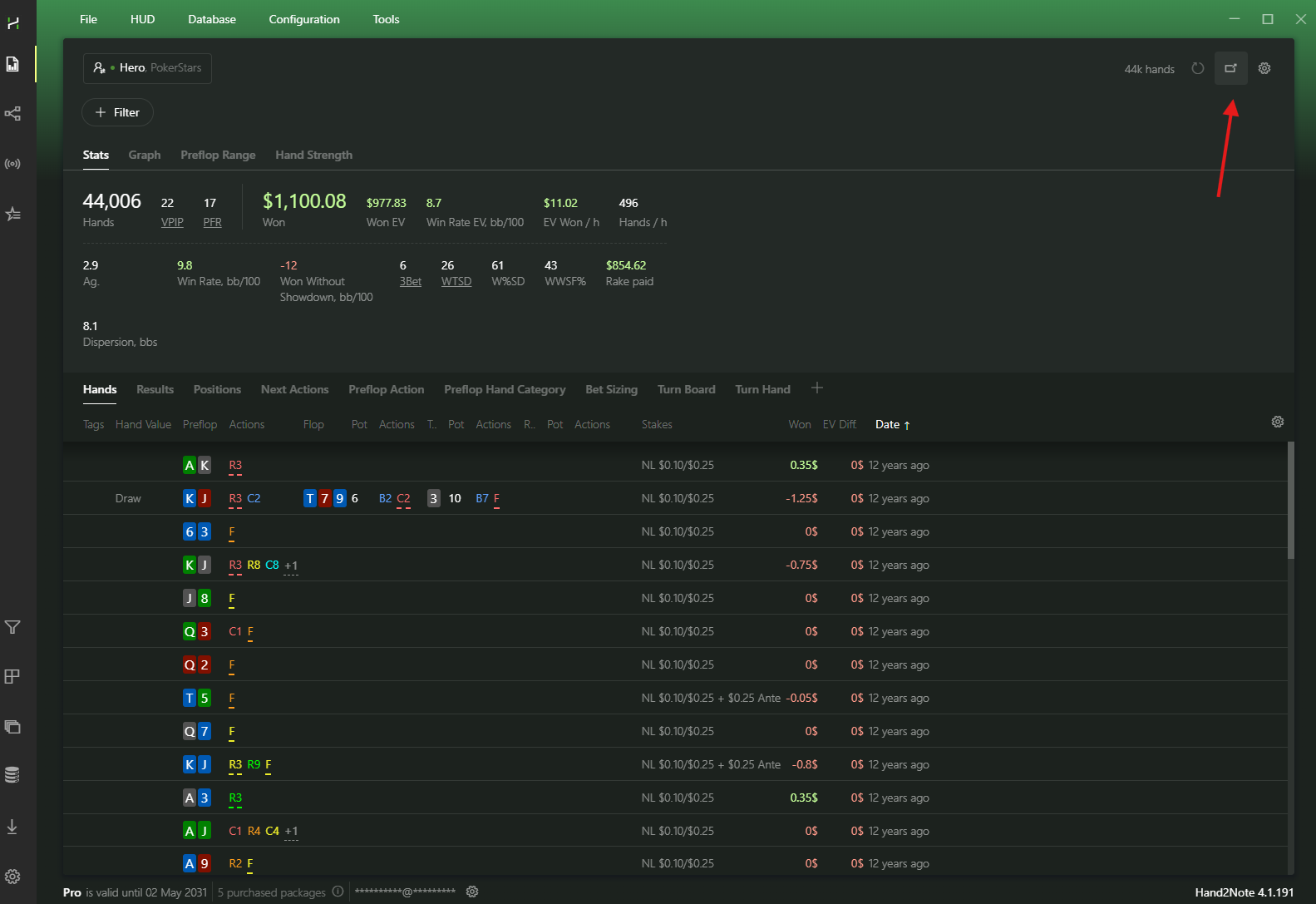
Thanks in advance!
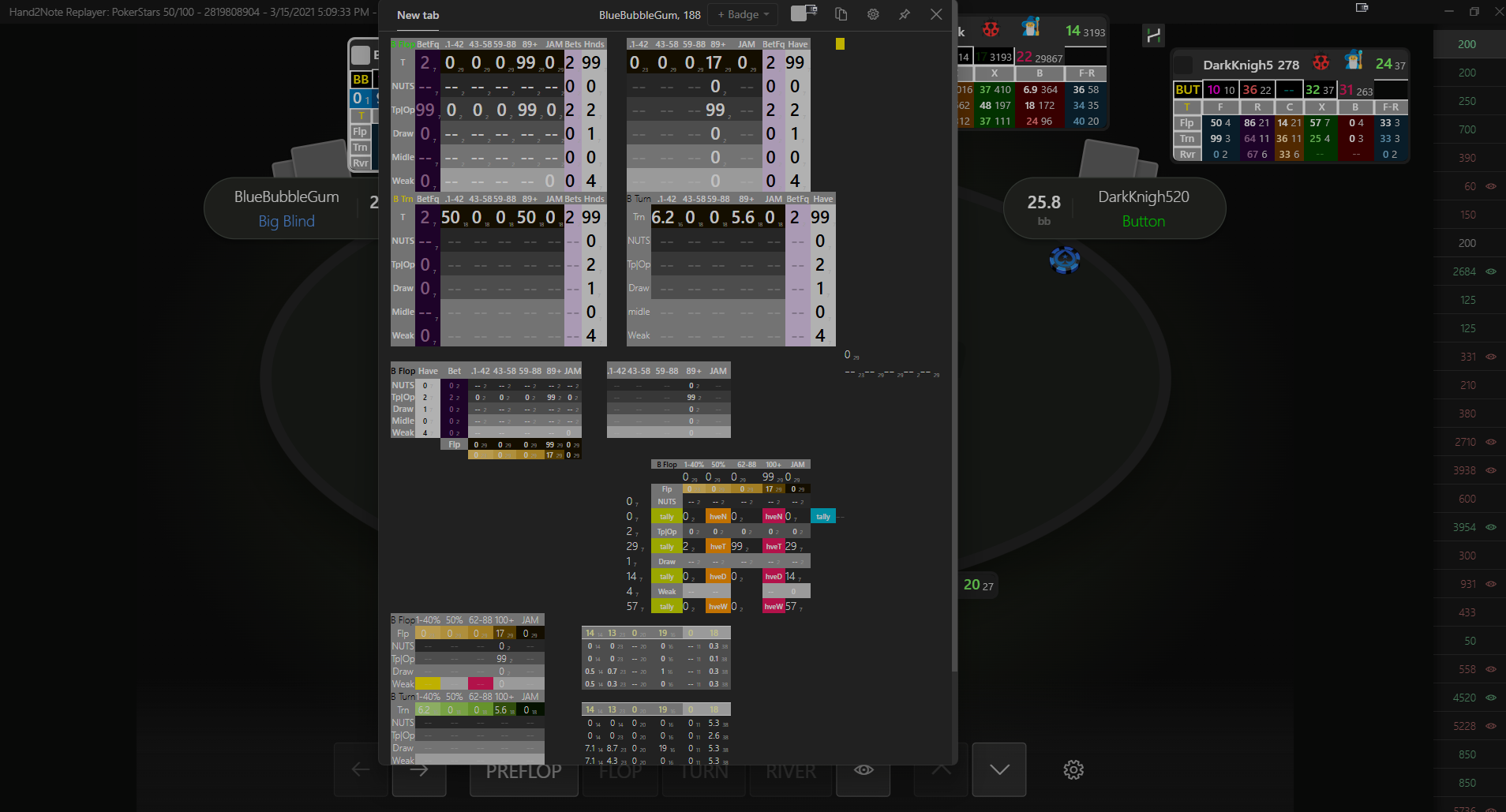
Right that is EXACTLY the button that isnt working --- however my pop up DOES show up in hand replayer
Thanks for your reply!
Most likely something went wrong with the internal config files. Could you please try to reinstall Hand2Note 4:
If you need to save all your settings, you should back up your Config and Notes using this feature:
(Make sure to keep the backup files in a safe folder.)
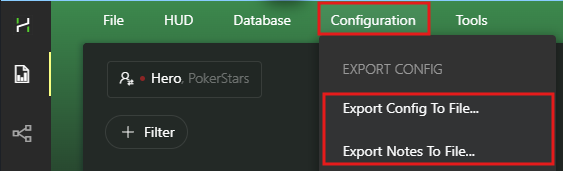
Now you can proceed to uninstall the program:
1. Uninstall Hand2Note 4 through the Windows Settings -> Apps & features (Control Panel).
2. After uninstalling there are still remaining files in Hand2Note folder, you have to delete them manually. By default it is C:/Program Files/Hand2Note4.1
3. Download the latest version of the installer and install https://hand2note4-1.azureedge.net/Hand2Note4Installer.exe
4. Try to launch Hand2Note 4 in the default configuration and check if it helped.
5. If the issue is solved, you can try to restore your settings:
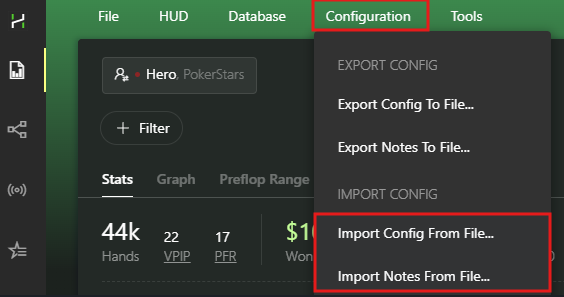
If that doesn't help, zip and send your logs folder: C:\Program Files\Hand2Note4.1\logs and try to record a video of this issue so we can forward it to our developers.
If the file size is too large, you can upload it to any file sharing site and send a link.
Thanks in advancae
Sorry, you can send the log files to [email protected]


