Pokerstars client stop working with H2N
Hello, I recently downloaded H2N 4. I started it, and it was working fine. I played 29 hands, and then my PokerStars client stopped working—it froze. I restarted both apps, but now when I open a table, the PokerStars app stops responding straight away. I’ve tried all the suggestions I could find, but nothing is working. When H2N is not working PS works fine. Does anyone have any idea what might be causing the issue?
8 Replies

The H2N update didn't help, the PS client still freezes.
Hello guys, yesterday I contacted H2N support about my issue, and they responded with the following suggestion.
"Could you please try the following steps?
• Be sure to close the PokerStars client
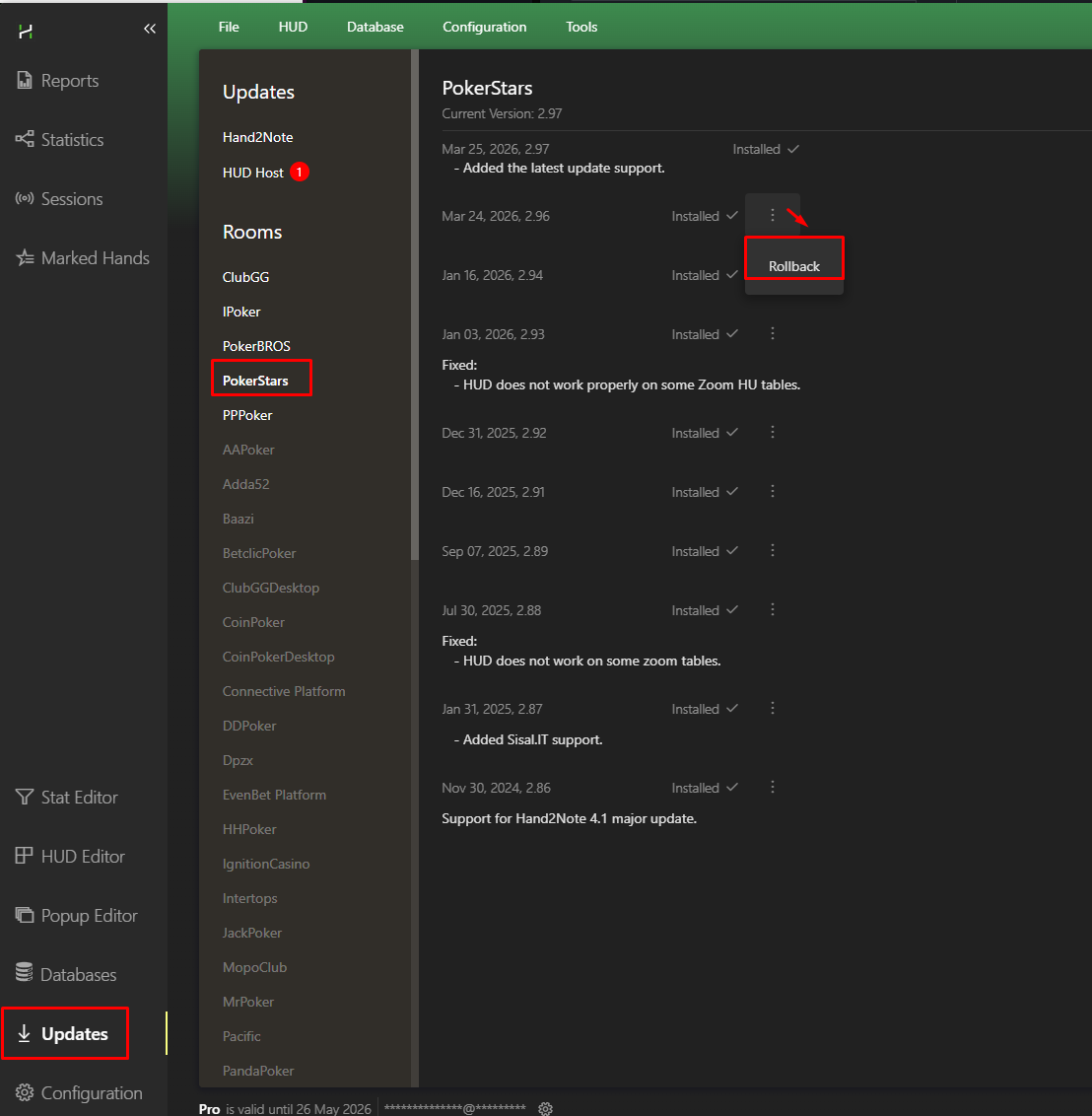
• Update the PokerStars module in the H2N program
• Restart H2N and launch the poker room client
Make sure the programs are running as administrator and that the entire C:\Program Files\Hand2Note 4.1 folder has been added to the exceptions list in your antivirus software or Windows Defender
If you installed the update while the PokerStars client was running, it may not have been installed correctly
In that case, reinstall the PokerStars module in the program with the client closed
We also recommend updating the poker room client via PokerStarsUpdate rather than when the room closes and prompts you to do so
You can also try reinstalling the PokerStars client to ensure it updates properly
"
It fixed the problem, so I wanted to share it here in case anyone else is experiencing the same issue. Many thanks to the H2N support team!
I've tried everything described above several times!
It didn't help.
Now H4N shuts down immediately after launching the PS client.
I've tried everything described above several times!
It didn't help.
Now H4N shuts down immediately after launching the PS client.
same problem. But intresting H2N 3 i can't rollback update pokerstars.
Hello, most likely, there is a conflict between old and new files. Could you please follow these steps:
If you need to save your settings, copy your Config and Notes (C:\Program Files\Hand2Note\Config) folders in a safe place before uninstalling Hand2Note: Moving config | Manual
https://hand2note3.hand2note.com/Help/pages/ExportAndMoving/Config/
1.Uninstall Hand2Note via Control Panel.
2.After the uninstallation has finished please manually delete all files from the install directory (default folder is located in C:\Program Files\Hand2Note).
3. Download and reinstall Hand2Note using the latest installer:
https://h2nuptoyou.azureedge.net/main/Hand2NoteInstaller.exe
4. Run Hand2Note with default config (do not restore your config folder), enter your serial key in program and check if the issue persists
Your database won't be removed, no worries!
Hello, most likely, there is a conflict between old and new files.
Could you please try to reinstall Hand2Note 4:
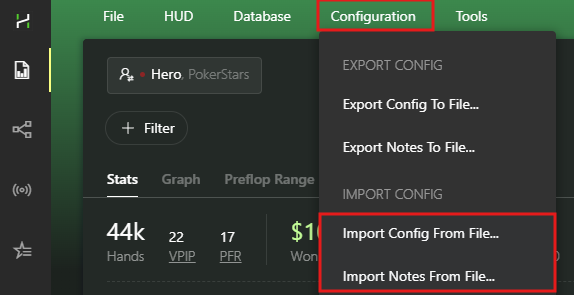
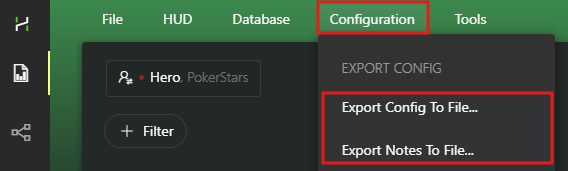
If you need to save all your settings, you should backup your Config and Notes using this feature:
(Make sure to keep the backup files in a safe folder)
Now you can proceed to uninstall the program:
1. Uninstall Hand2Note 4 through the Windows Settings -> Apps & features (Control Panel).
2. After uninstalling there are still remaining files in Hand2Note folder, you have to delete them manually. By default it is C:/Program Files/Hand2Note4.1
3. Download the latest version of the installer and install https://hand2note4-1.azureedge.net/Hand2Note4Installer.exe
4. Try to launch Hand2Note 4 in the default configuration and check if it helped.
5. If the issue is solved, you can try to restore your settings: