How to post pictures, embed videos, change avatars, turn off Tapatalk signature, and more

(To serve as a reference for the five "How do avatars work?" threads we have every week)
Most posters on 2+2 have an avatar. That's the little picture under everyone's name. And now you can have one, too!
Find a good picture, then click here to ...
It says there that you have two options:
Option 1 - Enter the URL to the Image on Another Website
Option 2 - Upload Image From Your Computer
That's a damn dirty lie. "Option 1 - Enter the URL to the Image on Another Website" doesn't work. I don't know why. No one does. But it doesn't. You have to use "Option 2 - Upload Image From Your Computer".
Illustration:
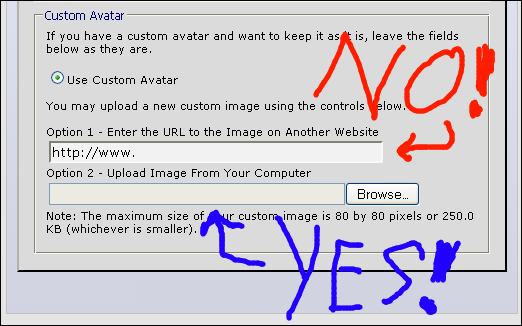
There are two constraints on the file: It must be 80 by 80 pixels or smaller, and the file size must be less than 250 kb. Your file can be a .jpeg or .gif. If you meet those constraints, it should work. Go post "wat" in bbv4life and see it for yourself!
It didn't work! What do I do? Have no fear! It's probably one of these problems.
PROBLEM 1 - The picture is too big:
vBulletin Message
The Dimension limits for this filetype are 80 x 80. We were unable to resize your file so you will need to do so manually and upload it again. Your file is currently 522 x 326.
It's too big! You need to shrink the picture to 80 by 80 pixels. For non-moving images, you can do this in Microsoft Paint pretty easily. Open the file, and click on "Image" and then "Attributes" to get the dimensions of the picture. Then click on "Image" and "Stretch/Skew" to stretch the image. (Keep the two stretch factors equivalent to keep the picture from getting "squished.") Keep messing with it until it's 80 by 80 pixels or smaller. Then save it to your hard drive, and try again.
For animated .gif images, it's tougher. You can use a program like Adobe Imageready which costs money but works well or try some online tool like this one that is free but doesn't work that well.
PROBLEM 2 - The file is too large:
vBulletin Message
Your file of 1.20 MB bytes exceeds the forum's limit of 250.0 KB for this filetype.
Your filesize is too big. Assuming it's within the 80 by 80 pixel limit, this pretty much means you have an animated .gif that is too long. You'll have to cut frames out. I don't know of any way to do this without a .gif editor like Imageready, which costs money. If you send me a nice PM, I'll try to help you out, though.
PROBLEM 3 - "Upload failed due to failure writing temporary file":
vBulletin Message
Upload failed due to failure writing temporary file.
You tried to use "Option 1 - Enter the URL to the Image on Another Website!" I told you, it doesn't work. Go find the image you want, right-click on it, and select "Save image as". Save it to your hard drive, then try again using "Option 2 - Upload Image From Your Computer".
PROBLEM - Something else:
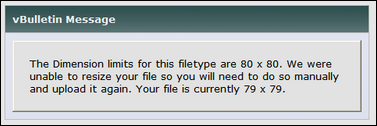
Sometimes it just doesn't want to play nice. You do everything right, but no go. Sorry. If the file's small enough and the right size, and it still won't work, that's when you post in ATF. We'll try to help.
Test

Sent from my iPad using Tapatalk

This fixed itself about a month ago. Was ~14 painful months

Does anyone know why the embedding here isn't working? I get the same type of error every time where it does this
Does anyone know why the embedding here isn't working? I get the same type of error every time where it does this
Tag it like that.
I can’t see how you changed it. Or can you see it? It’s only visible for me through your quote.
I can’t see how you changed it. Or can you see it? It’s only visible for me through your quote.
[ youtube] MO75abYFU5k [ /youtube]
Remove the spaces
Good morning!
How do I edit a post?
Wait one...
Like this

You can only do it for the first 10 minutes or so after your post. For the first bit it won't even say it was edited, after some period of time, maybe 5 minutes, the server software indicates it was edited.

See FAQ.
This option doesn't appear for me. I also don't see the option to delete the post.
I wanted to lower the price of the package I offered.
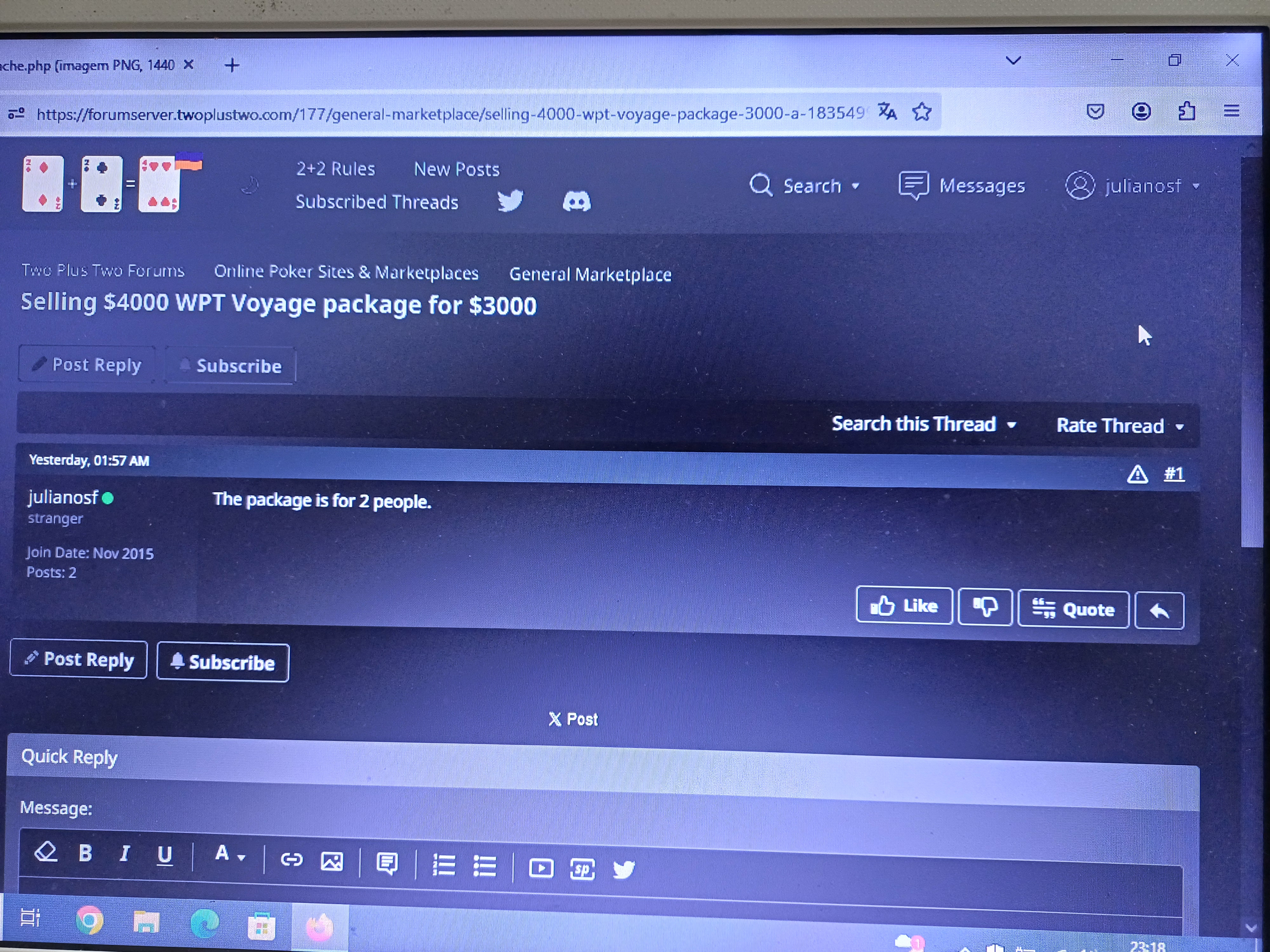

And if you read the link you quoted, you'd probably have a good idea why
... I also don't see the option to delete the post.
I wanted to lower the price of the package I offered. ...
From FAQ:
"Editing and Deleting your Posts
Can I edit or delete my posts?
If you have registered and are logged in, you may be able to edit and delete your posts (although the administrator may have turned off this option). Your ability to edit your posts may be time-limited, depending on how the administrator has set up the forum."
The edit and delete options are time-limited. About fifteen minutes or so.
I've deleted your post, so you can repost an amended version.
From FAQ:"Editing and Deleting your PostsCan I edit or delete my posts?If you have registered and are logged in, you may be able to edit and delete your posts (although the administrator may have turned off this option). Your ability to edit your posts may be time-limited, depending on how the administrator has set up the forum."The edit and delete options are time-limited. Abo
Good afternoon!
Thanks for responding and deleting, Mike.
Good afternoon!
I read it, it said there was an edit option that didn't appear for me. But Mike deleted the post so I can repost it. Thanks for paying me attention!

On my subscribed threads, i have a particular thread that constantly shows up as having unread posts. I click the 'go to first new post' button, and it just goes to the last post in the thread which ive seen before. Ive tried unsubscribing and resubscribing to the thread.
Anyone know how to fix this? Im sure its a common bug, i remember having it a few years ago on here with another thread.

There's a bug in how spam posts are now being deleted.
If that happens you have to go to the sub-forum that the thread is in, and mark all posts as read in it. Or make a new post in that thread.

Hi , when i insert a video it doesn't play, am I doing everything correctly?


Spoiler

Get rid of the spaces.
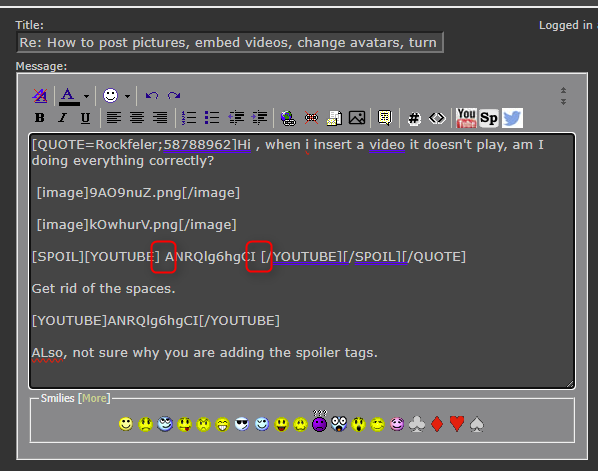
Also, not sure why you are adding the spoiler tags.


Maybe this was obvious to everyone else but I spent a lot of frustrated time trying to upload pics. Followed the instructions in this thread trying first Imugar and then later the direct posting to 2+2 and kept getting just the link and not the image. Finally decided wth and clicked Preview Post and the pics miraculously appeared. Posting this in hopes that it might spare other users this experience.

