Show Hand Details window doesnt show all the details at the bottom ???
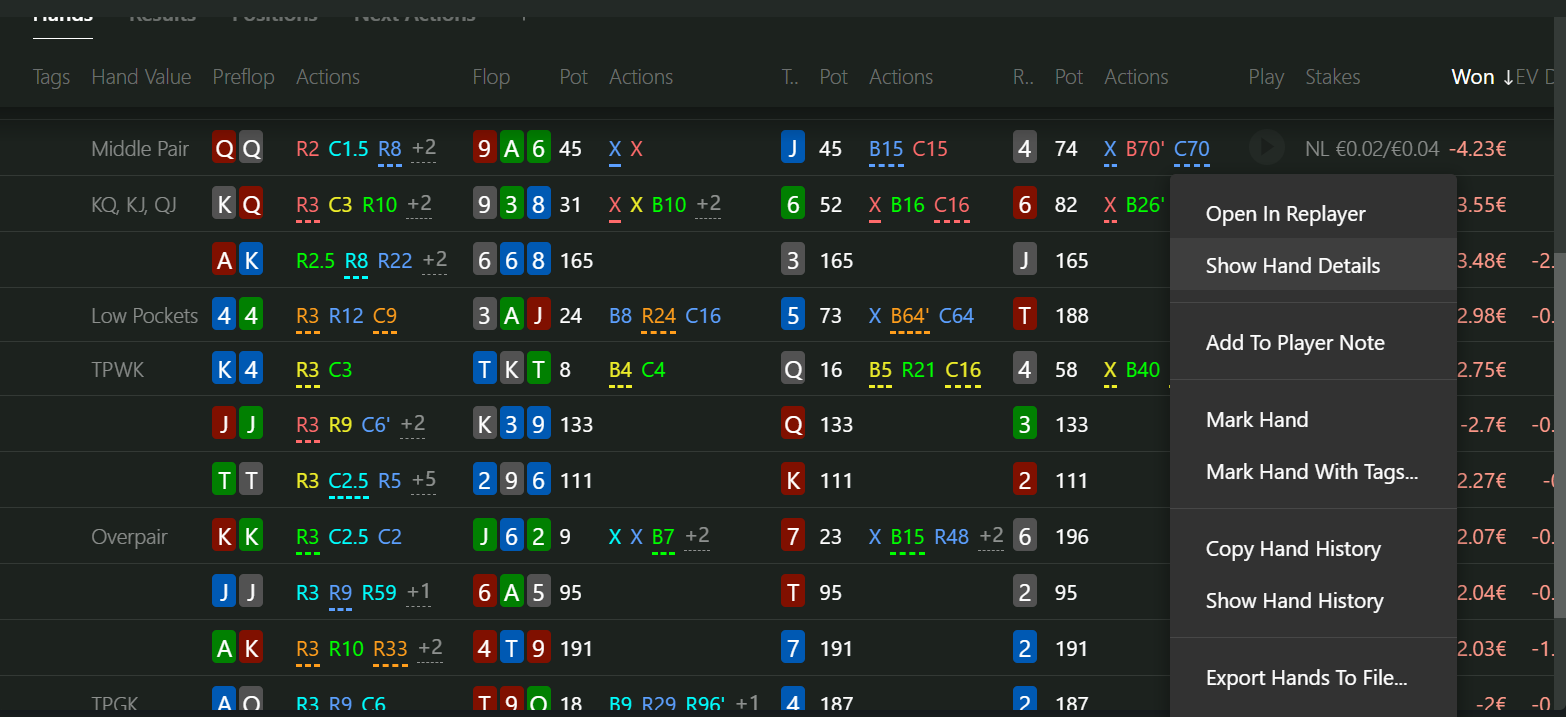
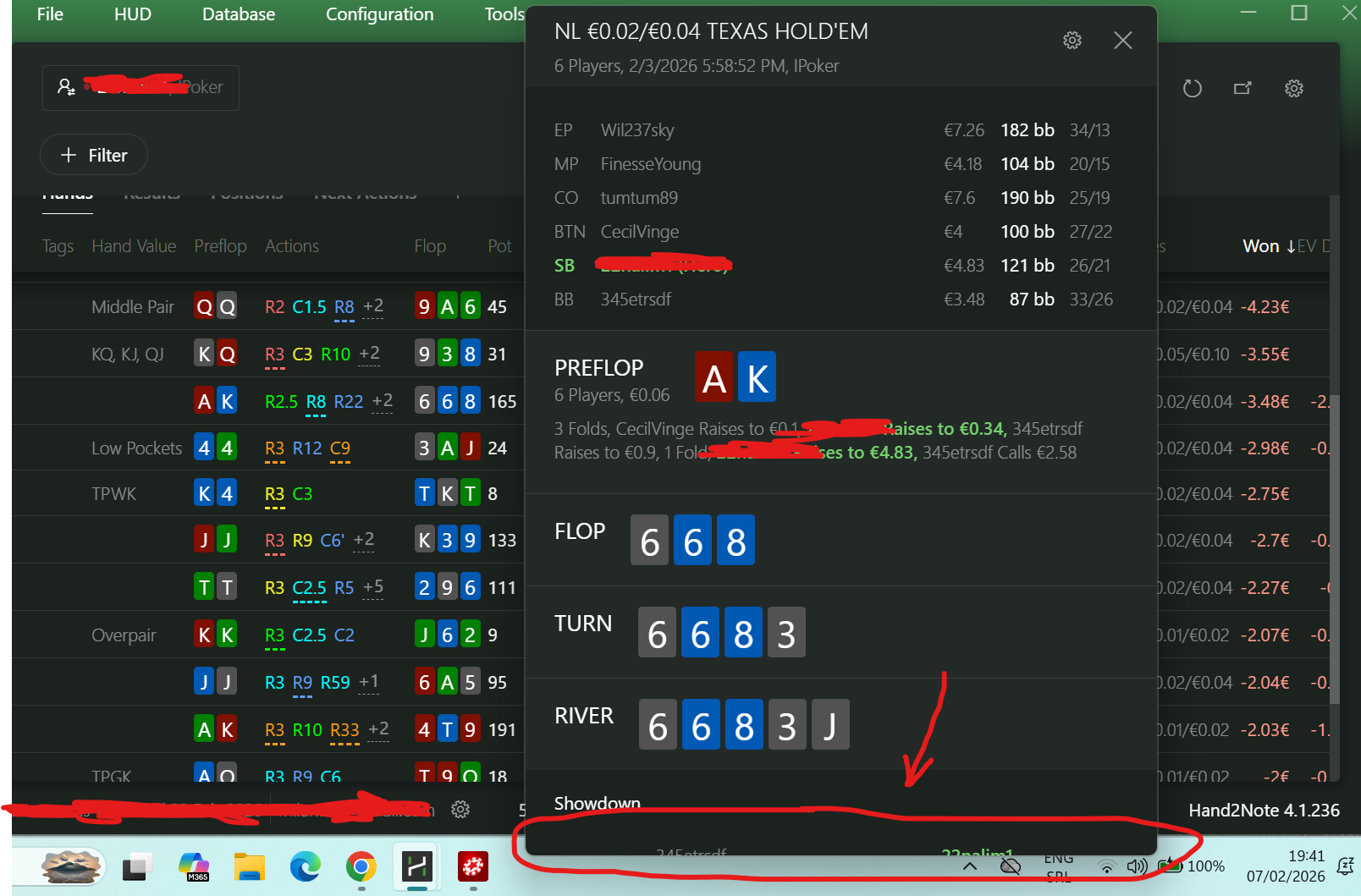
I cant see all the details. I cant see the link to a hand??? I am using Hand2note v 4.1.236. Its not possible to resize this window??!! Anyone with solution?
2 Replies
Hello!
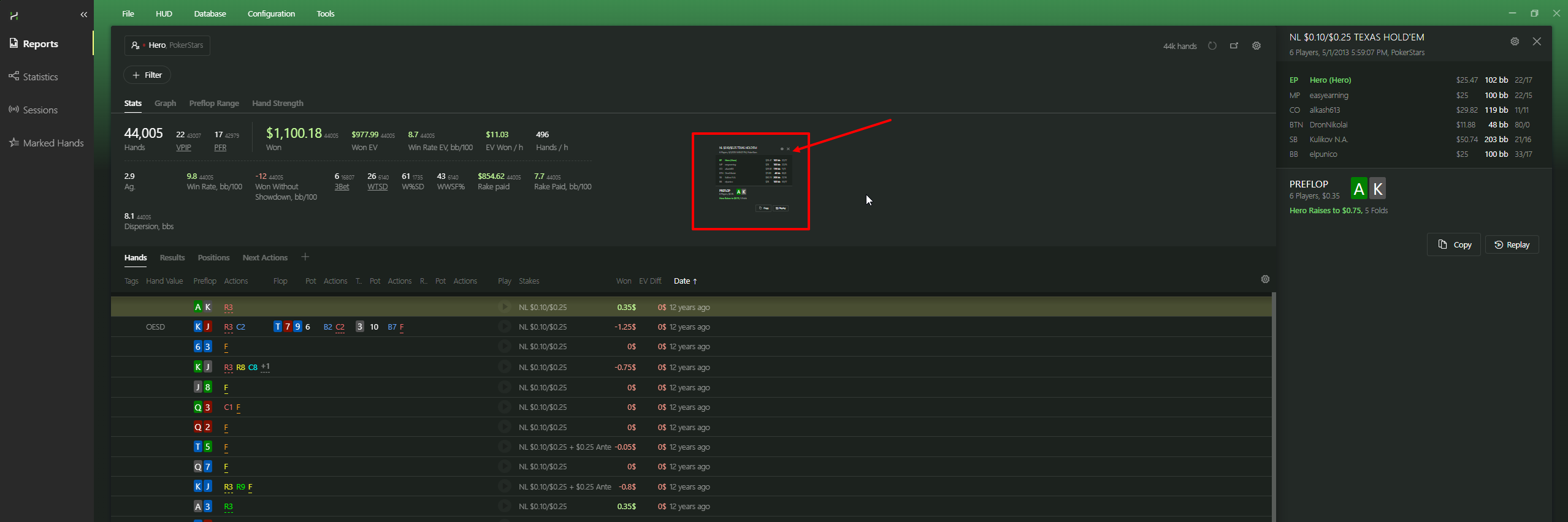
You can always simply left-click once to open the hand history on the right side of the report.
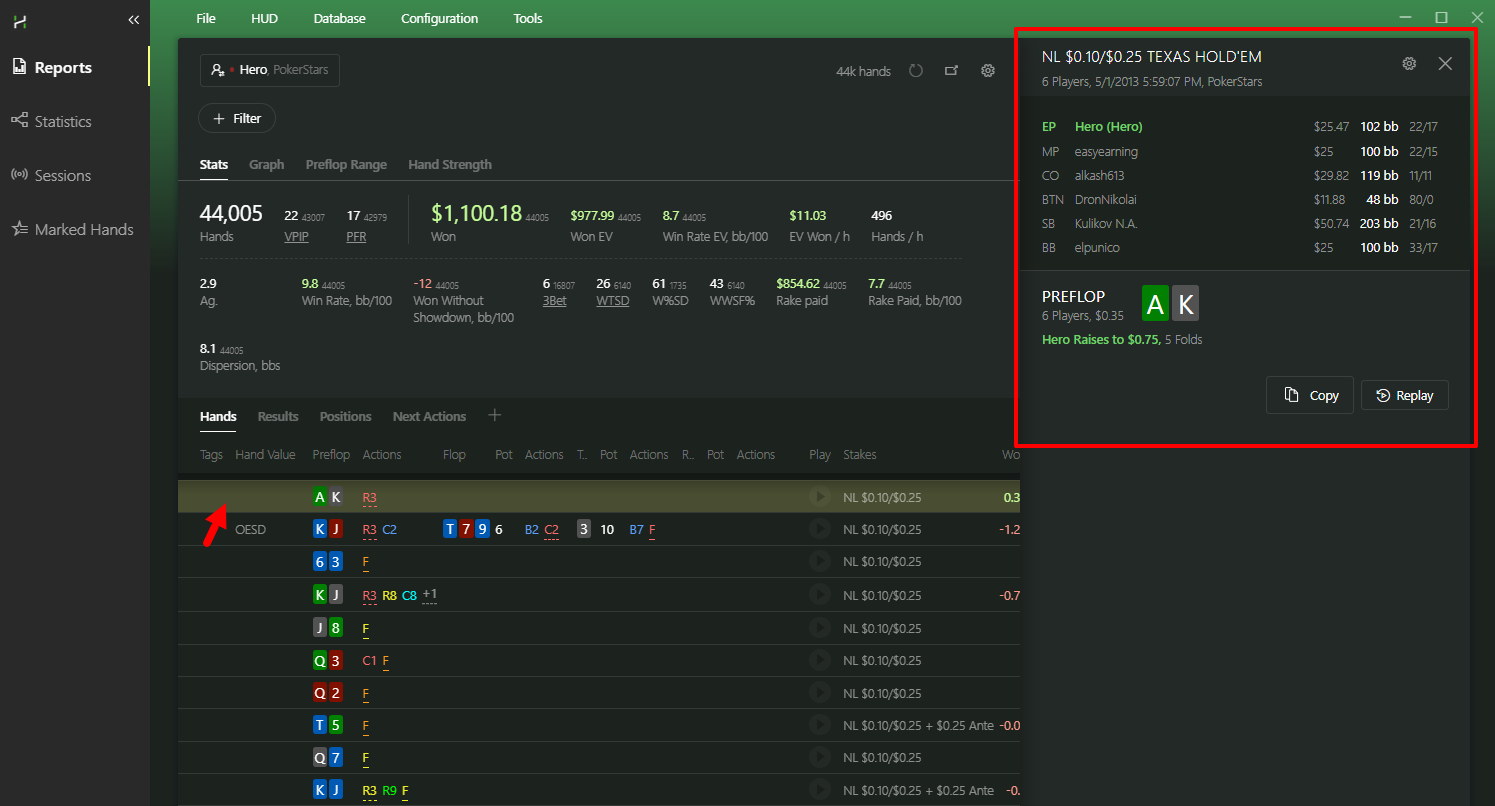
Alternatively, you can hover your mouse over the hand history panel, hold CTRL, and scroll the mouse wheel to zoom in or out.
As you can see in the screenshots, this allows you to set both a very small and a very large zoom level.
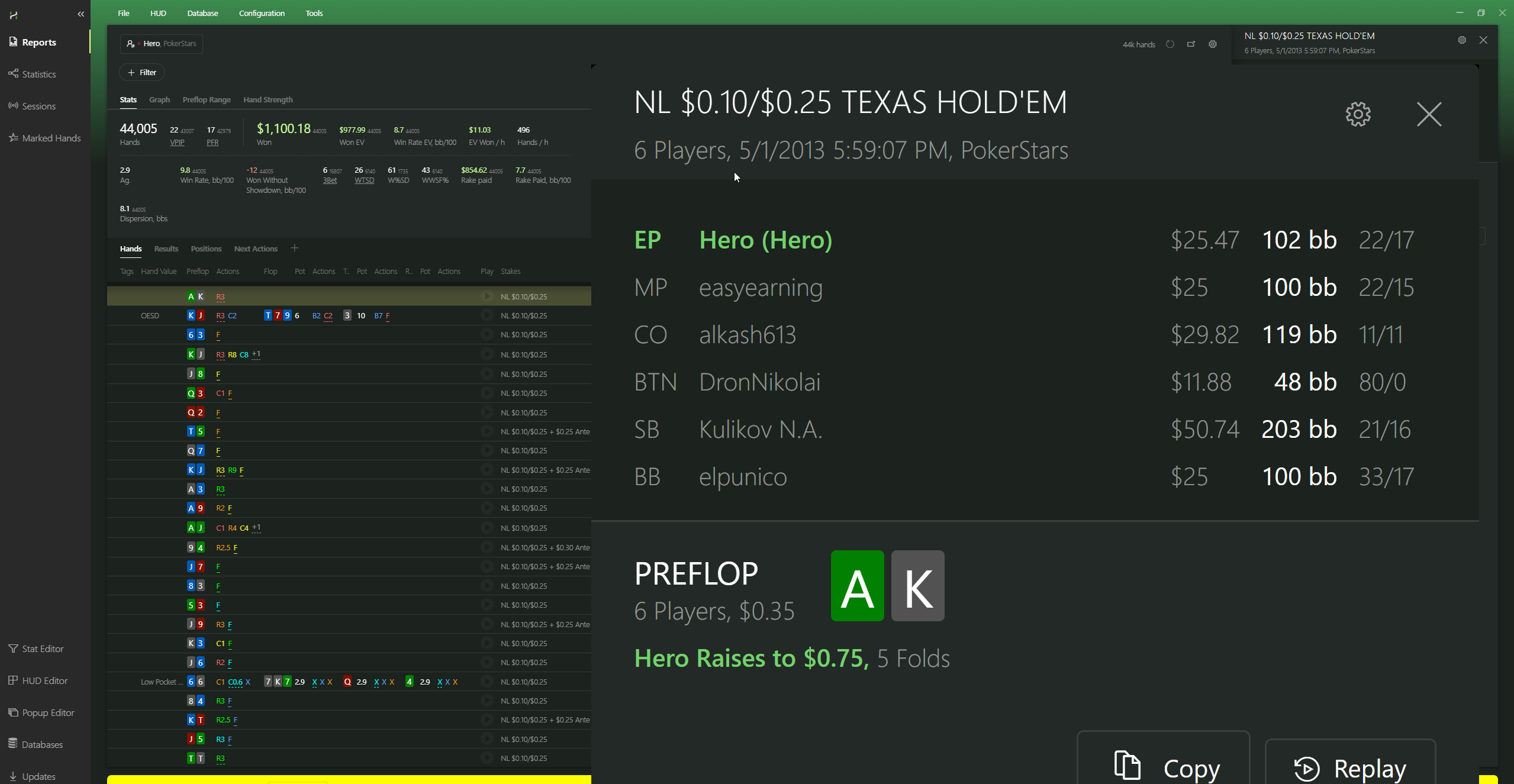
Hello!You can always simply left-click once to open the hand history on the right side of the report. Alternatively, you can hover your mouse over the hand history panel, hold CTRL, and scroll the mouse wheel to zoom in or out.As you can see in the screenshots, this allows you to set both a very small and a very large zoom level.
Thank you!!!


