GTO+/CardRunnersEV?

This is the support thread for CardRunnersEV, which is hand EV analysis software.
Thanks for the response.
I believe other users have requested this as well: comparing the EV of different strategic options.
I recorded a video of another solver with this feature: https://jmp.sh/s/pabA8zLcCtfGUwkFoepk
You can see 2 steps:
Select 2 strategic options (B30 and B60 in this case)
Isolate them.
By "isolate" I mean that I don’t want to see hands that purely have check as a strategic option, since the solver will always give the highest EV to the sizing closest to check — and this alone doesn’t mean we should consider it a valid option.
What would this addon be useful for? When you have a node where the solver leans towards 2 sizings, you can see which strategic option loses less EV.
This has happened to me when building 3B Pot databases, where on Axx boards the solver prefers to polarize between several options (B75%, for example). But if you only allow it to use a single (smaller) size when solving, it ends up with almost the same EV.
This would help identify these situations more quickly.
GTO Wizard also has this EV comparison feature — not sure if you’re familiar with it, but it’s worth mentioning.
EDIT: Adding one more thing: the blockers function.
I’ve also recorded a video showing how this works in the other solver (it’s quite different from how GTO Wizard handles the same function).
I’m honestly not sure which approach is more correct. I do find the block bottom vs top approach interesting, along with the ability to adjust it based on the desired threshold… but maybe after seeing this example, you could come up with something even better and more user-friendly?
Here the link https://jmp.sh/s/M78sNgI71dpA3AsUpsss
Is there a function in GTO+ that is similar to GTOWizards "dynamic sizing" where it can simplify to the best bet size on for example flops and turns automatically, and display the EV difference between a complex and a simple strategy? The only way I know of doing this is running separate solves for the different sizes and then one with the complex strategy and then comparing.
Is there a function in GTO+ that is similar to GTOWizards "dynamic sizing" where it can simplify to the best bet size on for example flops and turns automatically, and display the EV difference between a complex and a simple strategy? The only way I know of doing this is running separate solves for the different sizes and then one with the complex strategy and then comparing.
You will need to solve for separate bet sizes and compare them.
However, what you'll find is that all sizes perform almost identically.
From a practical standpoint, there's little difference between bet sizes; when playing perfectly, they all lead to the same outcome.
Perfect sizing only matters if you're absolutely certain your actual play is GTO; otherwise, another size may be more preferable.
Even a small deviation from GTO strategy can result in a significant drop in EV, which outweighs any benefit from perfect sizing.
Thanks for the response.I believe other users have requested this as well: comparing the EV of different strategic options.I recorded a video of another solver with this feature: https://jmp.sh/s/pabA8zLcCtfGUwkFoepkYou can see 2 steps:Select 2 strategic options (B30 and B60 in this case)Isolate them.By "isolate" I mean that I don’t want to see hands that purely have che
We can consider adding this feature, but in all fairness, it won't help much in narrowing down to a single bet size.
Once you've narrowed it down to one size, the EVs will shift.
The difference in EV between the bet sizes comes from the fact that they’re used with different ranges.
Once you settle on a single size, the ranges will adjust, and the EVs will change accordingly.
And ultimately, no matter which bet size you choose, the EV will be roughly the same.
EDIT: Adding one more thing: the blockers function.I’ve also recorded a video showing how this works in the other solver (it’s quite different from how GTO Wizard handles the same function).I’m honestly not sure which approach is more correct. I do find the block bottom vs top approach interesting, along with the ability to adjust it based on the desired thres
Blockers can be somewhat relevant in very tight ranges, but such ranges typically occur in lines that are rarely reached.
You can get a rough sense of the influence of blockers by toggling card removal ON/OFF.
In most cases, you’ll notice that the frequencies and strategies don’t change significantly, except for lines that are hardly ever played.
We could certainly consider adding both features, though personally, I feel their benefit might be outweighed by the potential negative impact on the functionality of the interface.
I think your point of view is good, thank you very much for the answer!
Hi Scylla, I wanted to congratulate you on the updates made to the software, nice job!!
Hi, can you please tell me where I can learn more about the Incentives function? How to use it correctly?
Hi, can you please tell me where I can learn more about the Incentives function? How to use it correctly?
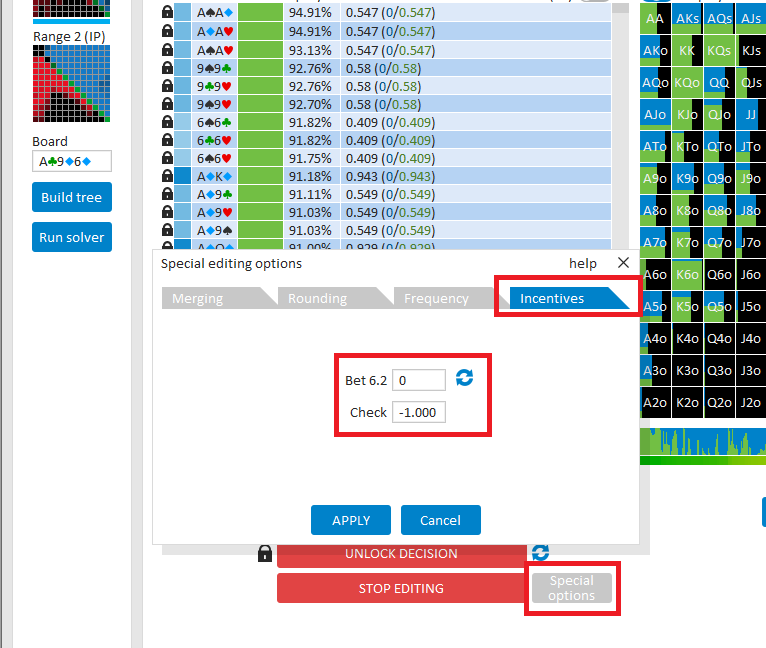
The incentive function means that, while solving, the solver will assume a certain action performs slightly better or worse than it actually does.
For example, if you set an incentive of -1 to "Check," it will deduct $1 from each "Check" hand when determining which action is preferable.
As a result, checking will occur less frequently.
It’s not possible to predict in advance how significant the effect of the incentive will be, so experimentation is required.
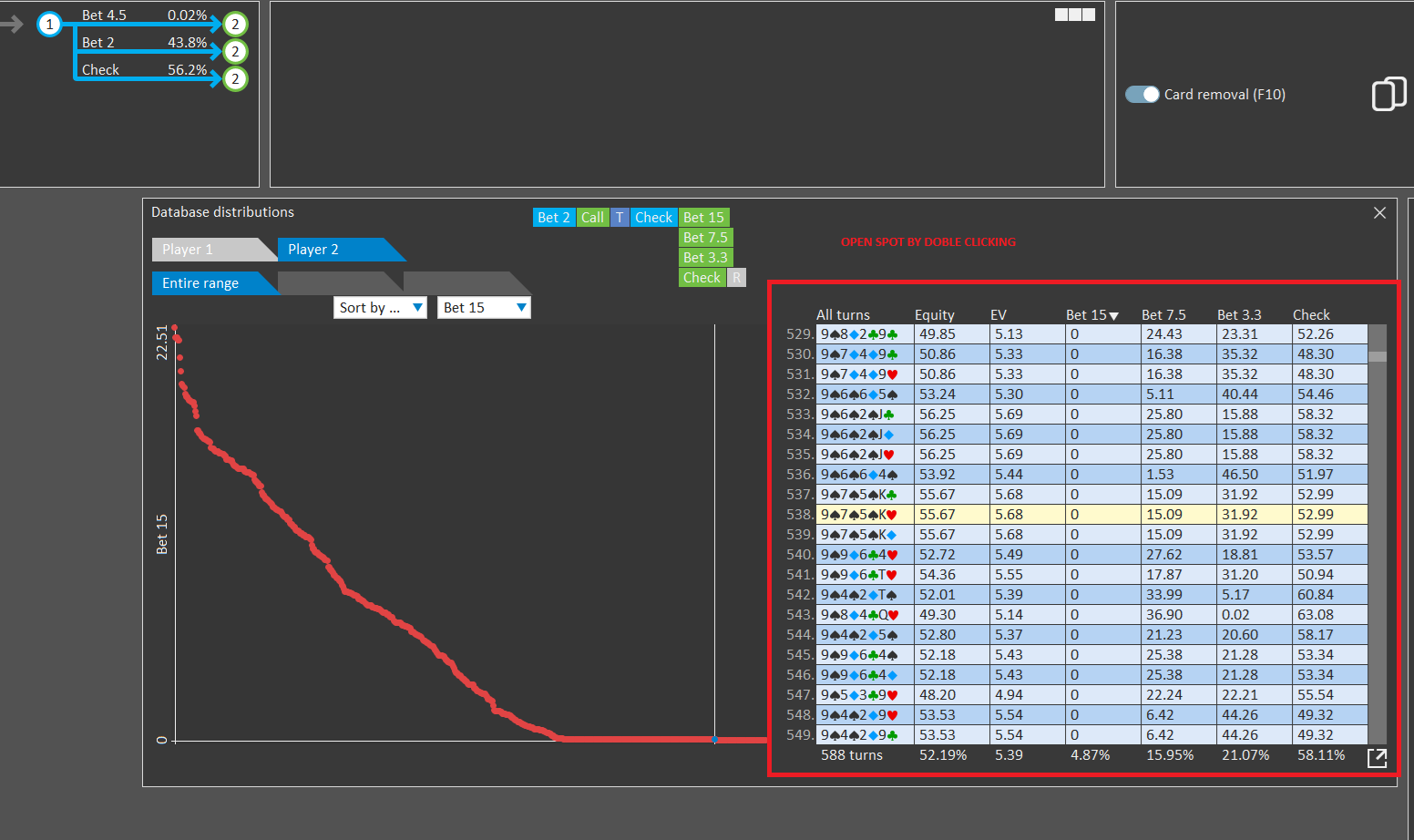
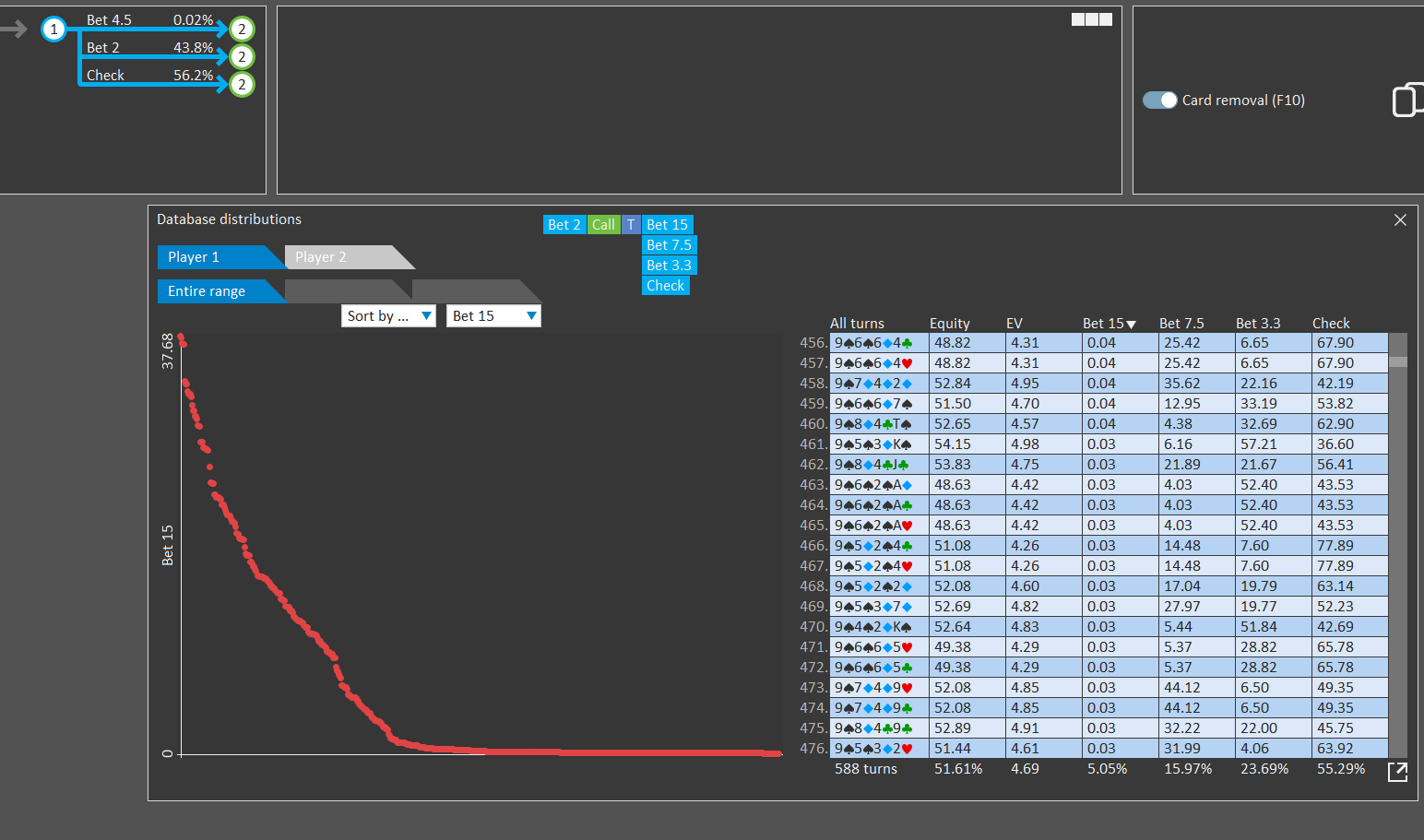
scy, its possible to add shortcut when 2ble clicking the node on Agg reports, open the spot?
Had all Extensive Storage.. and no.. i cant do that starting from the turn.. on the flop yes, i can
I've just tried with your file, and it seems to work for me.
Is there any particular line that you can't load by double-clicking it?
Scy, if you start from the flop in the aggregate reports to see the turn lines and decide to click on that turn, it doesn't open the spot. Are you doing the same thing I did?
The flop changes, but not the turn (4 cards like the picture). I didn't try the river.
Have you tried the same thing?
Scy, if you start from the flop in the aggregate reports to see the turn lines and decide to click on that turn, it doesn't open the spot. Are you doing the same thing I did?
The flop changes, but not the turn (4 cards like the picture). I didn't try the river.
Have you tried the same thing?
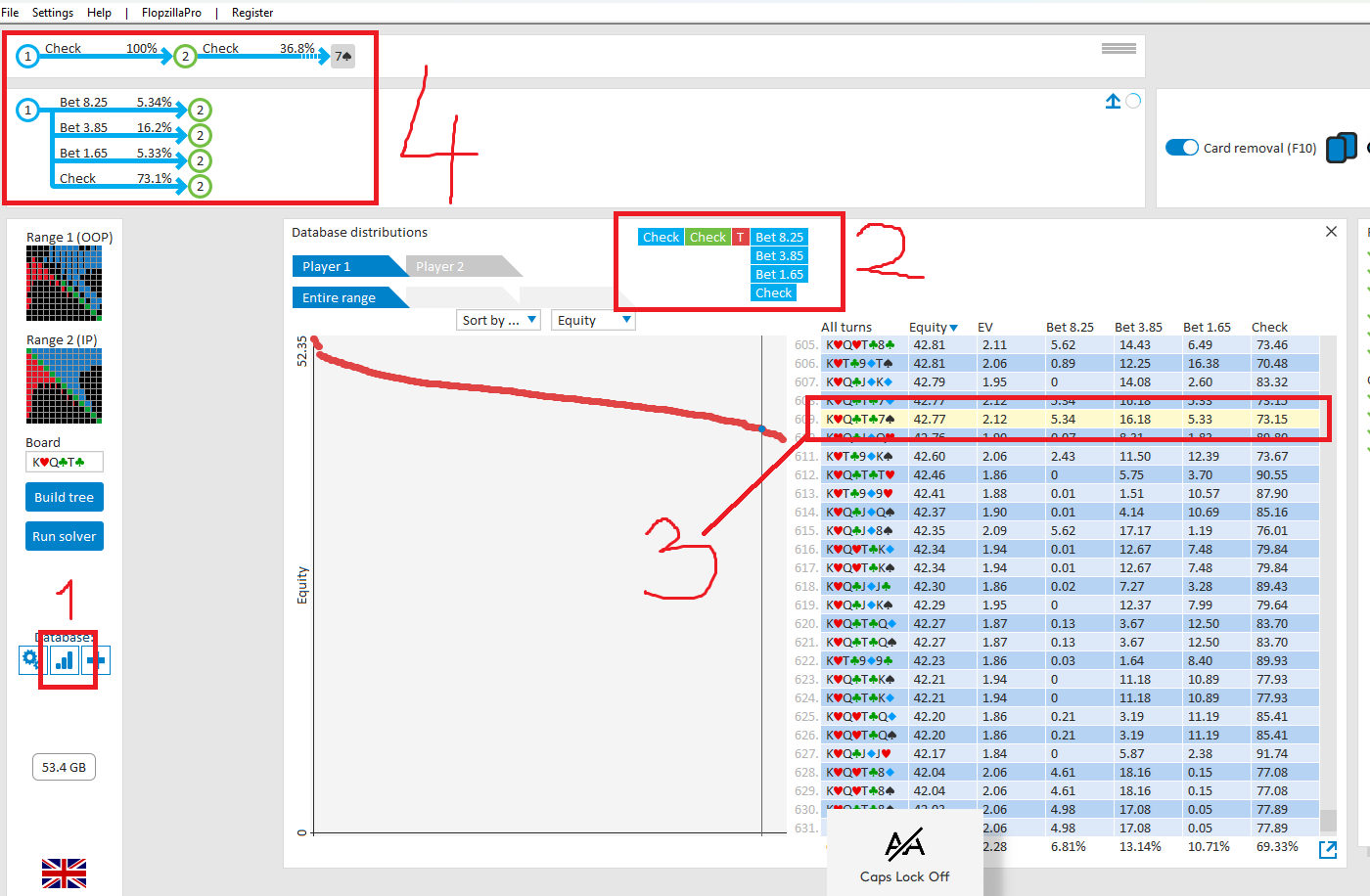
I've taken the following steps:
0) Load the savefile
1) Go to the database report
2) Use the navigator to navigate to the turn
3) Double-click one of the lines in the table
4) The tree will update to the selected scenario
See the screenshot below.
Are you perhaps taking different steps?
My bad, scy... I have the other node browser interface and I didn't notice the change in the turn card.
It works fine... omg... I apologize for the inconvenience.
Scy, is there a way to delete the unselected flops and leave only the filtered ones?
For example, I have a 163-flop DB, but I want to leave only the Axx flops so I can edit them later. How can I do this without having to be so manual and delete them one by one?
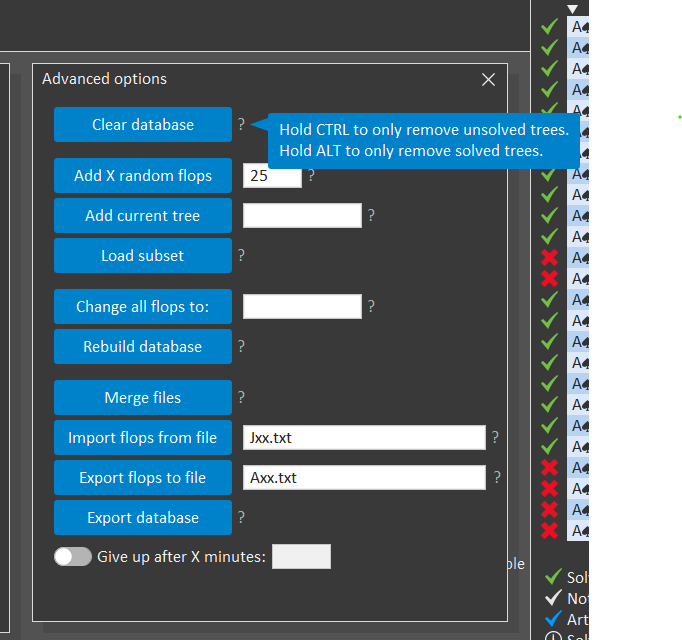
This not working for was i want.
Scy, is there a way to delete the unselected flops and leave only the filtered ones?For example, I have a 163-flop DB, but I want to leave only the Axx flops so I can edit them later. How can I do this without having to be so manual and delete them one by one? This not working for was i want.
I'll see if we can add a code for this as well.
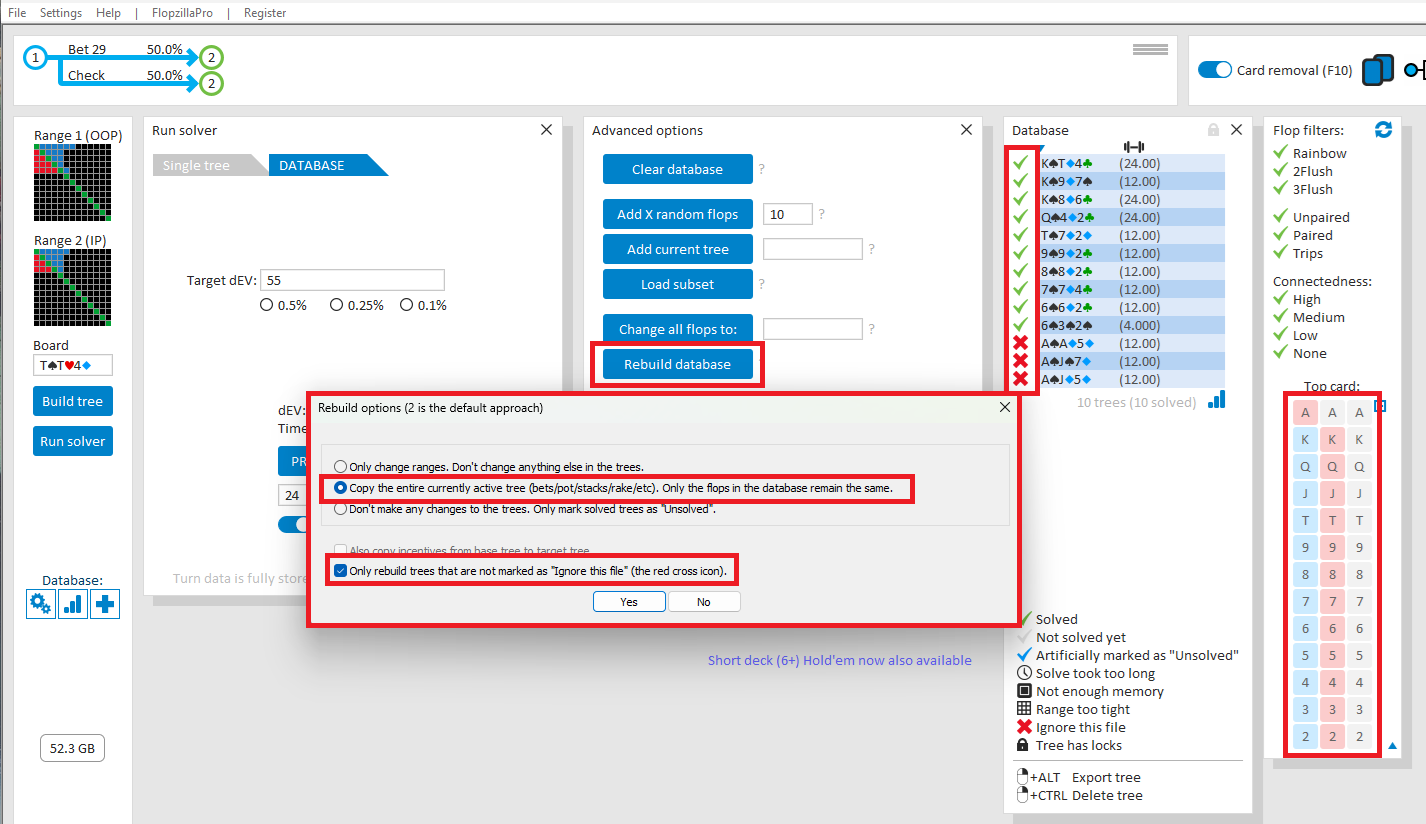
For the moment, I can think of a workaround.
For this, we will rebuild all the non-A trees, so that they become unsolved.
After that, we can remove the unsolved trees from the database.
1) Put a cross before all the Axx flops
2) Click on "Rebuild database"
3) Select "Only rebuild trees that are not marked as Ignore this file"
4) Accept (after this, all non-A trees are now unsolved)
5) Remove the crosses
4) You can now delete all unsolved trees from the database
We'll add an additional code to only remove X trees from the database in the next release.
I'll see if we can add a code for this as well.For the moment, I can think of a workaround.For this, we will rebuild all the non-A trees, so that they become unsolved.After that, we can remove the unsolved trees from the database.1) Put a cross before all the Axx flops2) Click on "Rebuild database"3) Select "Only rebuild trees that are not marked as Ignore this file"4) Accept (
Ok Thanks Scy.
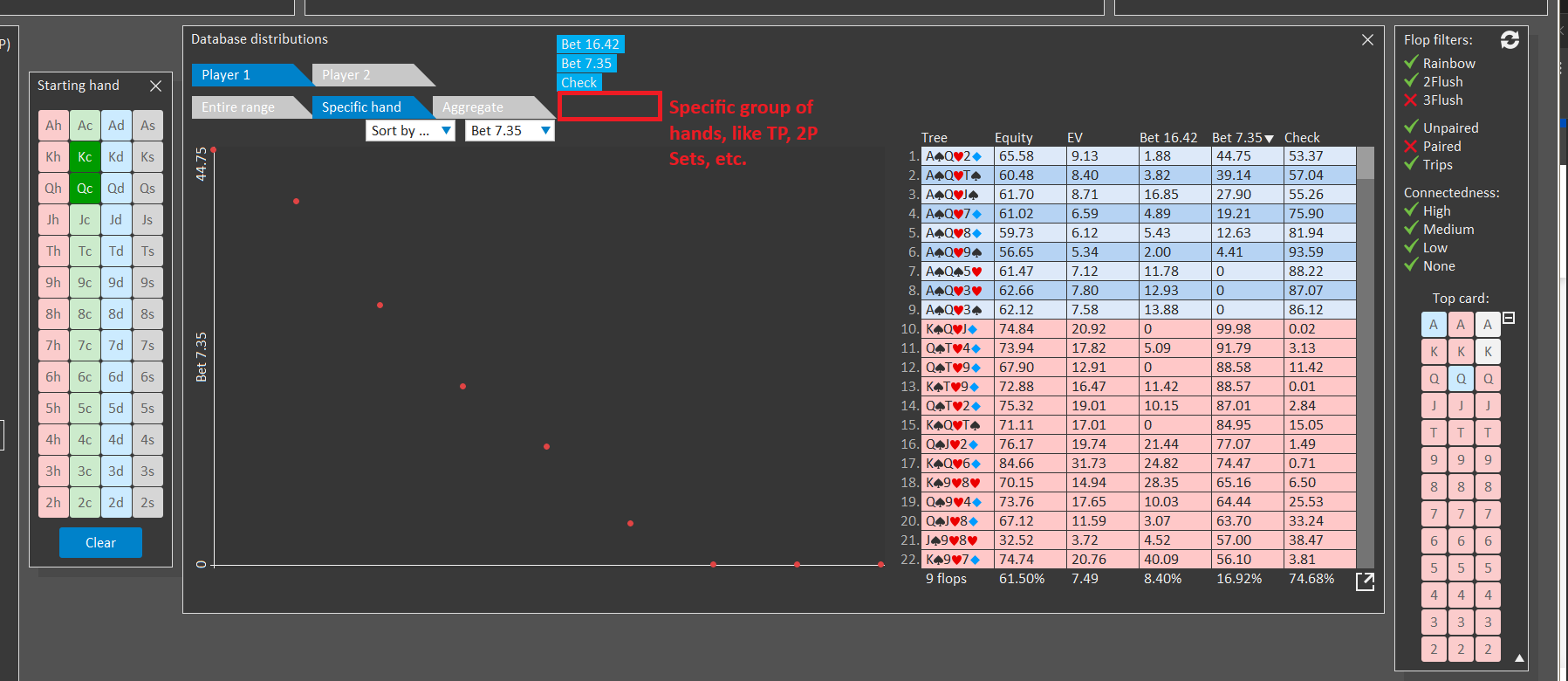
Scy, I think I've already requested this. It's a feature other solvers have, and I think it's a great tool for seeing general frequencies of groups of hands, not specific combos.
I think you said it can create a conflict when, for example, an overcard falls on the turn to the flop's top pair (but in that case, the overcard would be TP and the flop's TP would be MP).
I don't think you'll have a problem figuring that out.
Thanks in advance!
Scy, I think I've already requested this. It's a feature other solvers have, and I think it's a great tool for seeing general frequencies of groups of hands, not specific combos.I think you said it can create a conflict when, for example, an overcard falls on the turn to the flop's top pair (but in that case, the overcard would be TP and the flop's TP would be MP).I don't thin
This isn't really feasible, as different flops come with entirely different sets of statistics.
For example, a TTT flop has completely different stats compared to an A♥K♥Q♥ flop.
The best approach here would be to simply list the objective hand strengths as "Royal Flush/Straight Flush/Quads/Full House/Flush/etc."
However, in practice, there’s not much that can be done with this data.
This isn't really feasible, as different flops come with entirely different sets of statistics.
For example, a TTT flop has completely different stats compared to an A♥K♥Q♥ flop.
The best approach here would be to simply list the objective hand strengths as "Royal Flush/Straight Flush/Quads/Full House/Flush/etc."
However, in practice, there’s not much that can be done with this data.
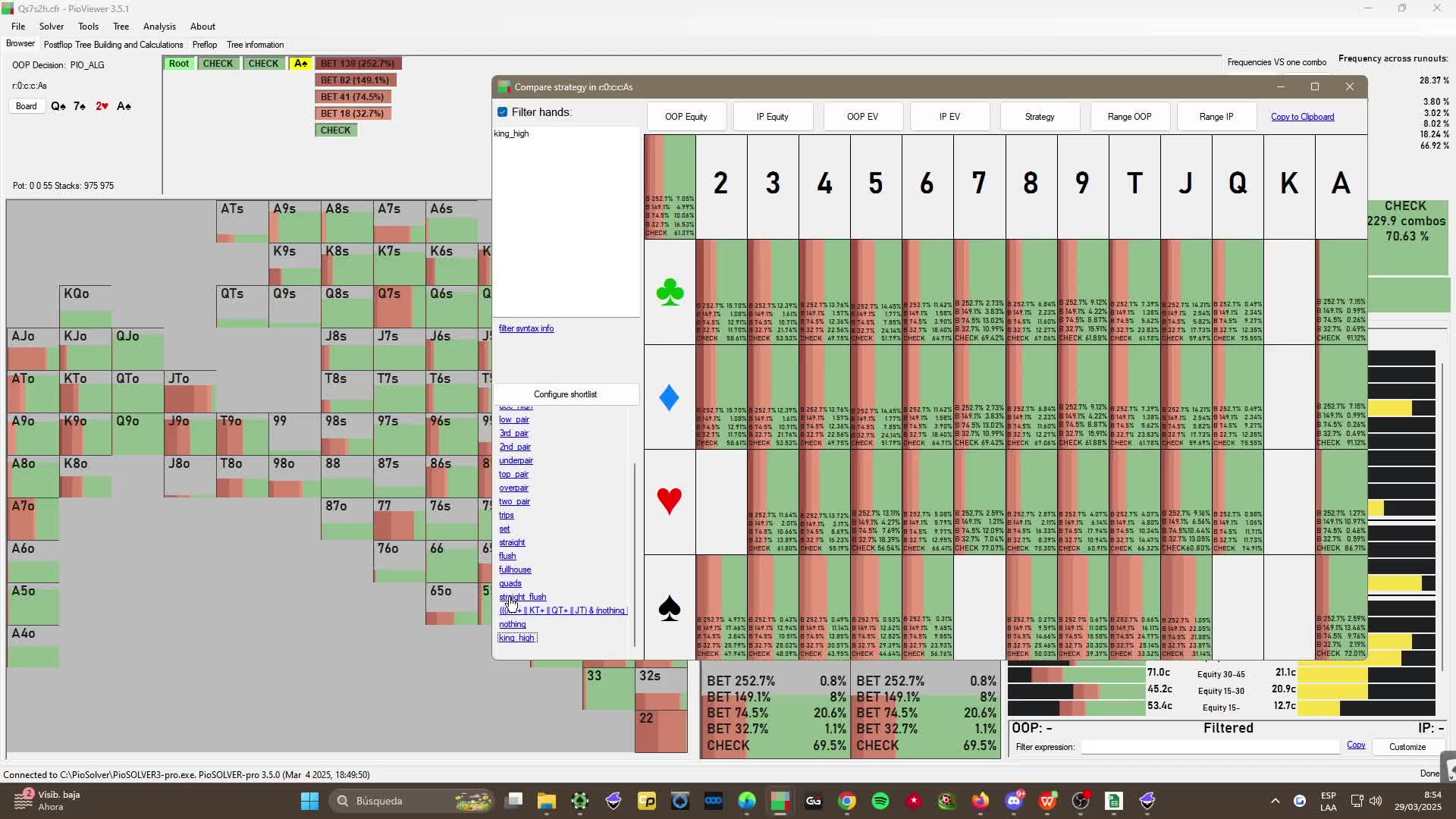
Are we talking about the same thing? I don't understand the limitation, why can they make it work here?
Are we talking about the same thing? I don't understand the limitation, why can they make it work here?
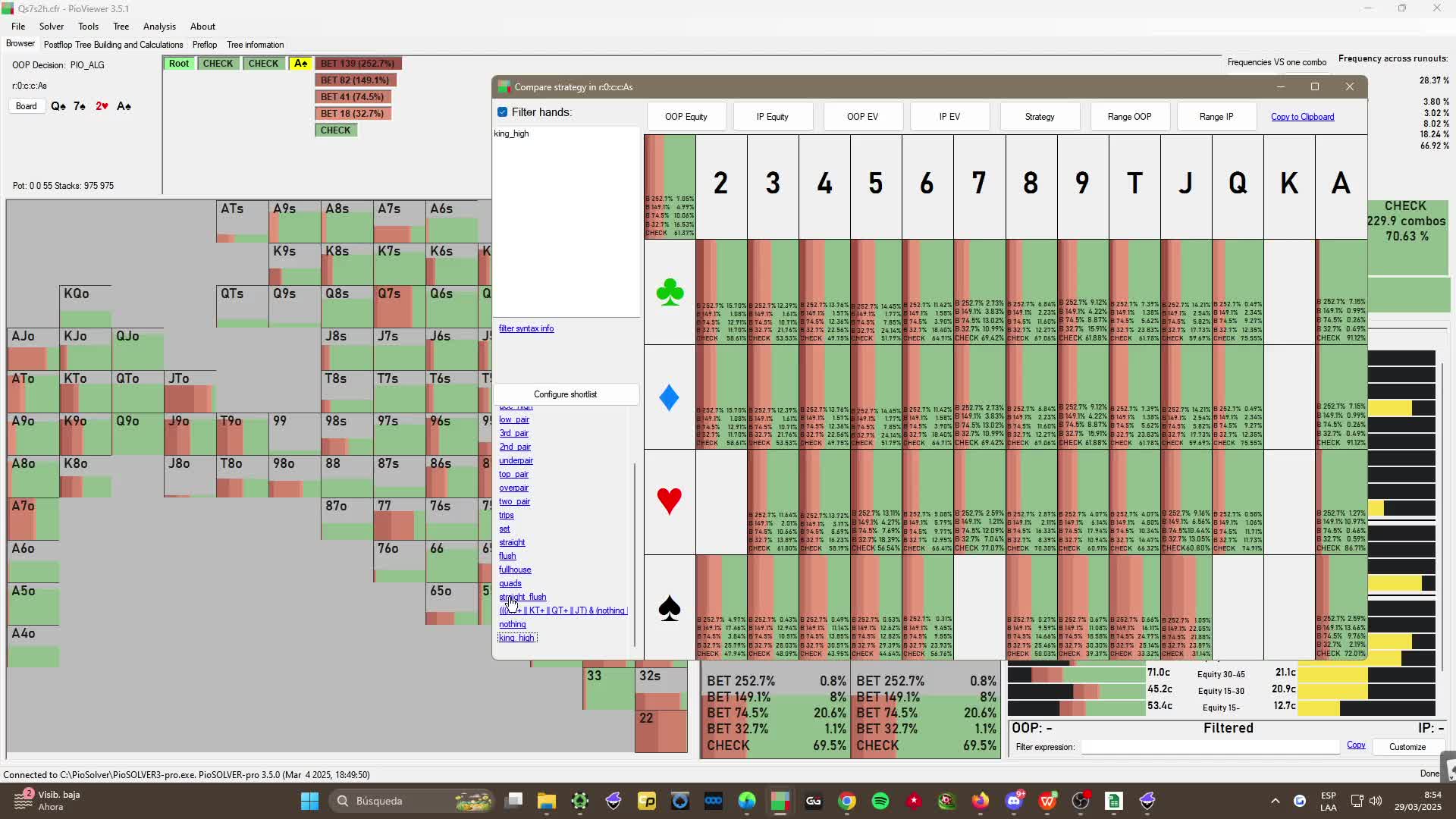
The feature in your original screenshot was for aggregate reports, whereas the feature in the video is for a turn report.
It's indeed possible to do this for turn reports, but I don't see how it could be made practically applicable for an aggregate report.


