GTO+/CardRunnersEV?

This is the support thread for CardRunnersEV, which is hand EV analysis software.
Yes, we double-checked the entire interface today, and noticed this oversight as well.
It has now been taken care of for v190.
Hello, Scylla. Maybe it is possible for future releases to add possibility of make aggregate reports for group of hands (that bet/check or raise/call/fold etc) to see for example how many % of top pairs/mid pairs/FD/GS and etc solver bet and check for raiser IP on a specific flop/turn/river. IMHO it would be very usefull.
Hi, Scylla. I'll remind you of this request, maybe you'll be able to implement this functionality.
The report file for different flops can be structured as follows: columns will contain all possible hand categories on a specific node (royal flush, straight flush, quads...top pair...A high...air), and if a particular hand category is missing on any flop/turn, that cell will be left blank or marked with a symbol indicating the absence of that hand category (on TsTs9c the top pair cell will be blank). Full cells will contain information about the percentage of a particular action (bet/check/call/raise/fold) for the hand category on the selected node.
Hello, Scylla. Maybe it is possible for future releases to add possibility of make aggregate reports for group of hands (that bet/check or raise/call/fold etc) to see for example how many % of top pairs/mid pairs/FD/GS and etc solver bet and check for raiser IP on a specific flop/turn/river. IMHO it would be very usefull.
Hi, Scylla. I'll remind you of this request, maybe you'll
We can certainly consider it, but to be transparent, the practical value would likely be limited relative to the development time required — and that same time could be invested in other improvements.
Different flops produce different sets of statistics. For example, boards like 9-9-2 and T-9-8 generate fundamentally different stats. Even when the same stat labels appear, their strategic meaning varies across boards, so the values can’t simply be summed or averaged in a meaningful way. Having overcards on J-9-2 is strategically very different from having overcards on 5-3-2, and the same applies to categories like top pair.
Because of this, aggregated cross-flop stats would only be partially valid and could easily lead to misleading conclusions. From a technical standpoint they might be somewhat usable, but the final output would have limited interpretive value.
Since development time is finite, we have to prioritize features that provide the broadest benefit. We can keep this request in mind, but at the moment our development effort is better allocated elsewhere.
Hi scylla,
I saw this feature has offered to you couple of times in this topic including by me and because every time I use GTO+ (which is every day) I wish this feature was available I want to try and convince you in the necessity of it.
I remember you said the blockers heatmap is easy to implement but you find blockers have minimal impact in most practical scenarios, which is might be the case when solver plays pure GTO between himself, but when playing against human beings who, in modern game, base their decisions heavily on blockers/unblockers, I think that this feature is crucial to understand the optimal strategy against those opponents when noodelocking for trying to replicate a human strategy in various scenarios, and even when trying to understand the mechanincs behind the solver's different ranges construction. Bottom line, I think that even if the solver not paying too much attention to blockers (which I don't think is the case since in various spots you can see that the solver derives his strategy almost exclusively based on blockers/unblockers, and without a blockers heatmap it takes a lot of time to deduct that when you look at the output), when human players base their decisions over that it automatically becomes crucial feature to form a useful heuristics regard their strategy, and for that reason you can see that any modern solver is offering that feature.
If you somehow got convinced, with your permission I would like to offer a practical implementation:
When clicking 'Compare range OOP vs IP' there will be a 'Blockers' tab like this:
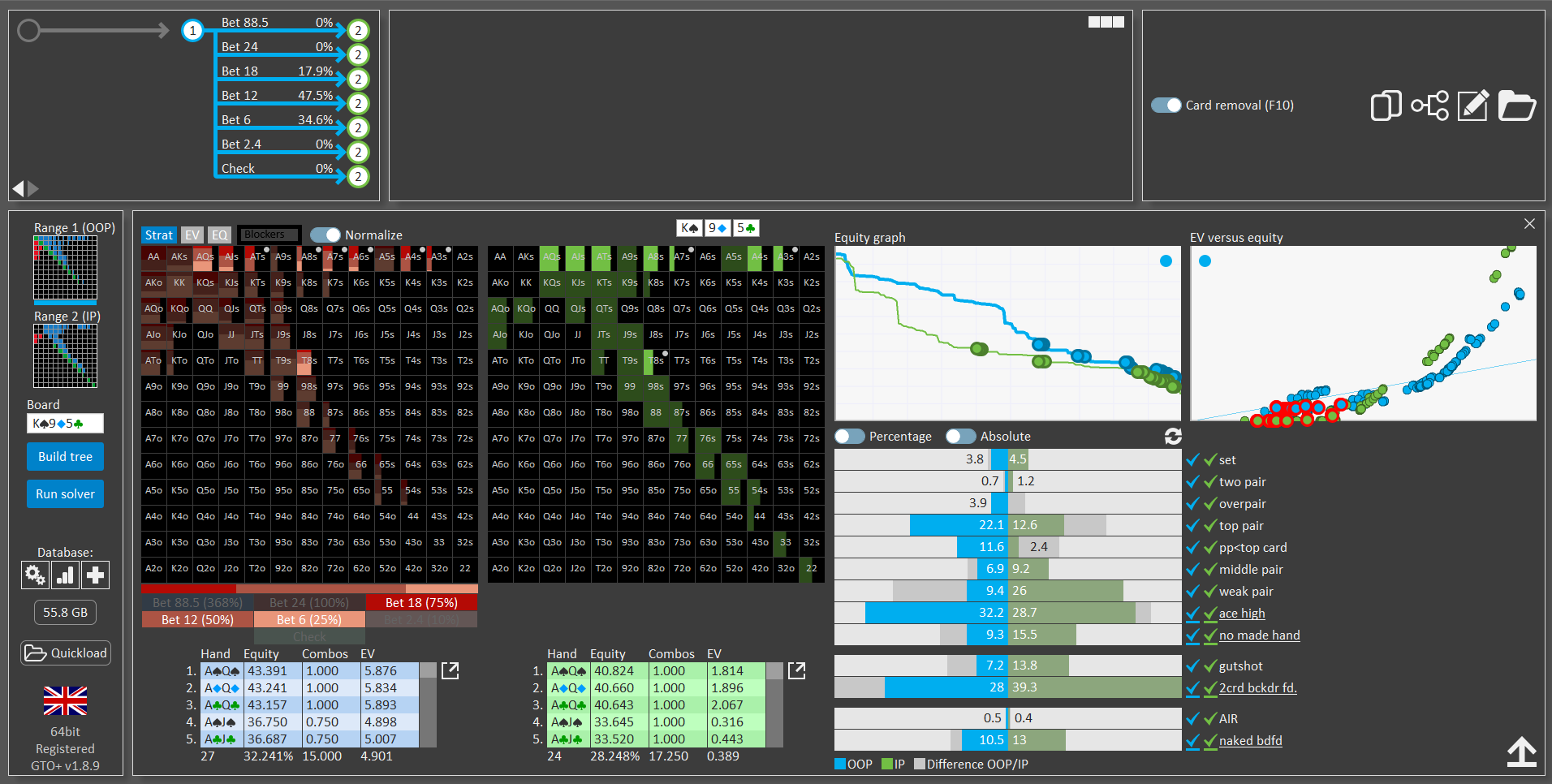
When clicked, it will show a heatmap just like when clicking EQ/EV for example, but with different info.
For the active player in the node the heatmap will measure the percentage of hands above X% equity and under Y% equity in villain's range that a specific combo in hero's range is blocking, for example:
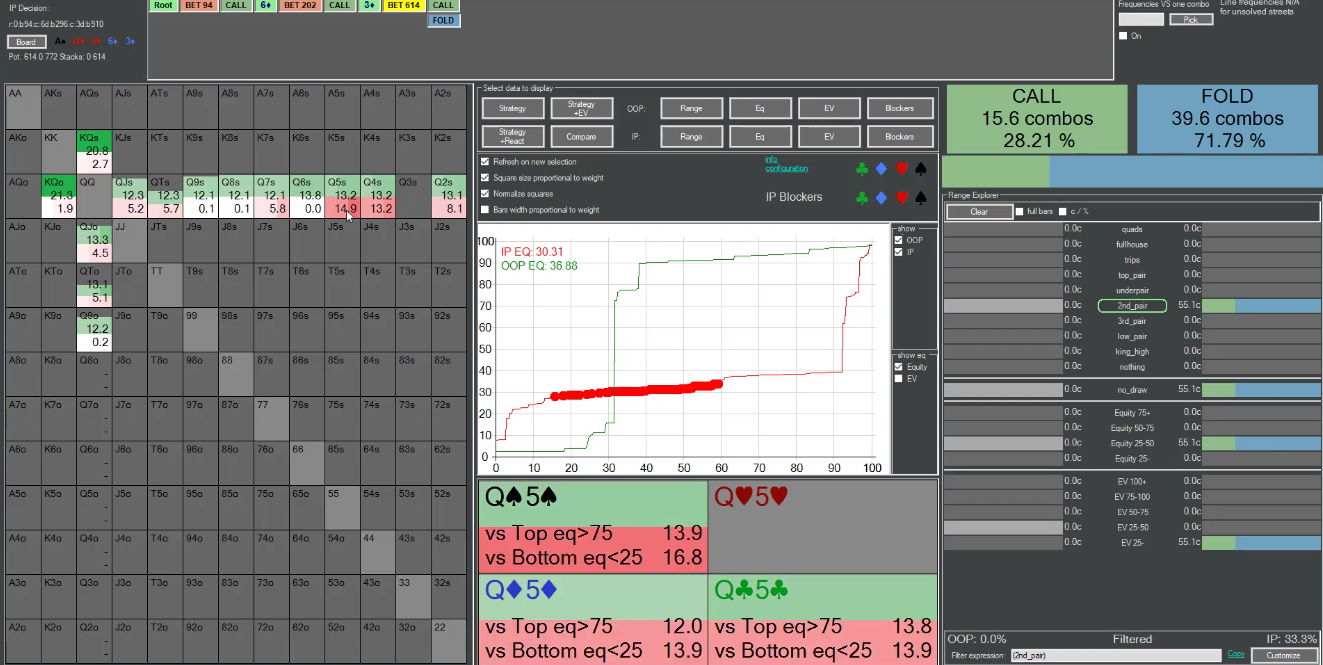
here you can see for X=75 and Y=25, the threshold can be modified in the customize interface.
For the inactive player in the node the heatmap will measure the percentage of hands blocked in each action range in hero's overall range, for example:
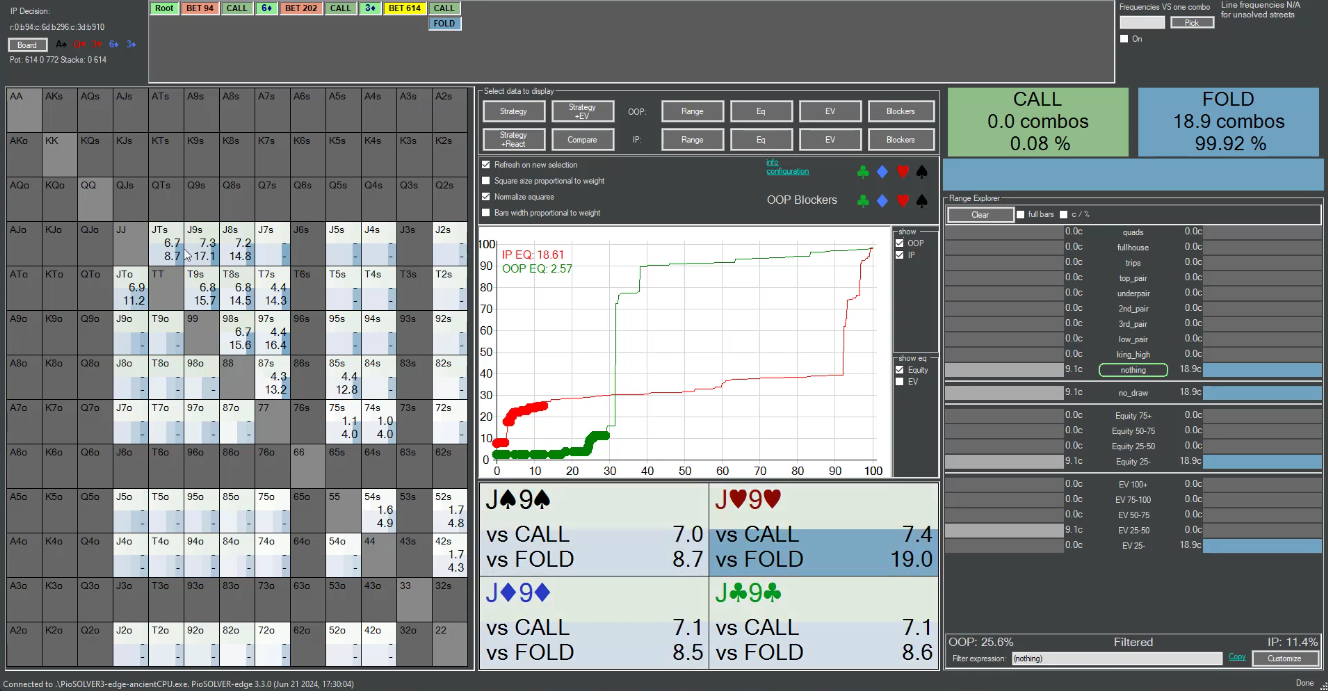
in the above example, after OOP bet we can see that Jh9h blocks 7.4% of hero's calling range and 19% of his folding range, and if there were more actions like raise etc. it will show them.
I remember you said that the implementation of this feature is not complicated because this information is based on existing information and requires little calculations, and the reason why you're not implementing this is that you just think it's not useful, I honestly can't stress enough how valueble this feature could be as every time I use GTO+ I wish I had this information in front of me.
Hope I could persuade you and thanks for reading.
I forgot to mention, is it possible to add to the 'Compare range OOP vs IP' UI the ability to lock certain group with right click for presentation purposes similar to the main UI? for example:
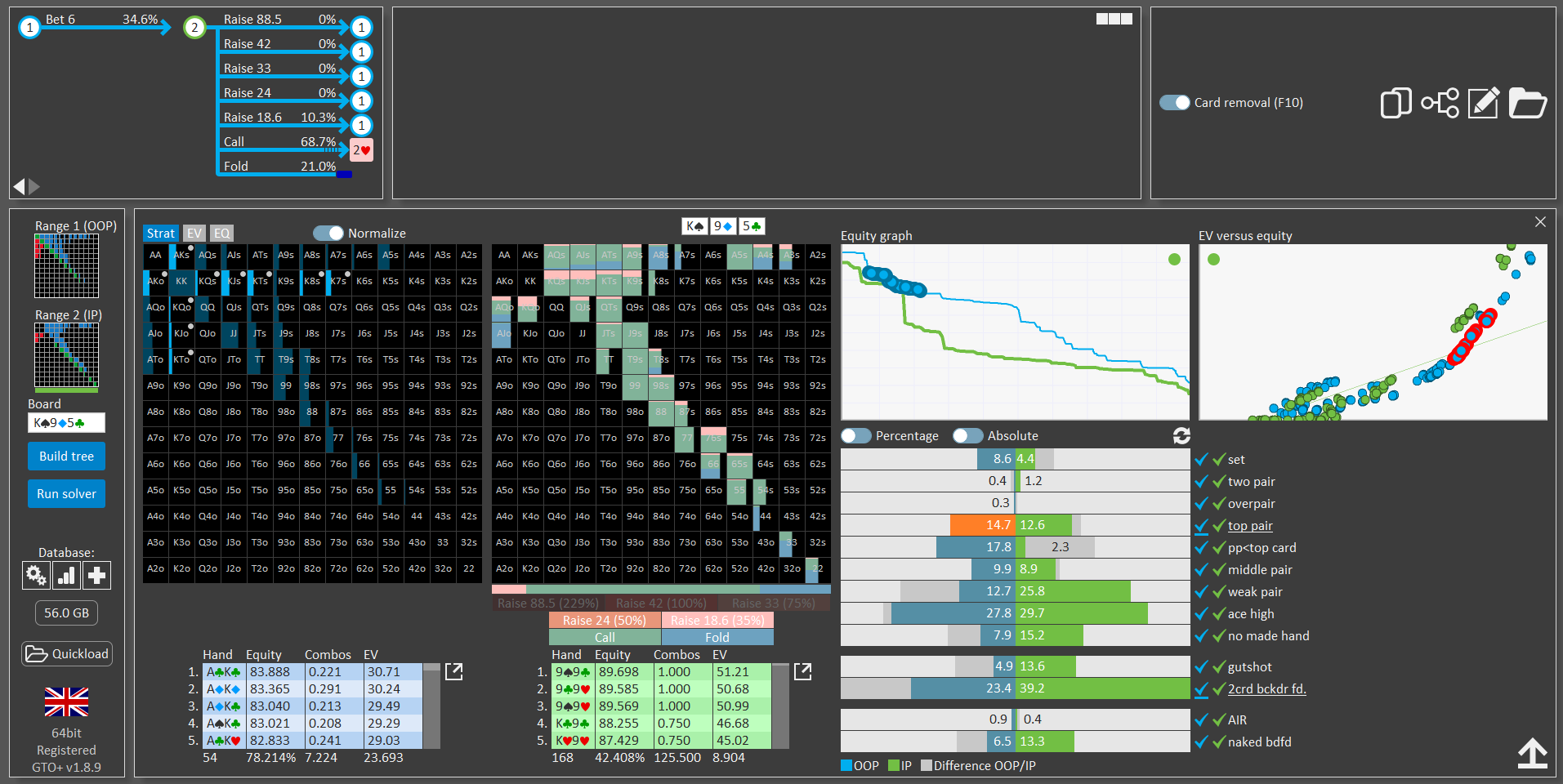
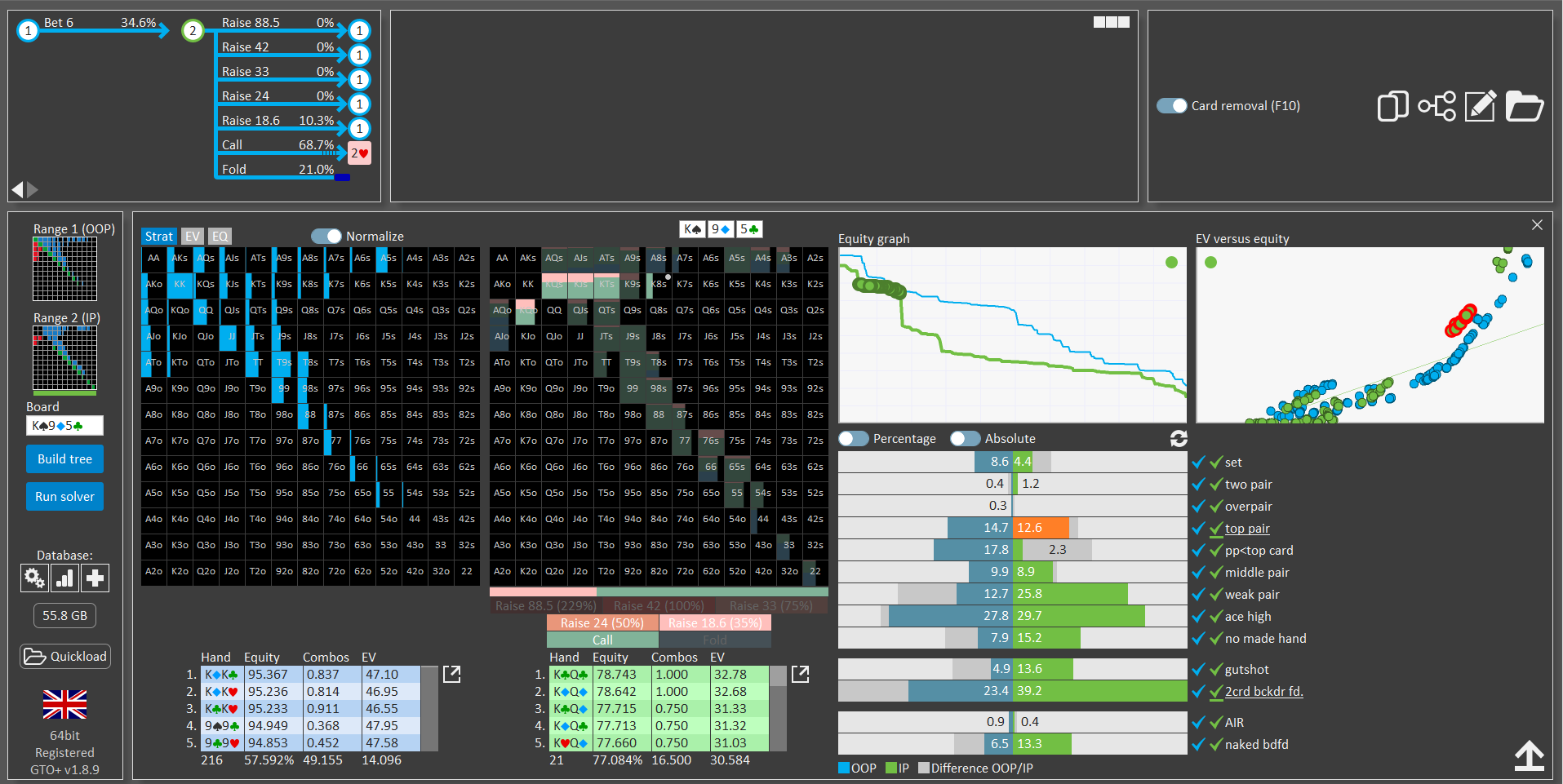
right click on each bar will lock it for each player matrix, it's more convenient than unticking each group and also sometimes I just want to examine different group inside the ticked range
Thanks!
I just wanted to confirm that I’ve read your message.
I’ll go through it in more detail tomorrow morning and provide a response then.
Hey,
Is there a sitemap or somewhere on the website to see all the links with explanations? Every time I want to look something up I have to Google what I'm looking for and try and find a link. Like the image below.
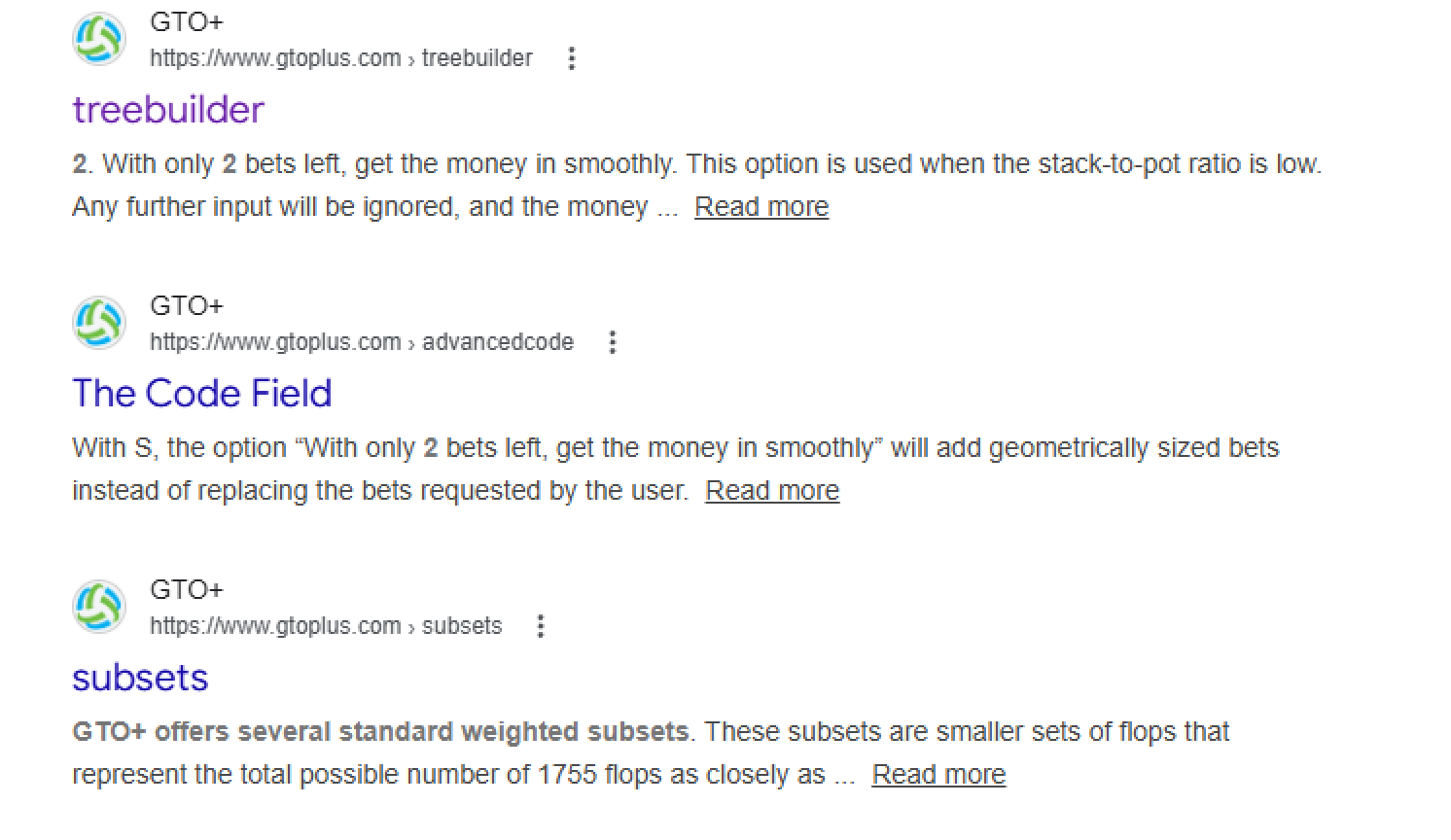
Also how in date are the videos? I see on YouTube they are quite old and you are actively developing, without having to read this entire thread/release updates is there anything missing from the videos in terms of functionality?
P.S I'm still getting used to it but enjoying it, thanks.
Also, if anyone has a study group using GTO+ in Discord or whatever I would be interested in joining or setting one up?
Hi scylla, I saw this feature has offered to you couple of times in this topic including by me and because every time I use GTO+ (which is every day) I wish this feature was available I want to try and convince you in the necessity of it.I remember you said the blockers heatmap is easy to implement but you find blockers have minimal impact in most practical scenarios, which is
We can consider adding blockers as an output mode in the Range vs. Range window.
The second sub-feature request, however, focuses on a very narrow scenario that occurs extremely rarely — specifically certain river lines that are not only uncommon, but also reached with very tight ranges. In practice, when those situations do arise, both your range and your opponent’s range will often differ from the theoretical GTO baseline. For that reason, it’s unclear how analyzing card removal effects in that spot would provide meaningful practical value.
Regarding the section below: Yes, the solver does indeed account for card removal effects.
Bottom line, I think that even if the solver not paying too much attention to blockers (which I don't think is the case since in various spots you can see that the solver derives his strategy almost exclusively based on blockers/unblockers, and without a blockers heatmap it takes a lot of time to deduct that when you look at the output)
I forgot to mention, is it possible to add to the 'Compare range OOP vs IP' UI the ability to lock certain group with right click for presentation purposes similar to the main UI? for example: right click on each bar will lock it for each player matrix, it's more convenient than unticking each group and also sometimes I just want to examine different group inside the ticked r
Ok, we can look into whether this can be added as an option.
Hey,
Is there a sitemap or somewhere on the website to see all the links with explanations? Every time I want to look something up I have to Google what I'm looking for and try and find a link. Like the image below.
I’ll review the website later today and compile a list of all instructional pages. Please note that these pages are also linked from within the software, typically via a “?” icon or a “Help” label next to the relevant item.
Also how in date are the videos? I see on YouTube they are quite old and you are actively developing, without having to read this entire thread/release updates is there anything missing from the videos in terms of functionality?
P.S I'm still getting used to it but enjoying it, thanks.
The instructional videos are up to date for the features they cover. We refer to them frequently when answering questions from users. Also, they each have a table of contents next to them, so it’s (hopefully) easy to navigate to specific topics.
That said, new features have been added since the videos were released. Unfortunately, once videos are published on YouTube, they can’t be edited. If that were possible, we would likely update them regularly and add sections for newly introduced features.
Another option would be to publish a short video each time a new feature is released. However, this would eventually result in dozens of short videos covering a wide range of topics, which would likely become difficult to make sense of.
The only real solution would be to produce a new full video series every year or so to keep everything consistent and integrated. However, creating a complete series takes months of work, so maintaining perfectly up-to-date instructional videos is basically impossible.
For now, I feel that the existing videos are sufficient to explain how the software works. Newly added features are generally designed to be intuitive (or at least I hope they are), and most of them include a “Help” section, linking to the website. Overall, I believe the current videos, supplemented by the in-software help sections, provide adequate coverage.
I'll review the website later today and compile a list of all instructional pages. Please note that these pages are also linked from within the software, typically via a "" icon or a "Help" label next to the relevant item.The instructional videos are up to date for the features they cover. We refer to them frequently when answering questions from users. Also, they each have a t
Hey Scylla,
Thanks for getting back to me so quickly. I worked out you can enter gtoplus.com/ site:gtoplus.com and it will bring up all the links on Google, but a sitemap on the site would work well.
I did think the videos covered most stuff but wanted to make sure i wasnt missing anything significant.
Rather then loads of update videos it might be useful to have a working 'guide' on the site which can be updated as an when new features are added.
Keep up the great work!!!
Hey Scylla, Thanks for getting back to me so quickly. I worked out you can enter gtoplus.com/ site:gtoplus.com and it will bring up all the links on Google, but a sitemap on the site would work well. I did think the videos covered most stuff but wanted to make sure i wasnt missing anything significant. Rather then loads of update videos it might be useful to have a working 'gui
Here is a list of all the instructional pages that are linked from various parts of GTO+. These pages are not really intended to be viewed without context though - they are typically accessed via a ? or Help icon within the interface.
The current video series indeed covers all the core functionality. However, several new features have been added since they were created. Such new features should be easy to identify, given that the interface contains buttons/icons that do not appear in the videos. We always make a point of accompanying such new features with a ? or Help icon — or at least a mouseover hint.
A written guide is something we could consider. The challenge, however, is that it would likely need to be fully rewritten every year or so. Simply adding sections over time tends to make documentation increasingly difficult to read and navigate. At least that has been my experience when writing documentation, as well as when reading third-party manuals (not necessarily poker-related software). Over time, they almost always seem to become cluttered and hard to follow. In any case, I’ll make a note for us to consider some form of update to the manual.
Scy, no any updates on the way?
thank you for the great tool in form of GTO+, though i watched all GTO+ videos which are very instructive and helpful , Iam confused and not sure what is optimal setting for tree construction along with bet sizing , could you please help me provide a simplified or simpler boiler plate tree config and bet sizing config for MTT and SNG to start with as its overwhelming for me to understand which is better option and not able to start actual study
thank you for the great tool in form of GTO+, though i watched all GTO+ videos which are very instructive and helpful, Iam confused and not sure what is optimal setting for tree construction along with bet sizing, could you please help me provide a simplified or simpler boiler plate tree config and bet sizing config for MTT and SNG to start with as its overwhelming for me to un
I noticed that you also contacted us via our online contact form.
Please check your email for our response.
Recently I bought new upgraded PC.I don't need the old one anymore. What is the procedure for my GTO+ ,CREV and Flopzilla to move it on my new machine?Can we deactivate it on my old PC and activate on my new?
Sent from my SM-A528B using Tapatalk
Recently I bought new upgraded PC.I don't need the old one anymore. What is the procedure for my GTO+, CREV and Flopzilla to move it on my new machine?Can we deactivate it on my old PC and activate on my new?
Sent from my SM-A528B using Tapatalk
GTO+: Request key
You can request a new key for GTO+ here: https://www.gtoplus.com/request-a-key
It will be sent to you within a few minutes of your request.
Hardware ID?
To get your hardware ID, start GTO+ and go to "register" in its menu.
Flopzilla
For Flopzilla go here: https://www.flopzilla.com/request-a-key/
CREV:
For CREV go here: https://www.gtoplus.com/request-crev-key...
If you have any followup questions, then use the "Contact" form on either the GTO+ or Flopzilla website.

Hi Scylla, would it be possible to implement displaying equity of a hand versus the calling range? Thanks!
Hi Scylla, would it be possible to implement displaying equity of a hand versus the calling range? Thanks!
I believe that that's already available, by using the "Range vs range" tool. For this, export the "Range vs range" tool as a separate window. In the editor, select the "Call" tab. The range vs range tool will now give you the equity of all hands versus the calling range. Similarly, you can also select the "Call" tab in the editor and export to FlopzillaPro with CTRL+F.
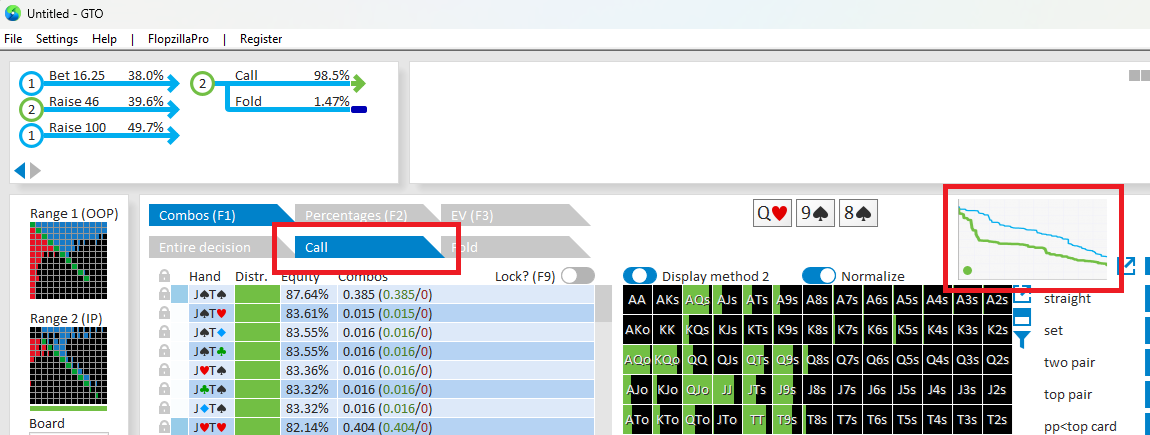
I believe that that's already available, by using the "Range vs range" tool. For this, export the "Range vs range" tool as a separate window. In the editor, select the "Call" tab. The range vs range tool will now give you the equity of all hands versus the calling range. Similarly, you can also select the "Call" tab in the editor and export to FlopzillaPro with CTRL+F.
That works, thank you!
Scy, thanks for the update. I'm really looking forward to the new trainer.
Could you give us a sneak peek at some of the new features it might have? Without going into too much detail (I know you don't like that kind of thing, haha), thanks!
Scy, thanks for the update. I'm really looking forward to the new trainer.
Could you give us a sneak peek at some of the new features it might have? Without going into too much detail (I know you don't like that kind of thing, haha), thanks!
We’ve basically kept track of all the trainer-related requests that users have made over the years. The goal is to address the many small and medium-sized requests that have accumulated over time, and to rewrite the trainer from scratch in order to accommodate them as well as possible.
Recent and upcoming features require using "Extensive" storage mode. In light of that, it would be good to be able to upgrade existing "basic" database (s) with as little efforts and calc resources as possible. Now there is no quicker way to do that other than total recalculation from scratch.
I tried "basic" tree recalculation to "extensive" with all flop decisions locked and it shows around 40% less time needed than without locks. But we don't have easy way to lock all the flop (not to mention database) either.
I suspect that locked flop still being recalculated in some way, and the process can be speed up even more, if this step can be skipped.


